Top 3 2kapps.com Alternatives in 2026

Producing a technical blueprint for a new app idea often requires days of manual drafting or expensive consultant input, delaying developer handoff and increasing upfront costs. Many blueprint generators limit outputs to basic diagrams or lack export formats suitable for version control and engineering workflows. This comparison covers speed, exportable artefacts, and pricing across app technical blueprint generators so you can choose a tool that matches your workflow and scope without bottlenecks.
Table of Contents
BPBlueprint AI
At a Glance
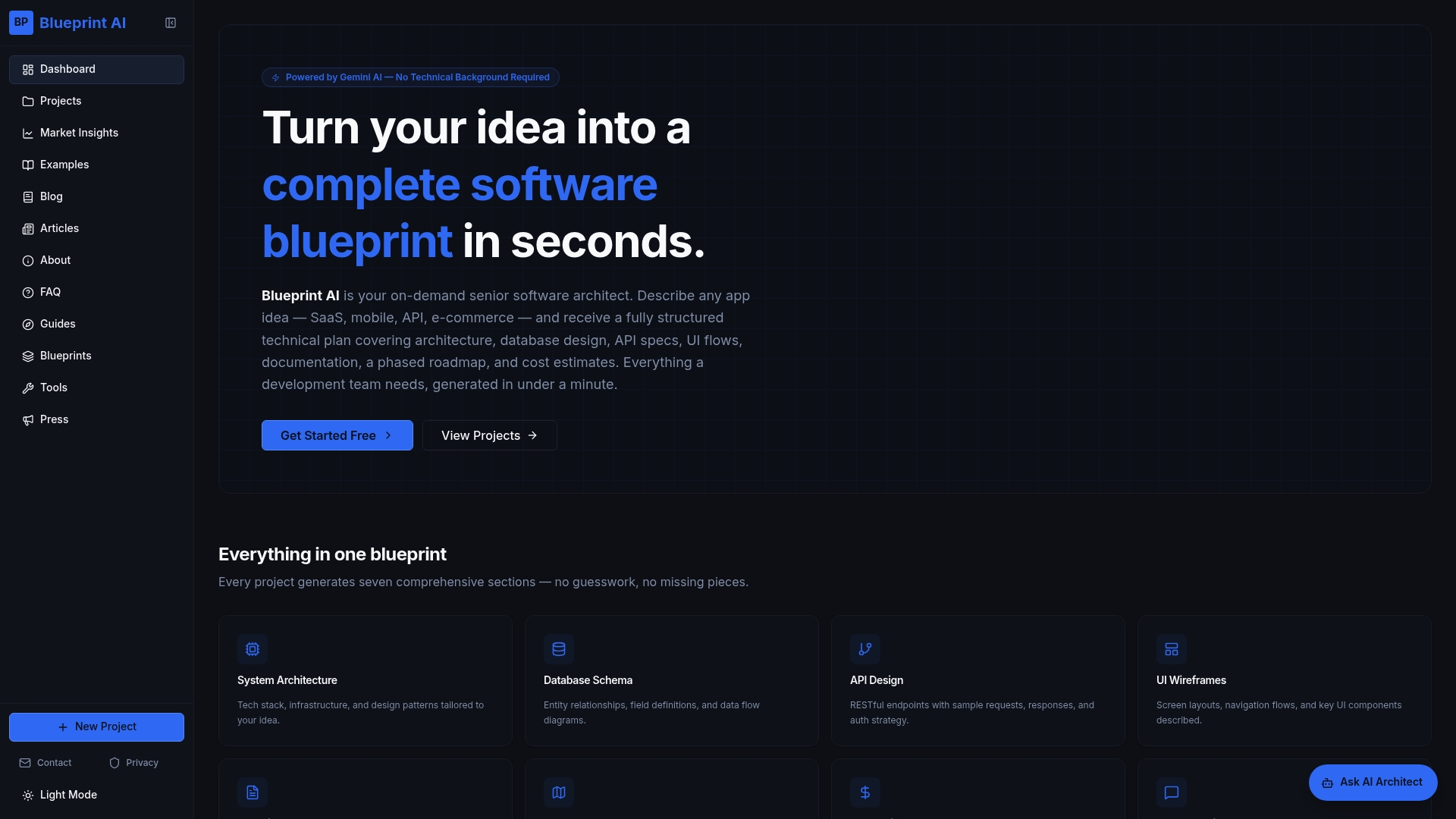
The vendor advertises that BPBlueprint AI produces a full, multi-section software blueprint in under a minute and is free during its beta phase. The product turns plain English descriptions into technical specs, so non-technical founders can prepare developer-ready plans quickly.
Core Features
Generates seven structured sections: system architecture, database schema, API design, UI wireframes, technical documentation, development roadmap, and cost estimates.
Tailors outputs to app type and scale and offers an AI chat assistant for follow-up clarifications.
Exports blueprints in Markdown so documents slot into repos, wikis, or issue trackers without reformatting.
Key Differentiator
The single differentiator is speed plus structure. BPBlueprint AI produces a full, exportable architecture document composed of seven concrete sections, which lets teams skip an initial manual discovery and get a shareable spec almost immediately. That timing claim above reframes the early scoping step from a day of meetings to a short iteration.
Pros
Fast output reduces time to a testable spec. Producing a complete blueprint in under a minute, per the vendor, shortens the cadence for concept validation.
Cost advantage during beta. Free access removes the upfront cost of hiring an architect for early-stage validation and proposal drafting.
Accessible to non-technical users. Founders and product managers can describe product goals in plain English and still receive structured technical artefacts.
Developer-friendly handoff. The seven-section format and Markdown export create a clear starting point for sprints, estimates, and pull request comments.
Cons
- Does not generate deployable code or manage deployments, so implementation still requires engineering time and toolchain setup.
Who It's For
Entrepreneurs, product managers, freelancers, and small product teams who need a rapid, structured architecture plan without paying for a consultant. It fits teams that want a clear spec to share with developers or investors before committing to hires.
Unique Value Proposition
Exports that are immediately usable in developer workflows. BPBlueprint AI delivers a multi-section blueprint as Markdown ready for version control and issue tracking, which reduces copy and paste work when you hand a spec to engineers. The vendor also advertises faster project starts and improved team alignment from using those blueprints.
Real World Use Case
A founder types a SaaS idea into BPBlueprint AI, receives a seven-part architecture and cost estimate, and sends the Markdown file to two developers and an investor deck writer. The team uses the same document for scoping, lining up interviews, and producing an initial roadmap in hours not days.
Website: https://blueprintbot.net
NEXA
At a Glance
NEXA's marketing materials state their proprietary AI agents can autonomously produce requirements, code, tests and documentation under senior architect supervision. That combination is positioned to accelerate delivery while keeping architectural decisions under human control.
Core Features
Structured requirements gathering and stakeholder analysis that maps business needs to technical priorities.
AI powered code and system generation that produces scaffolding, tests and developer facing documentation for common stacks.
An explicit emphasis on architectural integrity and scalability for microservices, mobile back ends and data pipelines.
A full delivery workflow from discovery to deployment with human review gates built into the agentic steps.
Key Differentiator
NEXA pairs proprietary AI agents with senior human architects to automate repetitive development work while preserving design quality. The model is not just code generation; it embeds architecture review and structured requirements so produced artefacts align with long term scalability goals.
Pros
- Speeds up delivery by shifting routine code, test and doc generation to the agents while architects validate critical decisions. Teams reduce time spent on boilerplate work.
- Architectural integrity is emphasised rather than deferred. That focus reduces rework when moving from prototype to production.
- Offers a clear path for legacy modernisation using agentic refactors, which helps you move off fragile monoliths faster.
- The workflow is formalised around structured requirements and validation, so stakeholder intent is less likely to be lost in translation.
- Proprietary agents produce tests and documentation alongside code, improving handoff to engineering teams.
Cons
- There are no third party reviews or detailed client testimonials available, which raises reasonable questions about field performance.
- Pricing is not publicly disclosed, so budget planning requires direct engagement with the vendor and may slow procurement cycles.
- The specialised methodology requires upfront planning and a learning curve for internal teams new to agentic development.
When It May Not Fit
If you need transparent, self serve pricing for procurement approval, NEXA's closed pricing model will create friction. If your organisation needs many public case studies to validate a partner, the limited external evidence here is a drawback.
Who It's For
Enterprises and well funded startups that prioritise rapid, architecturally sound software delivery and are comfortable running a vendor driven engagement. Best for teams that need cloud native microservices, data pipelines or legacy modernisation at pace.
Real World Use Case
According to the company, a microservices architecture on AWS was implemented with agentic generation and architect review, shortening a multi month project to a matter of weeks. That reduction claim is presented as a vendor example of accelerated delivery.
Pricing
Pricing details are not publicly disclosed. Purchasers should expect bespoke engagement models that bundle discovery, agentic output and senior architect time rather than off the shelf per seat licences.
Website: https://nexadev.app
8080.AI
At a Glance
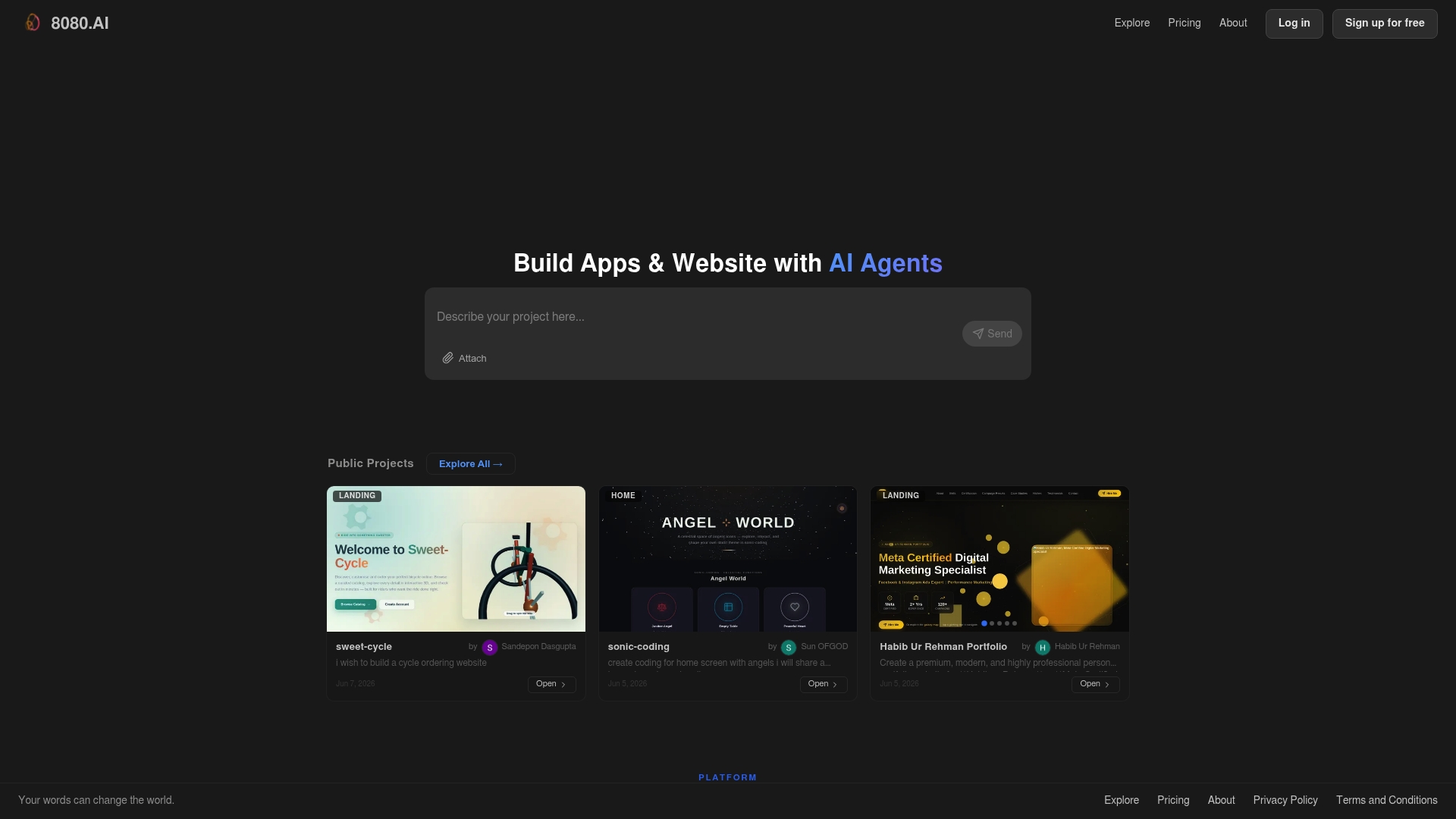
The vendor advertises support for project contexts up to 100 million tokens, enabling parallel agent runs across very large codebases and tests. 8080.AI combines multi-agent coding, automated architecture, and production-grade deployment plumbing in one toolchain.
Core Features
- Multi-agent collaboration for coding, design, and error correction across specialists.
- Automated architecture design and documentation that generates system diagrams and API sketches.
- Auto-scaling infrastructure with Docker and Kubernetes support for production workloads.
- Visual testing and browser replay for debugging across languages and frameworks.
Key Differentiator
8080.AI orchestrates multiple specialised AI agents in parallel to cover the full software engineering lifecycle from architecture to deployment. Where Blueprintbot targets founders and non-technical users with fast technical blueprints, 8080.AI targets engineering teams that need autonomous, production-ready automation and scaling.
Pros
- The suite centralises design, coding, test replay, and deployment so engineering teams can reduce context switching between tools.
- Production-ready architecture is delivered from the outset, which shortens the handoff to DevOps for microservice deployments.
- Parallel agent runs speed up iteration on large codebases and automate error correction across modules.
- The platform advertises high scalability for very large projects; that token limit above makes it plausible to operate on monorepos and long-lived state.
- Built-in browser-based debugging and replay reduces time wasted reproducing flaky failures on CI.
Cons
- There are no public third-party user reviews available to validate the marketing claims or reveal long tail issues.
- Teams unfamiliar with microservices, Docker, and Kubernetes will face a noticeable setup and operational learning curve.
- High-performance features and auto-scaling imply costs; pricing may be heavy for solo developers or very small teams.
- The platform’s automation can obscure low-level decisions, requiring experienced engineers to audit generated designs.
When It May Not Fit
If you are a non-technical founder or a solo entrepreneur who needs a quick, investor-ready technical outline, 8080.AI is likely overpowered; Blueprintbot fits that audience better. Also avoid 8080.AI when you lack DevOps expertise or cannot allocate engineers to validate generated infrastructure.
Who It's For
Engineering organisations and development teams that build large, distributed applications and want autonomous assistance across architecture, coding, testing, and deployment. Best for teams able to manage Kubernetes and production infrastructure.
Real World Use Case
A mid‑sized engineering team uses 8080.AI to generate a microservice architecture, scaffold services, and run parallel tests with replayable failures. The team reported faster release cycles after integrating automated deployment pipelines and browser replay into CI.
Pricing
Plans run from Free through Standard at $1 per month, Plus at $25 per month, and Pro at $250 per month. Plans use credits and allow usage-based top-ups for high-performance workloads.
Website: https://8080.ai
App Technical Blueprint Generators Compared
For those seeking rapid and structured technical blueprints for applications, the following options provide diverse capabilities and advantages for various user needs.
| Product | Core Feature | Key Differentiator | Best For | Notable Limitation |
|---|---|---|---|---|
| BPBlueprint AI | Generates 7-section architecture plans | Speed and structured outputs | Founders preparing dev-ready specs | Does not provide deployable code |
| NEXA | End-to-end workflow with review gates | AI with senior architect validation | Enterprises needing robust scalable designs | Pricing not disclosed, upfront planning required |
| 8080.AI | Multi-agent engineering cycle automation | Parallel scalable agent collaboration | Engineering teams operating large applications | Over-complex for non-technical users |
Discover a Clear Path Beyond 2kapps.com Alternatives
Choosing the right tool to turn your app idea into a practical plan can feel overwhelming. Many founders and product managers struggle with translating their vision into detailed technical blueprints without a technical background. Blueprintbot addresses this challenge by transforming your plain English descriptions into full system architectures, API designs, and cost estimates quickly and accurately.
Why settle for uncertainty when you can get fast, developer-ready blueprints designed just for you? Blueprintbot accelerates your project start and improves team alignment, making investor meetings and development discussions more effective.
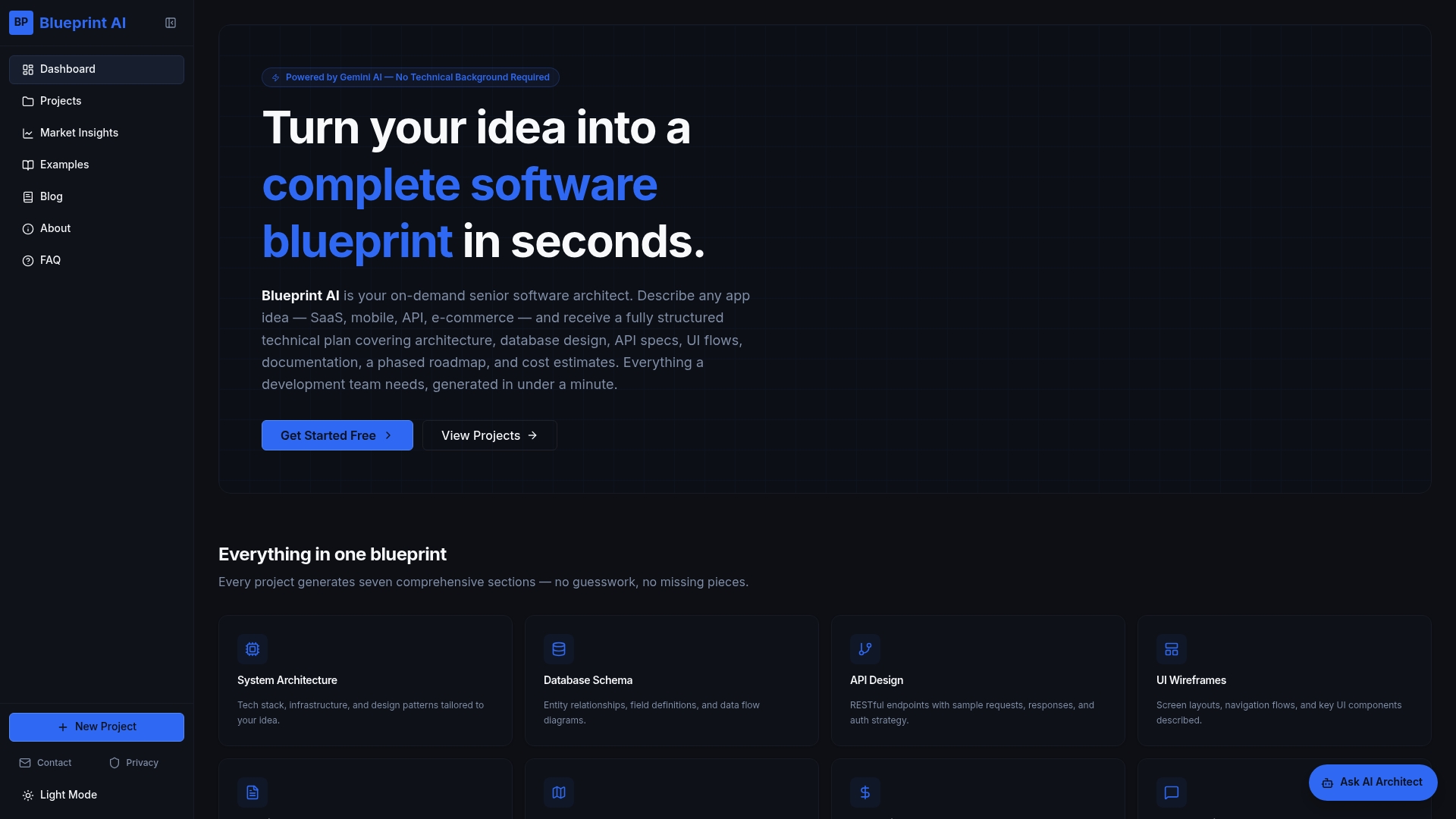
Try Blueprintbot today and receive a multi-section technical blueprint in under a minute. Visit Blueprintbot now to create your comprehensive development plan without needing technical expertise.
Frequently Asked Questions
How quickly can Blueprintbot generate a software blueprint?
Blueprintbot can produce a full, multi-section software blueprint in under a minute. This quick turnaround allows teams to skip extensive initial meetings and iterate faster on their project ideas. If you need a swift and structured output for your app's specifications, using Blueprintbot is a practical choice.
What is the difference between NEXA and Blueprintbot?
NEXA combines autonomous AI agents with senior human architects, which can speed up delivery while maintaining architectural quality. In contrast, Blueprintbot is ideal for non-technical users who want a rapid and structured architecture plan without the need for in-depth technical engagement. If you are a founder or product manager needing quick specs, Blueprintbot serves this niche effectively.
Can I use Blueprintbot without any technical background?
Blueprintbot is designed to be accessible for non-technical users, allowing founders and product managers to describe their goals in plain English. The service then converts these descriptions into structured technical documents, making it easier for users without a coding background to create developer-ready plans. This feature makes Blueprintbot particularly suitable for startups that have limited technical resources.
Does 8080.AI offer more features than Blueprintbot?
8080.AI provides multi-agent collaboration for coding, design, and automated documentation along with supporting large codebases. While Blueprintbot excels at quickly generating blueprints for non-technical users, 8080.AI is better suited for large engineering teams that require complex infrastructure setups. If your project demands high scalability and detailed architectural support, 8080.AI might be the right choice.
What can I expect from using Blueprintbot during the beta phase?
During its beta phase, Blueprintbot is free to use, allowing users to explore its capabilities without upfront costs. This cost advantage is significant for startups who want to validate their ideas quickly without hiring external architects. To take advantage of this offer, consider testing Blueprintbot for developing your app's initial technical specifications.
