Create a technical plan without coding: 2026 guide
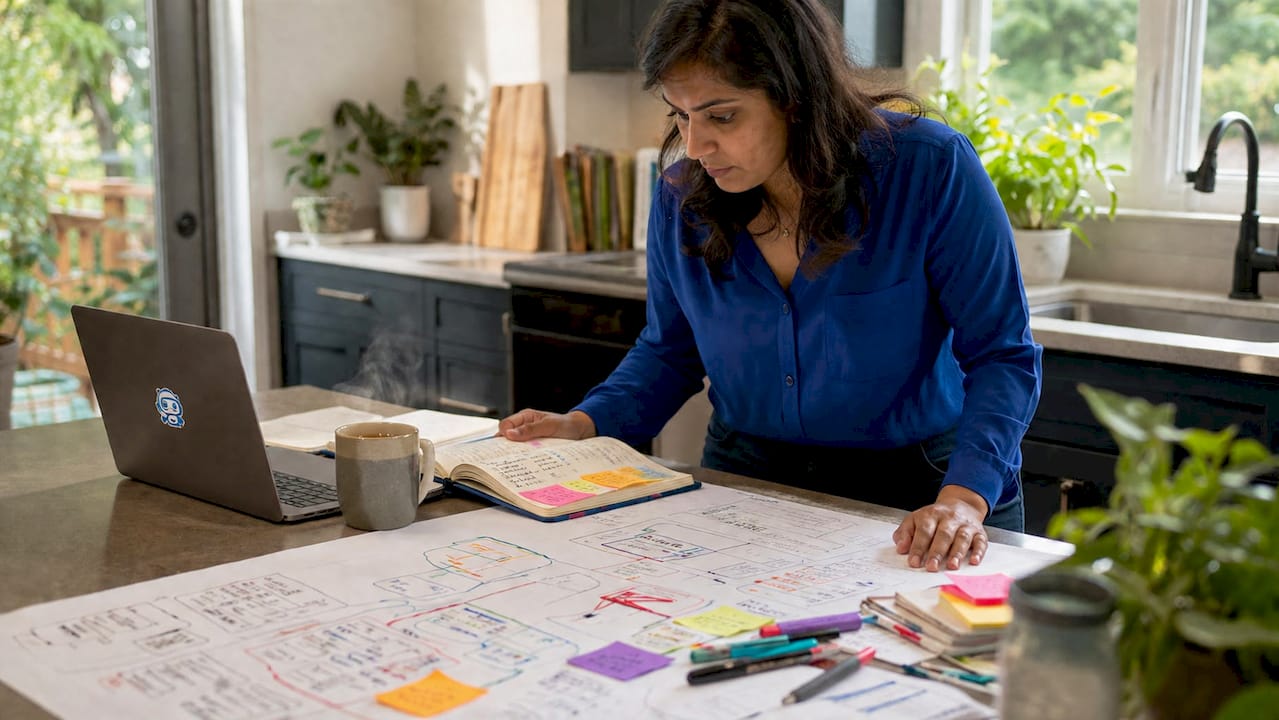
You can create a technical plan without coding by using structured frameworks and AI-powered blueprint platforms that translate plain-language app descriptions into detailed technical specifications. This approach, formally called software requirements and architecture planning, is now accessible to non-technical founders and product managers through tools like Blueprintbot. A stakeholder-approved technical plan covers seven core components: objectives, scope, stakeholders, a work breakdown structure (WBS), budget, timeline, and risk management. Mastering this process does not require a single line of code. It requires clear thinking, the right structure, and the right tools.
What does a non-coding technical plan actually contain?
A non-coding technical plan is defined by seven core components, and missing even one puts stakeholder approval at risk. Each component serves a distinct purpose in keeping your project on track and your team aligned.
Project objectives state what the app must achieve in measurable terms. Vague goals like "build a great app" fail immediately. Concrete objectives like "allow users to book appointments in under 60 seconds" give developers and designers a clear target.

Project scope defines what is included and, critically, what is not. Failing to document out-of-scope items is the most common cause of scope creep and project failure. Write both lists explicitly. If push notifications are not in scope for version one, say so in writing.
The remaining five components work together to make the plan executable:
- Stakeholder identification: Name every person or team with a decision-making role, from the product owner to the QA lead.
- Work breakdown structure (WBS): Break the project into tasks, then sub-tasks, using a logical hierarchy. This is the backbone of your timeline.
- Resource estimates and budget: Estimate developer hours, third-party API costs, and hosting fees. Even rough numbers prevent budget shock later.
- Timeline with milestones: Assign phases (discovery, design, development, testing, launch) with realistic deadlines. Milestones create accountability.
- Risk management and communication plan: List the top five risks, assign an owner to each, and define how the team will communicate progress weekly.
Pro Tip: Use a software requirements document as your single source of truth. Every stakeholder reads from the same document, which eliminates conflicting assumptions before they become expensive problems.
How should non-technical founders prepare before writing a plan?
The critical skill for non-technical founders is decision intelligence, not coding. AI tools amplify logical thinking. They do not replace it. Preparation is what separates a plan that gets funded from one that gets shelved.
Follow this 30-to-90-day preparation sequence:
- Days 1–30: Learn foundational terminology. Understand what APIs, databases, and user authentication mean in plain language. An API is a connector between two software systems. A database is a structured table of stored information. Authentication is how the app confirms who you are. You do not need to build these. You need to describe them accurately.
- Days 31–60: Define your success metrics. Decide how you will measure whether the app works. Metrics like "500 active users in month one" or "checkout completion rate above 70%" give your plan a measurable finish line.
- Days 61–90: Conduct a feasibility assessment. Research whether your idea is technically achievable within your budget. Tools like Notion and Figma help you map user flows and gather requirements visually, without writing code. Jira works well for organising tasks once the plan is drafted.
Understanding IT strategy and planning principles at this stage pays dividends. Decision-making frameworks and logical structuring matter far more than tool selection alone.
Pro Tip: Spend your first 30 days reading, not building. Founders who skip the terminology phase produce plans that developers cannot interpret, which costs more to fix than the time saved.
Step-by-step: how to create a detailed app plan using AI tools
AI-driven platforms reduce blueprint generation from weeks to minutes and cut overall build time by approximately 55%. That figure represents a fundamental shift in how non-technical founders can approach product development. The process below works whether you are planning a mobile app, a SaaS product, or an internal business tool.
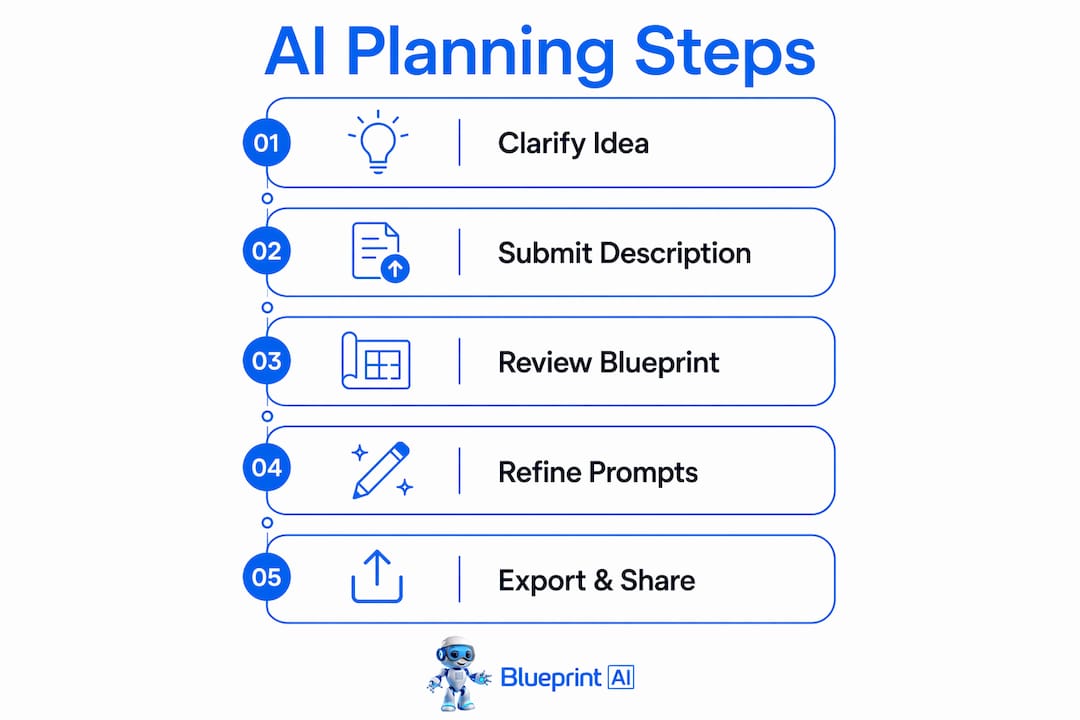
Step 1: Clarify your app idea
Write a single paragraph that answers four questions: Who is the user? What problem does the app solve? What are the three to five core features? What rules or constraints apply (privacy laws, payment regulations, age restrictions)?
A strong description looks like this: "A Canadian freelancer uses this app to send invoices, track payments, and receive alerts when invoices are overdue. The app must comply with GST/HST reporting requirements and support Stripe payments."
Step 2: Submit your description to an AI blueprint platform
Paste your description into Blueprintbot. The platform generates a full software blueprint covering system architecture, database schemas, API designs, user interface flows, a development roadmap, and cost estimates. This output takes seconds, not weeks.
Step 3: Review the generated blueprint systematically
Do not skim the output. Check each section in order:
- Database schemas: Do the tables match your data needs? A freelancer invoicing app needs tables for users, clients, invoices, and payments.
- User roles: Are all user types defined? An admin role and a client role serve different functions.
- Page list and UI flows: Does every screen your user needs exist in the plan?
- API endpoints: Are the connections between your app and third-party services (Stripe, email, SMS) clearly defined?
AI MVP builders map user flows and database architecture automatically from natural language, which means your first draft is already more complete than most manually written plans.
Step 4: Refine with targeted correction prompts
Vague feedback produces vague revisions. Use specific correction prompts. Instead of "make it better," write "add a notifications table to the database schema that tracks invoice overdue alerts by user ID." Specifying structure, constraints, and edge cases upfront reduces correction cycles and saves time.
Step 5: Export and share with your development team
A completed Blueprintbot blueprint gives developers everything they need to begin work without a discovery session. The platform also provides step-by-step deployment guides for Google Play and the Apple App Store, so you can publish without DevOps expertise.
Pro Tip: Run your blueprint through Blueprintbot's AI chat assistant after the first draft. Ask it to identify missing edge cases. This single step catches gaps that would otherwise surface during development, when fixes cost far more.
The table below summarises the five steps and the output each produces:
| Step | Action | Output |
|---|---|---|
| 1. Clarify | Write a four-element app description | Clear brief for AI input |
| 2. Submit | Paste description into Blueprintbot | Full technical blueprint |
| 3. Review | Check schemas, roles, pages, APIs | Verified plan structure |
| 4. Refine | Use targeted correction prompts | Accurate, complete blueprint |
| 5. Export | Share with developers or deploy | Ready-to-build specification |
What pitfalls should you avoid when planning without code?
The most common mistake non-technical founders make is mixing planning and scheduling too early. Defining scope and goals fully before adding timelines prevents expectation misalignment between founders and developers. Write the "what" before you write the "when."
Avoid these specific pitfalls:
- Vague AI prompts: Submitting "build me a fitness app" produces a generic blueprint. Submitting a structured description with user personas, features, and constraints produces a plan your team can actually use. Outlining constraints and edge cases upfront produces more accurate AI-generated plans.
- Skipping backend architecture: Non-technical founders often overlook database schemas and API definitions, which leads to costly refactoring once development begins. Define your data model before your UI.
- Ignoring technical accessibility: Clear heading structures and standard terminology allow AI agents and outsourced developers to interpret your plan without needing clarification calls. Write for a reader who has never met you.
- Treating the plan as static: Weekly or biweekly reviews update timelines, risks, and budgets as conditions change. A plan that is not reviewed becomes a liability, not an asset.
Pro Tip: Apply a design systems approach to your documentation structure. Consistent naming conventions and logical hierarchies make your plan readable by any team member, anywhere, without a briefing call.
The best plans define scope in writing, document what is out of scope, and get reviewed on a fixed schedule. These three habits alone separate successful product launches from stalled projects.
Key takeaways
Creating a technical plan without coding requires structured frameworks, AI-powered tools, and clear documentation to produce a blueprint that developers, stakeholders, and AI agents can all act on immediately.
| Point | Details |
|---|---|
| Seven core components | Every stakeholder-approved plan covers objectives, scope, WBS, stakeholders, budget, timeline, and risk management. |
| Decision intelligence first | Non-technical founders need logical thinking and clear descriptions, not coding skills, to produce accurate plans. |
| AI cuts build time | Blueprintbot and similar platforms reduce blueprint generation from weeks to minutes, cutting build time by approximately 55%. |
| Define scope before schedules | Writing what the app delivers before setting timelines prevents the most common cause of project failure. |
| Review plans regularly | Weekly or biweekly plan reviews keep timelines, risks, and budgets accurate as the project evolves. |
Why I think non-technical founders have the advantage now
The conventional wisdom used to be that you needed a technical co-founder to build a credible product plan. I think that framing is now outdated, and it was always slightly wrong.
The founders who produce the clearest technical plans are not always the ones who can write code. They are the ones who understand their users deeply and can describe problems with precision. AI blueprint platforms have made that skill the only one that matters in the planning phase. When you submit a well-structured app description to Blueprintbot, the output reflects the quality of your thinking, not your programming knowledge.
What I have observed is that technical founders sometimes over-engineer their plans. They get absorbed in implementation details before the core user problem is validated. Non-technical founders, when properly equipped with structured frameworks, tend to stay focused on outcomes. That focus produces better first drafts.
The shift happening right now is real. AI tools are compressing the distance between idea and specification to near zero. The benefits of AI-generated technical plans are not theoretical. Founders who adopt structured, AI-assisted planning today are validating ideas in days that would have taken months two years ago. The window to move fast on this is open. Use it.
— Rishi
Blueprintbot makes technical planning accessible
Non-technical founders no longer need to hire a consultant to produce a credible technical specification. Blueprintbot generates complete software blueprints from plain-language app descriptions, covering architecture, database schemas, API designs, UI flows, and cost estimates in seconds.
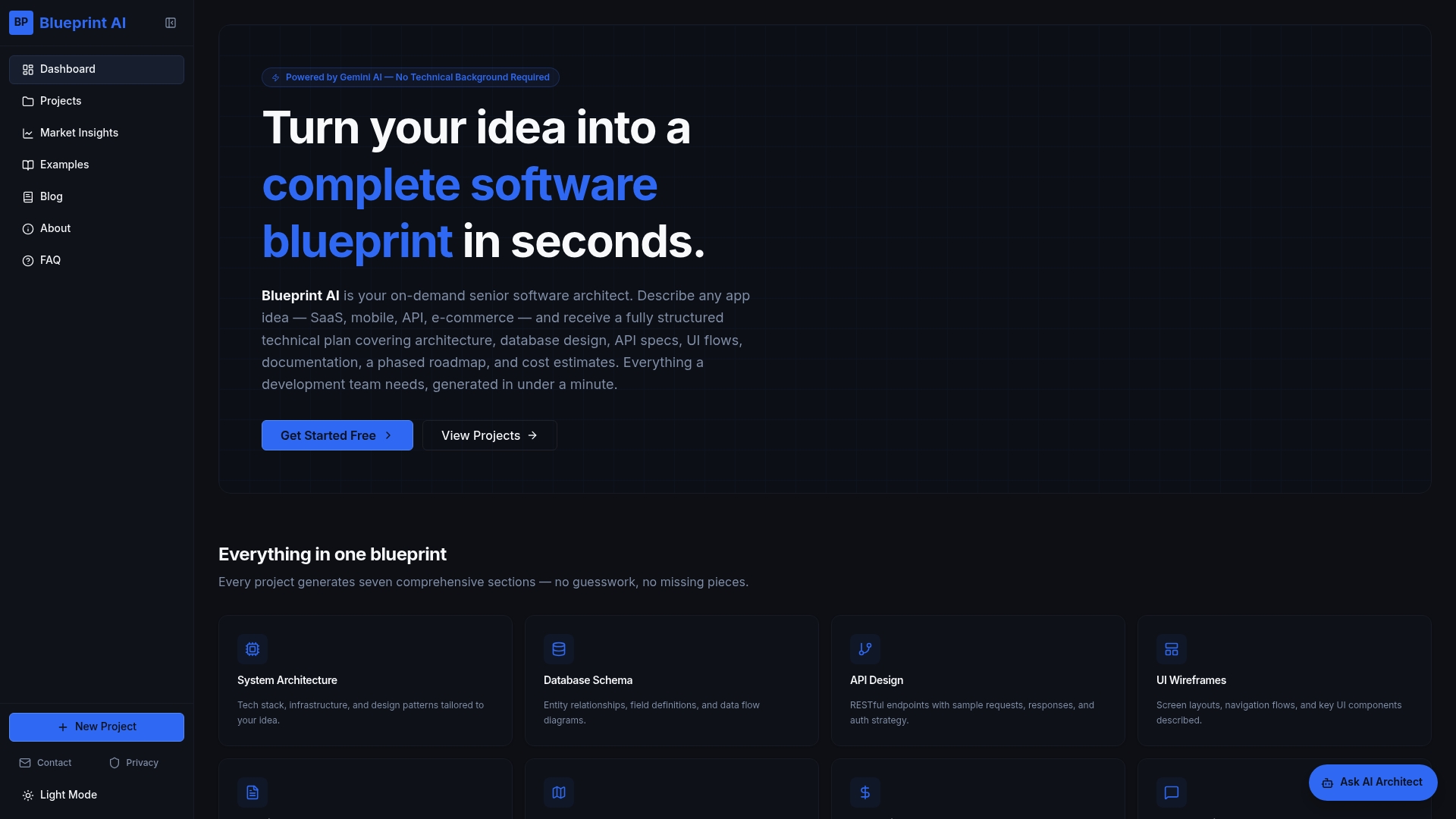
The platform's free planning tools include an MVP Feature Prioritizer built on the MoSCoW Method, which helps you decide which features belong in version one and which can wait. Blueprintbot also provides deployment guides for Google Play and the Apple App Store, so your plan carries you all the way from idea to launch. Explore the use cases to see how founders and product managers across industries are using it to build faster and communicate more clearly with their development teams.
FAQ
What is a technical plan without coding?
A technical plan without coding is a structured document covering app objectives, scope, database design, user flows, and API requirements, produced using plain-language descriptions and AI-powered tools rather than programming skills.
How long does it take to create a technical plan with AI?
AI blueprint platforms like Blueprintbot generate a full technical specification in seconds from a plain-language description. Reviewing and refining the output typically takes a few hours for a first-version plan.
What are the seven components of a stakeholder-approved technical plan?
A stakeholder-approved plan includes project objectives, scope (including out-of-scope items), stakeholder identification, a work breakdown structure, resource and budget estimates, a milestone timeline, and a risk management strategy.
Do I need technical knowledge to use AI blueprint tools?
No coding knowledge is required. The critical skill is decision intelligence: the ability to describe your user, their problem, and your app's rules clearly. AI tools translate that description into a full technical specification.
How do I avoid scope creep in a non-coding technical plan?
Document out-of-scope items explicitly in your plan from the start. Failing to list what the app will not do is the leading cause of scope creep and project delivery failure.
