Automate feature specification writing with AI

Automated feature specification writing is the process of using AI tools to generate structured Product Requirements Documents (PRDs), user stories, acceptance criteria, and technical plans from a simple idea or brief. The industry standard term for this practice is spec-driven development. AI-powered specification generators can transform vague product ideas into comprehensive PRDs and technical architectures in seconds. That speed matters enormously for founders and product managers who need to move from concept to development without losing weeks to manual documentation. Blueprintbot is built precisely for this workflow, producing system architecture, database schemas, API designs, and development roadmaps from a single app idea.
What do you need to automate feature specification writing?
The right starting point is a clear, written description of your product idea. You do not need technical expertise, but you do need enough context for an AI tool to generate meaningful output. Think of it as briefing a senior consultant: the more specific your input, the better the result.

Essential inputs before you begin
Before any automation tool can produce useful specs, you need three things in place:
- A defined problem statement. What does your product solve, and for whom? A one-paragraph description is enough to start.
- A rough feature list. Even a bullet list of five to ten features gives the AI enough structure to generate recommendations. AI feature suggestions adapt intelligently to context, recommending 8–10 features with priority and effort ratings based on your project type.
- A target audience profile. Knowing whether you are building for enterprise teams or individual consumers shapes every specification decision downstream.
What to look for in a feature specification tool
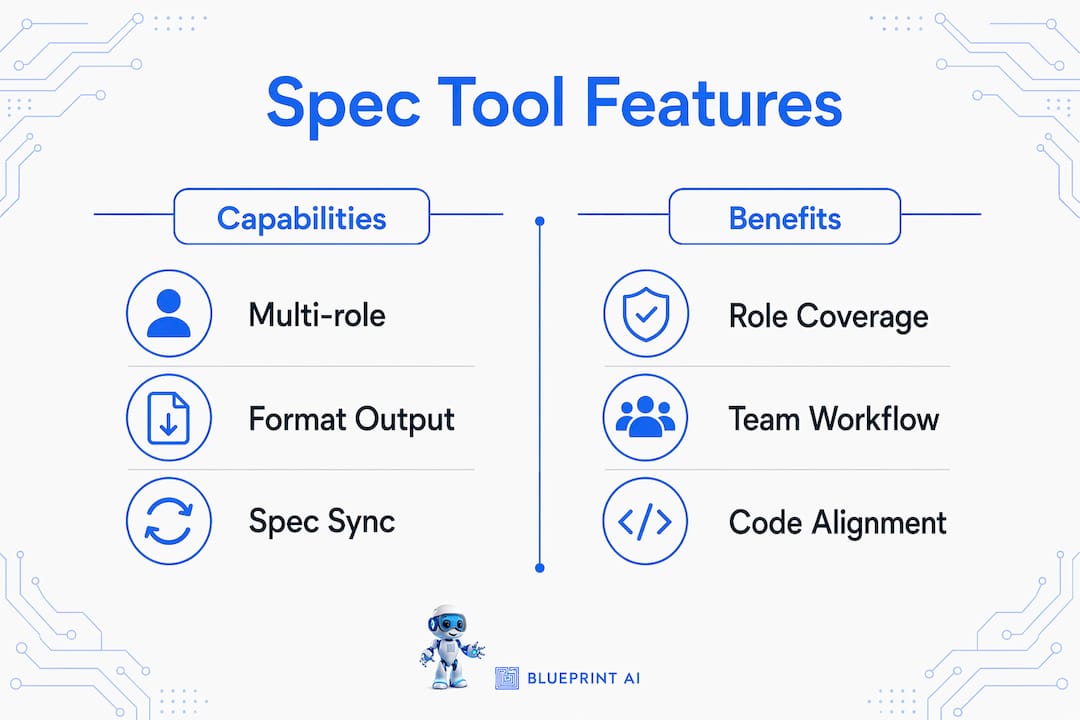
Not all feature specification tools are created equal. The table below outlines the capabilities that separate basic document generators from genuinely useful automation platforms.
| Capability | Why it matters |
|---|---|
| Multi-role spec generation | Covers Product Manager, DevOps, Finance Lead, and QA perspectives in one pass |
| Edge case matrix output | Catches null inputs, permission errors, and boundary conditions automatically |
| Tech stack evaluation | Recommends appropriate technologies without locking you into early choices |
| AI chat for follow-up | Lets you refine and clarify specs interactively after the first draft |
| Sync with codebase changes | Keeps documentation accurate as the product evolves |
Spec-driven development frameworks generate up to 10 specialised specification documents per project, covering roles from Product Manager to Finance Lead. That breadth prevents the common failure where a spec looks complete but misses operational or financial constraints entirely. Blueprintbot produces this kind of structured, multi-angle output from a single prompt, making it practical for non-technical founders who cannot afford to hire a full documentation team.
Pro Tip: Before choosing a tool, check whether it outputs specs in a format your development team already uses. Markdown, Confluence-compatible text, and structured JSON are the most portable formats.
How to execute automated spec writing step by step
A repeatable workflow separates teams that get consistent results from those that treat spec automation as a one-off experiment. The process below works whether you are a solo founder or a product manager coordinating a larger team.
Write your idea as a plain-language brief. Describe the product, the core problem it solves, and the primary user. Two to three paragraphs is sufficient. Avoid technical jargon at this stage.
Run an initial feature generation pass. Feed your brief into your chosen tool and let it produce a feature list. Blueprintbot, for example, generates 8–10 feature recommendations with priority and effort ratings automatically. Review these against your product vision and remove anything that does not fit.
Generate dedicated research commands before committing to features. Advanced practitioners surface and vet new features through dedicated research commands before implementation rather than after. This step prevents you from writing full specs for features that turn out to be low-value or technically impractical.
Produce the full PRD and user stories. Once your feature list is confirmed, instruct the tool to generate a complete PRD. This should include user stories written in the standard format ("As a [user], I want [action] so that [outcome]"), acceptance criteria for each story, and a summary of non-functional requirements like performance and security.
Generate an edge case matrix. Specialised AI can generate a matrix of 20+ edge cases for a single feature, covering scenarios like null inputs and permission boundaries. Run this step for every feature that involves user input, data processing, or access control. Edge cases caught in the spec phase cost a fraction of what they cost to fix after development.
Draft technical specifications. With the PRD and edge cases in place, generate the technical layer: system architecture, database schema, API contracts, and UI flow descriptions. At this stage, focus on what the system must do, not which specific technologies will build it. Defining "what" and "why" before "how" prevents early architectural lock-in and keeps your options open.
Run an inline review cycle. Share the draft specs with your development team or a technical advisor. Use the AI chat feature in your tool to address questions and refine sections. Blueprintbot's AI chat assistant handles follow-up questions directly, so you can iterate without starting from scratch.
Establish a sync process. Specs that are written once and never updated become liabilities. Keeping specification documents in sync automatically as code evolves reduces manual overhead and maintains accuracy across the project lifecycle.
Pro Tip: Treat your PRD as a living document from day one. Set a calendar reminder every two weeks to review whether the specs still reflect what is actually being built.
What challenges arise when automating feature specs?
Automation does not eliminate the hard thinking. It accelerates it. The pitfalls below catch most teams off guard, especially those new to spec-driven development.
Relying on chat history instead of persistent documents. The primary failure in AI-assisted development stems from ephemeral requirements stored only in chat threads. When a conversation is lost or a team member leaves, the requirements go with them. A persistent, structured spec layer is the foundation for reliable collaboration.
Writing specs for only one role. A spec that satisfies a product manager but ignores DevOps or Finance will create friction during implementation. Multi-specialist specification documents capture critical edge cases and constraints that standard PRDs routinely miss. Build the habit of reviewing specs from at least three role perspectives before sign-off.
Locking in technology choices too early. Founders often jump to "we will use React and PostgreSQL" before the product requirements are fully defined. Early focus on technical stack leads to narrow designs. Define what the system must accomplish and why users need it before any technology decisions are made.
Treating the first draft as final. AI-generated specs are a strong starting point, not a finished product. Plan for at least one structured review cycle with your development team before any code is written.
Treat specifications as a lightweight but persistent layer of shared truth. When both humans and AI tools can reference the same structured document, collaboration becomes faster and development risks drop significantly. A spec that lives only in someone's memory, or in a chat thread, is not a spec at all.
For teams working with AI agents and agentic workflows, persistent spec documents are especially critical. AI coding agents need a stable reference point to generate consistent, aligned code across multiple sessions.
How do you measure the success of your spec automation workflow?
A spec that cannot be evaluated is a spec that cannot be improved. Build measurement into your process from the start.
| Success metric | How to track it |
|---|---|
| Edge case coverage | Count the number of edge cases documented per feature; aim for 10+ per complex feature |
| Role coverage | Confirm specs address Product, DevOps, QA, and Finance perspectives before sign-off |
| Spec-to-code alignment | Review whether implemented features match the original acceptance criteria after each sprint |
| Review cycle time | Track how long it takes to move from initial spec draft to team sign-off; shorter is better |
| Post-launch defect rate | Compare defect rates between features with full specs and those without |
The most telling metric is spec-to-code alignment. When developers regularly implement features that do not match the acceptance criteria, the spec process has a gap. That gap is almost always in the review cycle, not the generation step.
Keeping specs and codebases in sync via automated tools removes the most common source of drift. When code changes trigger a prompt to update the relevant spec section, documentation stays accurate without requiring a dedicated documentation sprint.
Pro Tip: Add a "spec health" column to your sprint retrospective. Ask the team whether the specs for the last sprint were clear, complete, and accurate. Three retrospectives of honest answers will tell you exactly where your process needs work.
For teams building on engineering intelligence platforms, automated spec sync integrates directly with code review pipelines, making documentation updates part of the standard development workflow rather than an afterthought.
Key takeaways
Automating feature specification writing produces better results when specs are persistent, multi-role, and treated as living documents rather than one-time outputs.
| Point | Details |
|---|---|
| Start with a clear brief | A plain-language problem statement gives AI tools enough context to generate useful specs. |
| Generate edge cases early | Aim for 10+ edge cases per complex feature to catch errors before development begins. |
| Cover multiple roles | Specs should address Product, DevOps, QA, and Finance perspectives to avoid implementation gaps. |
| Define "what" before "how" | Lock in requirements and purpose before choosing any technology or architecture. |
| Keep specs in sync | Automate spec updates when code changes to prevent documentation from becoming outdated. |
Why I think most teams automate the wrong part first
Product managers and founders tend to reach for automation at the wrong moment. They generate a beautiful PRD on day one, share it with the team, and then never touch it again. Six weeks later, the codebase has diverged from the spec, and nobody can agree on what was actually agreed. The spec becomes a historical artefact rather than a working tool.
The part worth automating first is not the initial generation. It is the ongoing sync. Getting a first draft from an AI tool takes minutes. Keeping that draft accurate over a three-month development cycle is where teams consistently fail. I have seen well-funded product teams ship features that directly contradicted their own PRDs simply because nobody had a process for updating the spec after the first sprint.
The second mistake I see regularly is writing specs for the product manager's benefit only. A spec that a developer cannot act on, or that a DevOps engineer cannot use to plan infrastructure, is incomplete regardless of how polished it looks. Writing specifications efficiently means covering every role that will touch the feature, not just the one writing the document.
My practical advice: automate the generation, but invest equal effort in the review and sync process. The AI does the drafting. You own the accuracy.
— Rishi
How Blueprintbot supports your spec writing workflow
Blueprintbot generates complete software blueprints from a single app idea, covering system architecture, database schemas, API designs, UI flows, and development roadmaps in seconds.
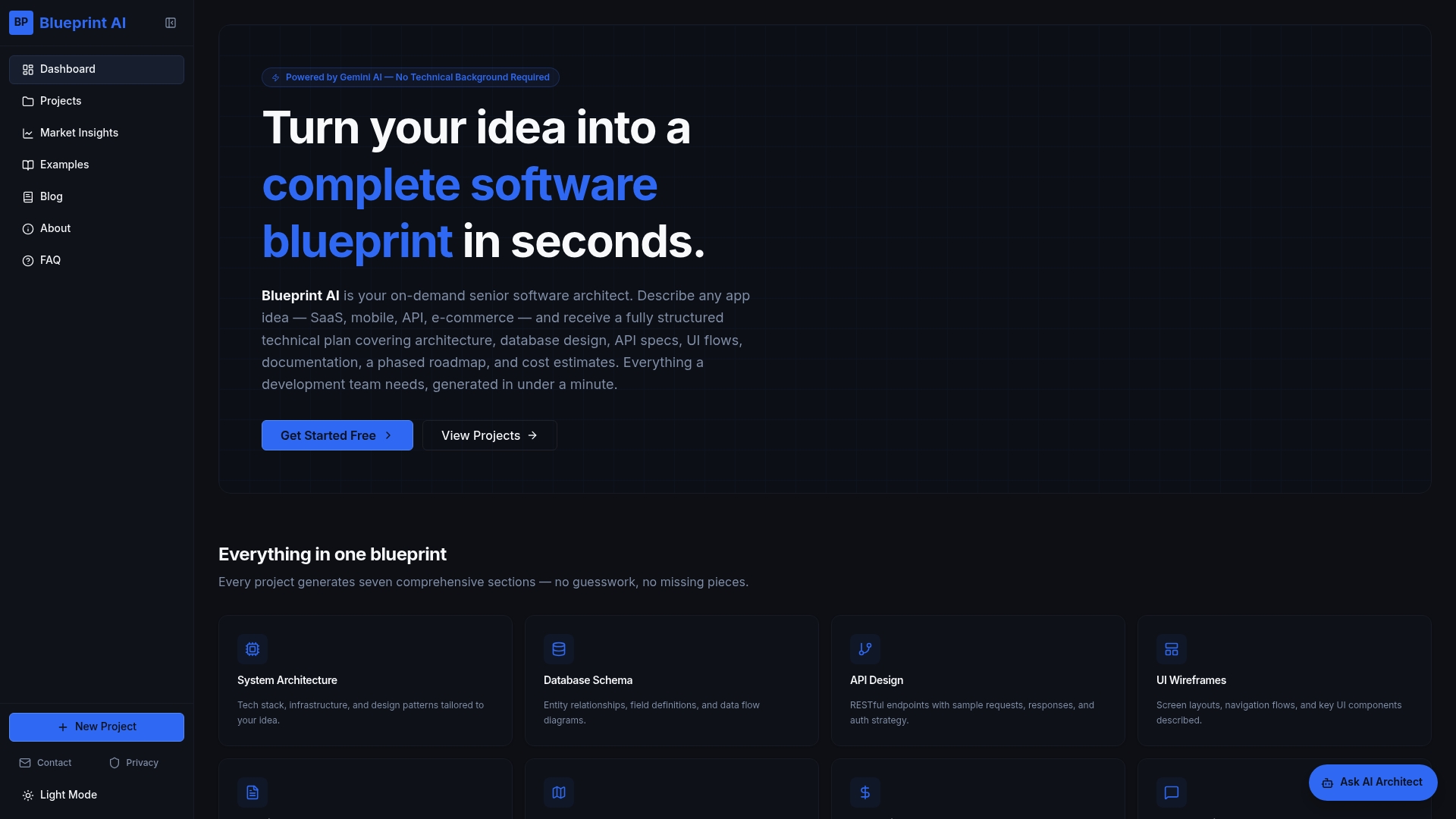
The platform is built for founders, product managers, and non-technical entrepreneurs who need production-ready documentation without a technical co-founder. You can explore example software blueprints to see exactly what AI-generated specs look like across different project types. For teams still deciding which features to prioritise, the MVP feature prioritiser applies the MoSCoW method automatically, so your spec work starts with the right features. Blueprintbot's AI chat assistant handles follow-up questions and refinements, making the entire process interactive rather than one-directional.
FAQ
What is automated feature specification writing?
Automated feature specification writing uses AI tools to generate structured PRDs, user stories, acceptance criteria, and technical plans from a plain-language product brief. The output replaces hours of manual documentation with a draft that teams can review and refine immediately.
How many edge cases should a feature spec include?
Specialised AI tools can generate a matrix of 20+ edge cases per feature, covering scenarios like null inputs and permission boundaries. For complex features involving user input or access control, aim for at least 10 documented edge cases before development begins.
Why is a persistent spec document better than chat history?
Chat history is ephemeral and unsearchable. A persistent spec document gives both human team members and AI coding tools a stable reference point, reducing misalignment and development errors across the full project lifecycle.
What roles should a feature specification cover?
A complete spec addresses at least four roles: Product Manager, DevOps, QA Lead, and Finance Lead. Multi-role specifications capture constraints and edge cases that single-perspective PRDs routinely miss.
When should I define the technology stack in a spec?
Define the technology stack only after the "what" and "why" of the feature are fully documented. Choosing a tech stack before requirements are clear leads to narrow architectural decisions that limit your options later in the project.
