Software design documentation: a practical guide for builders

Software design documentation is defined as a detailed technical blueprint that describes how a software system will be built, covering its architecture, components, data models, and interfaces before a single line of code is written. Known formally as a Software Design Document (SDD), it bridges the gap between what a product must do and how developers will build it. For founders, product managers, and developers, understanding what is software design documentation means understanding the difference between a project that ships on time and one that spirals into costly rework. A well-written SDD aligns every stakeholder around a shared technical vision from day one.
What is software design documentation and what does it include?
A Software Design Document is a foundational technical blueprint created before development begins, documenting the system's architecture, components, data models, and interfaces to bridge the gap between requirements and implementation. It is not a requirements document. A requirements document captures what the system must do; an SDD captures how it will do it.
Industry standards from 2025 and 2026 identify the following components as core to a complete SDD:
- Introduction and scope: The system's purpose, goals, and boundaries.
- System architecture: A high-level view of how major components interact, including diagrams.
- Component breakdown: Detailed descriptions of each module or service and its responsibilities.
- Data models: Database schemas, entity relationships, and data flow diagrams.
- User interface flows: Wireframes or descriptions of key screens and user interactions.
- API design: Endpoint definitions, request and response formats, and authentication methods.
- Security considerations: Threat models, access controls, and data protection measures.
- Error handling and performance requirements: Expected system behaviour under failure conditions and load.
- Project timeline: Milestones tied to specific design decisions and deliverables.
Each component answers a specific question a developer, tester, or stakeholder will eventually ask. Skipping any one of them creates a gap that gets filled by assumption, and assumptions in software development are expensive.
Pro Tip: Organise your SDD into modular sections with clear ownership. Assign one person or team as the owner of each section. This prevents the document from becoming a committee document that nobody updates.

Why is software design documentation important?
Design documentation reduces costly rework by surfacing technical hurdles early. It serves as a single source of truth that mitigates project risk, aligns cross-functional teams, and facilitates efficient knowledge transfer for new team members. That last point is underappreciated. When a senior developer leaves a project mid-build, a thorough SDD means the replacement can get productive in days rather than weeks.
The importance of design documentation also shows up in how teams communicate. Distributed teams across time zones cannot rely on hallway conversations to resolve ambiguity. A written SDD gives every team member, from a front-end developer in Toronto to a backend engineer in Lisbon, the same reference point. This reduces misalignment and the kind of duplicate work that happens when two developers solve the same problem differently.
"The most significant risk in ignoring design documentation is the accumulation of technical debt, where missing or outdated specifications lead to implementation errors and misalignment that can delay project completion and increase long-term maintenance costs." The Critical Role of Documentation in Software Architecture
Architectural documentation is a cornerstone of successful software development, supporting system security and future upgrades. This means an SDD is not just a planning tool. It is a long-term asset that pays dividends every time the system needs to change.
Poor documentation leads to delays and technical misunderstandings that compound over time. Teams that skip documentation at the start often spend far more time untangling confusion at the end.
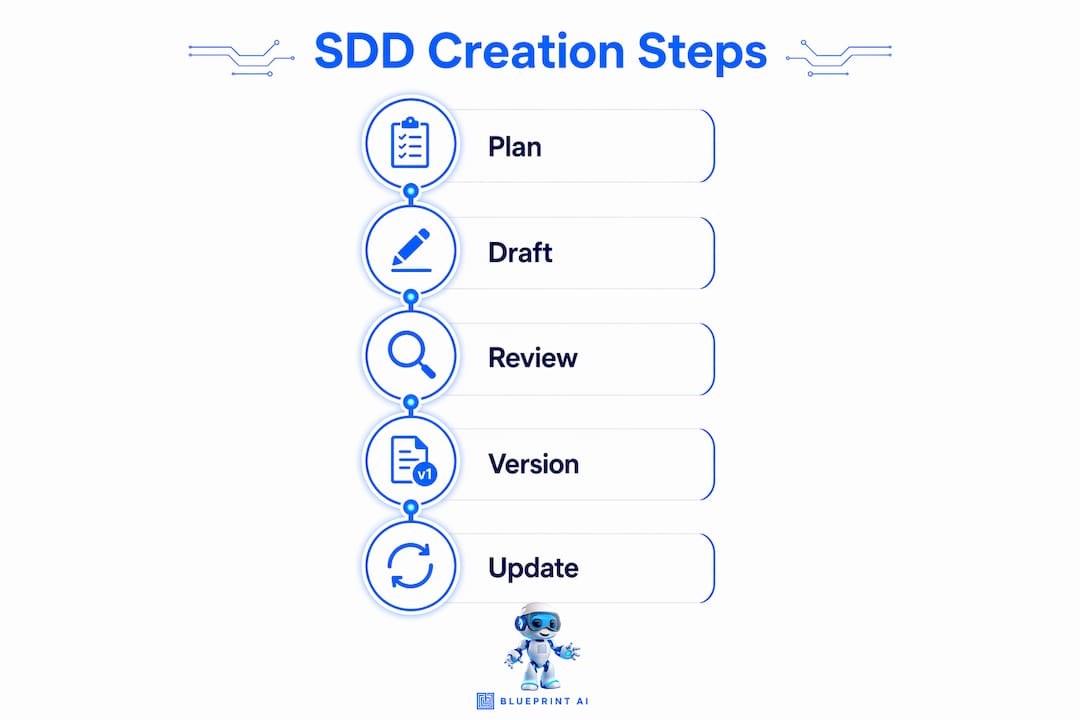
How to create effective software design documentation
Creating a strong SDD follows a clear sequence. Skipping steps or writing documentation after the fact produces documents that nobody trusts or uses.
Start with a template aligned to IEEE 1016. The IEEE 1016-2009 standard structures documentation into design views that address interface, interaction, and state concerns. Using this framework as a starting point prevents teams from reinventing the wheel and gives stakeholders a familiar structure to review.
Write the architecture section first. System architecture decisions constrain every other design choice. Documenting the architecture before components or APIs forces the team to resolve the biggest structural questions early, when changes are cheap. A software architecture guide can help founders and product managers understand what belongs in this section.
Adopt a docs-as-code workflow. Treating documentation like source code in a Git repository, where updates are handled via pull requests alongside code changes, keeps docs synchronised with the current implementation. This is the single most effective practice for preventing documentation from going stale.
Build in formal review cycles. Industry best practices in 2026 require that every major update undergo both a technical review for accuracy and an editorial review for clarity. A document that is technically correct but unreadable is nearly as useless as no document at all.
Apply the Diátaxis framework for structure. The Diátaxis framework organises content into tutorials, how-to guides, reference material, and explanations. This structure matches how developers actually use documentation: they scan for specific answers, not comprehensive narratives. Applying Diátaxis reduces friction and increases the chance that your SDD actually gets read.
Assign clear ownership and update triggers. Define who is responsible for each section and what events trigger a review. A new API endpoint, a database schema change, or a major feature release should each trigger a documentation update as part of the release process.
Pro Tip: Version your SDD alongside your codebase. Tag each document version to match the software release it describes. When a developer is debugging version 2.3, they should be able to pull up the SDD for version 2.3 without guessing.
A software requirements document is a natural companion to an SDD. Writing both in parallel, with clear cross-references between them, prevents the two documents from drifting apart as the project evolves.
Common pitfalls in software design documentation
The most damaging problem in design documentation is documentation drift. Documentation drift occurs when technical implementation evolves but documentation does not, creating significant technical debt and frustrating developers. A document that describes a system that no longer exists is worse than no document. It actively misleads the team.
A product design consultant working across multiple digital ventures will tell you that documentation drift is the norm, not the exception, on projects without a formal update process. The fix is structural: make documentation updates a required part of every release, not an optional afterthought.
The second major pitfall is encyclopedic overload. Teams sometimes confuse thoroughness with length. Documentation must be modular and task-based rather than encyclopedic. Developers rarely read comprehensive manuals. They scan for specific answers. A 200-page SDD that nobody reads is a liability, not an asset.
| Challenge | Consequence | Solution |
|---|---|---|
| Documentation drift | Outdated specs mislead developers and cause rework | Assign ownership; tie updates to release milestones |
| Encyclopedic overload | Nobody reads the document; key info gets buried | Use modular, task-based structure (Diátaxis framework) |
| No clear ownership | Updates fall through the cracks | Assign a named owner per section |
| Written after the fact | Docs reflect what was built, not what was planned | Write the SDD before development begins |
| Inconsistent terminology | Confusion across teams and handoffs | Define a glossary in the introduction section |
Common MVP mistakes often trace back to documentation failures at the planning stage. Teams that skip or rush their SDD during the MVP phase pay for it in the form of technical debt that compounds with every subsequent sprint.
Key takeaways
Software design documentation is the single most effective tool for preventing technical debt, aligning teams, and reducing costly rework across the full software development lifecycle.
| Point | Details |
|---|---|
| Define before you build | Write the SDD before development begins to surface technical risks early. |
| Use IEEE 1016 as a baseline | This standard provides a proven structure covering interfaces, interactions, and state. |
| Treat docs as code | Store documentation in version control and update it via pull requests alongside code changes. |
| Prevent documentation drift | Assign named owners per section and tie updates to formal release milestones. |
| Structure for scanning | Apply the Diátaxis framework so developers can find specific answers quickly. |
Why documentation is the most underrated product decision you will make
I have watched product teams spend weeks debating feature priorities while their SDD sat as a half-finished Google Doc that nobody had touched since the kickoff meeting. The documentation was treated as a formality, something to file away and forget. The result was predictable: misaligned developers, duplicate work, and a codebase that nobody fully understood six months in.
The teams that get this right treat their SDD like a product in its own right. They assign an owner. They schedule review cycles. They update it when the system changes, not when someone complains that it is wrong. That discipline is not glamorous, but it is the difference between a project that scales and one that collapses under its own complexity.
The cultural shift matters as much as the process. When a team genuinely believes that documentation is part of the work, not separate from it, the quality of the documentation reflects that belief. Developers write clearer commit messages. Product managers write tighter specs. The whole project benefits.
My honest advice: write your SDD before you write your first line of code. Use a standard framework. Assign ownership. Treat every major release as a documentation milestone. The upfront investment is small. The long-term payoff is significant.
— Rishi
How Blueprintbot can accelerate your design documentation
Getting a complete SDD off the ground is the hardest part for most founders and product managers. Blueprintbot generates comprehensive software blueprints from your app idea in seconds, covering system architecture, database schemas, API designs, user interface flows, and development roadmaps. You do not need coding skills to produce a document your development team can actually use.
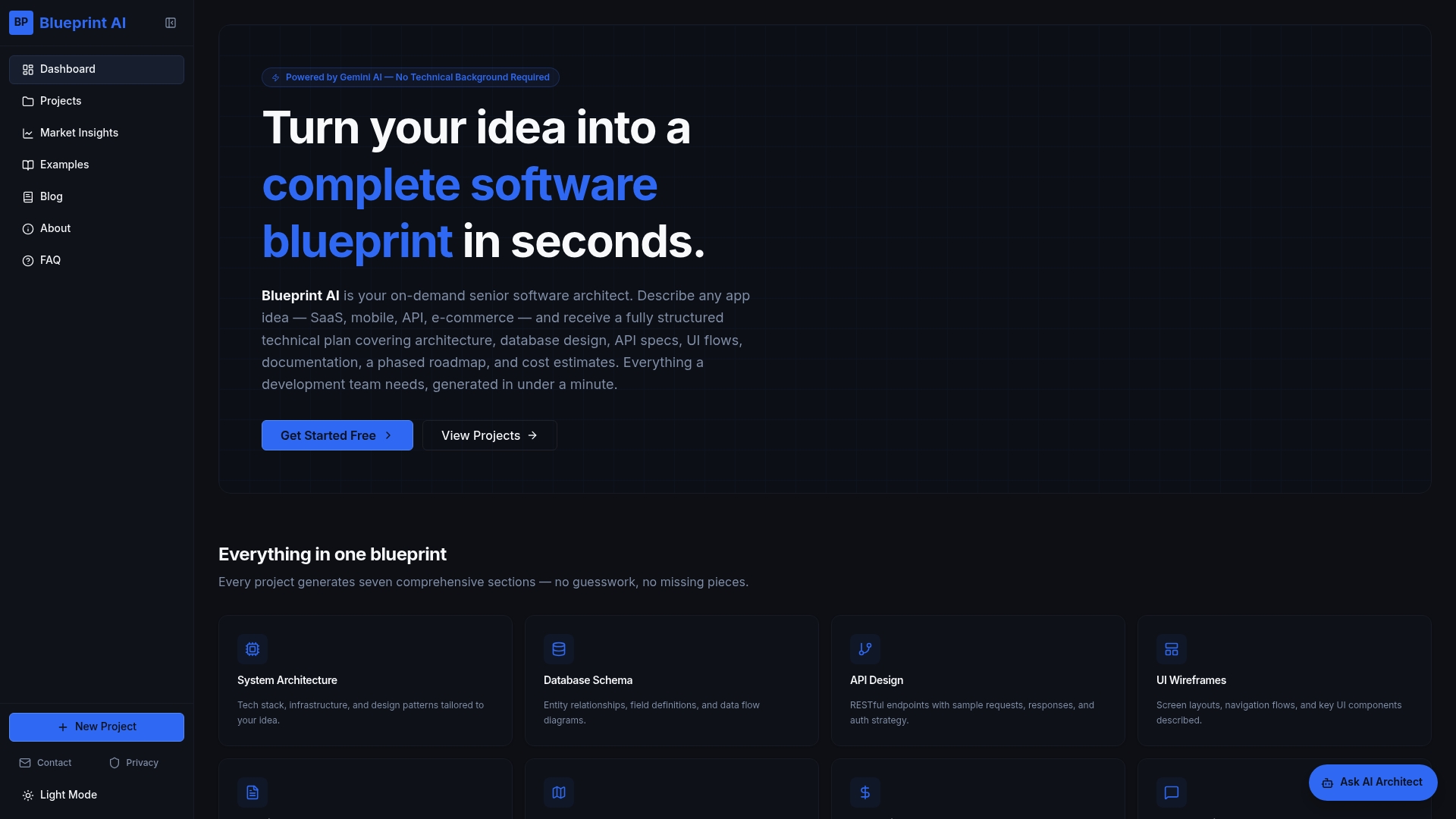
Blueprintbot's free planning tools give you a structured starting point that aligns with industry standards, so your team spends less time arguing about format and more time building. Whether you are validating an MVP or preparing a handoff to a development agency, Blueprintbot produces the technical foundation your project needs from day one.
FAQ
What is a software design document?
A software design document (SDD) is a technical blueprint that describes a system's architecture, components, data models, and interfaces before development begins. It bridges the gap between requirements and implementation.
What should be included in software design documentation?
A complete SDD includes system architecture, component breakdowns, data models, user interface flows, API design, security considerations, error handling, performance requirements, and a project timeline.
How is a software design document different from a requirements document?
A requirements document defines what a system must do. A software design document defines how the system will do it, covering technical structure and implementation decisions.
What is the IEEE 1016 standard for software design documentation?
IEEE 1016-2009 is a foundational standard that structures software design documentation into design views addressing interface, interaction, and state concerns, giving teams a consistent framework for communicating design decisions.
How do you prevent software design documentation from becoming outdated?
Assign a named owner for each section, store the document in version control alongside the codebase, and require documentation updates as part of every formal release process.
