How to create system design for student projects

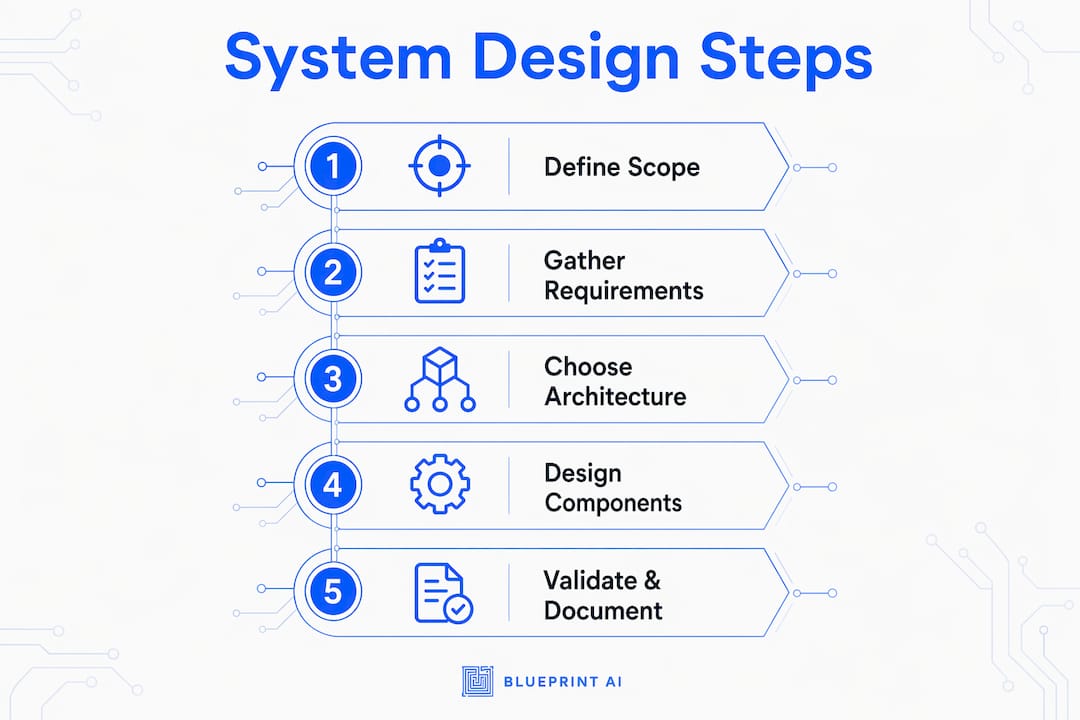
System design is the process of planning how software components connect, communicate, and behave to meet a set of defined requirements. For students, learning to create system design for a student project is one of the most transferable skills in any computer science or software engineering programme. A well-structured design covers functional requirements, non-functional requirements, data modelling, and architecture patterns before a single line of code is written. A repeatable framework reduces cognitive load and keeps your focus on solving the right problem, not just building something that runs.
What do you need before starting system design?
The biggest mistake students make is jumping straight into code. Students who skip project scoping often end up with projects too complex to finish within academic time frames. Spending even two hours mapping your problem space before touching any tools pays off significantly at submission time.
Before you design anything, you need three things clearly defined:
- Project scope: What does the system do, and what does it explicitly not do?
- User roles: Who uses the system, and what actions can each role perform?
- Constraints: What are your time, technology, and team size limits?
Once scope is clear, you need the right planning tools. The table below outlines the core knowledge areas and tools that support each phase.
| Phase | Knowledge needed | Useful tools |
|---|---|---|
| Requirements gathering | Functional vs. non-functional requirements | Google Docs, Notion, Blueprintbot |
| Architecture planning | Component relationships, data flow | Diagrams.net, Blueprintbot |
| Data modelling | Entity relationships, schema design | dbdiagram.io, draw.io |
| API design | REST principles, endpoint structure | Swagger, Postman |
| Documentation | Markdown, UML basics | GitHub Wiki, Blueprintbot |
Pro Tip: Use Blueprintbot's free planning tools to generate a structured blueprint from your project idea before you commit to any architecture. It produces API designs, database schemas, and architecture outlines in seconds, which gives you a concrete starting point rather than a blank page.
Student project ideas in 2026 range from beginner CRUD applications to advanced AI tutoring assistants and real-time detection systems. Matching your design complexity to your actual skill level and timeline is the first act of good system design.
How to break down requirements and define high-level architecture
Requirements are the foundation of every design decision you make. System design structured around a clear process covers functional requirements, non-functional requirements, API definitions, data modelling, and performance considerations in a consistent order. Following that order prevents you from designing a database schema before you know what data you actually need.

Clarifying functional and non-functional requirements
Functional requirements describe what the system does. "Users can register and log in" is a functional requirement. Non-functional requirements describe how well it does it. "The login endpoint must respond within 500 milliseconds" is a non-functional requirement. Students frequently document the first type and ignore the second. Both matter for academic assessment and for building something that actually works under realistic conditions.
Write each requirement as a single, testable statement. Vague requirements like "the system should be fast" cannot be validated. "The search results page loads within two seconds for up to 1,000 concurrent users" can be tested and defended.
Choosing an architecture pattern for your project
Real-world architecture examples show that most student-scale projects fit one of three patterns: monolithic, layered, or event-driven. A monolithic architecture keeps all components in a single deployable unit. A layered architecture separates presentation, business logic, and data access into distinct layers. An event-driven architecture routes actions through a message queue, which suits notification-heavy systems.
The steps to define your high-level architecture are:
- List every major feature from your functional requirements.
- Group features into logical modules (authentication, data management, notifications, reporting).
- Draw a simple block diagram showing how modules communicate.
- Identify which modules need a database, which call external APIs, and which only process data.
- Choose an architecture pattern that fits your module count and team size.
For most student projects, a layered monolith is the right starting point. Architecture patterns for students confirm that a clean layered structure is far easier to explain during a project defence than a distributed system with multiple services.
What are the key components and modules you should design next?
Once you have a high-level architecture, you design the individual components. Maintainability and clear component interaction matter more than scalability for academic projects. A system that is easy to explain and modify will score better than one that is theoretically scalable but impossible to trace through during a presentation.
Monolith vs. microservices for student projects
Microservices architecture adds significant overhead for student projects and is only justified when different features have genuinely different workload profiles. A monolith is almost always the better starting point. You can split a monolith into services later if you need to. You cannot easily merge a poorly designed microservices system back together.
The table below compares the two approaches for typical student project contexts.
| Criterion | Monolith | Microservices |
|---|---|---|
| Setup complexity | Low | High |
| Deployment | Single unit | Multiple services |
| Debugging | Straightforward | Requires distributed tracing |
| Team size fit | 1–4 students | 5+ with clear ownership |
| Academic explainability | High | Low |
Designing APIs and data flows
Every module boundary in your system should have a defined API. An API is simply a contract: module A calls module B using a specific input and expects a specific output. Documenting this contract before writing code prevents mismatches between components. For REST APIs, define the endpoint path, HTTP method, request body, and expected response for each operation.
Data flows describe how information moves through your system from input to storage to output. Draw a simple data flow diagram for your two or three most critical features. This exercise almost always reveals missing components or unclear responsibilities before they become bugs.
Pro Tip: Keep your software modularity tight by giving each module one clear responsibility. If you cannot describe what a module does in one sentence, it is doing too much.
How do you validate and document your system design?
Validation means checking that your design actually solves the problem you defined. Documentation means recording your decisions clearly enough that someone else, including your professor, can follow your reasoning. Both are non-negotiable for academic projects.
Authoritative documentation practices require that you state what you know, clearly flag what you assumed, and never fabricate capabilities your system does not have. This principle applies directly to academic integrity in system design reports.
Common pitfalls to avoid
Students consistently make the same design mistakes. Knowing them in advance saves significant revision time.
- Over-engineering: Designing for millions of users when your project serves 50 testers adds complexity with no academic benefit.
- Missing non-functional requirements: Forgetting to specify response times, error handling, or data validation leaves your design incomplete.
- Undocumented decisions: Every architecture choice needs a one-sentence rationale. "We chose PostgreSQL because our data is relational and we needed ACID compliance" is a valid rationale.
- No validation plan: Your design should include at least three test cases that confirm the system behaves as specified.
Design review checklist
Use this checklist before submitting or presenting your design.
| Review item | Done? |
|---|---|
| All functional requirements documented | ☐ |
| Non-functional requirements with measurable targets | ☐ |
| High-level architecture diagram complete | ☐ |
| Each module has a defined responsibility | ☐ |
| APIs documented with inputs and outputs | ☐ |
| Data model diagram included | ☐ |
| At least three validation test cases written | ☐ |
| Design decisions include brief rationale | ☐ |
System design for beginners consistently shows that students who document their decisions during the design phase, rather than after, produce cleaner and more defensible final reports.
Key takeaways
A well-structured system design for a student project requires clear requirements, a maintainable architecture, defined component boundaries, and documented decisions before any code is written.
| Point | Details |
|---|---|
| Scope before you design | Define what the system does and does not do before choosing any architecture. |
| Match complexity to context | A layered monolith suits most student projects better than microservices. |
| Document every decision | Record the rationale for each architecture choice to support your project defence. |
| Validate with test cases | Write at least three test cases that confirm your design meets its requirements. |
| Use planning tools early | Tools like Blueprintbot generate architecture outlines and schemas before you write a line of code. |
Why most students design backwards (and how to fix it)
Most students I have worked with start their system design by picking a technology stack. They choose React, then Node.js, then MongoDB, and then try to fit their problem into those choices. That is designing backwards. The right sequence is problem first, architecture second, technology third.
The other pattern I see constantly is treating the design document as something you write after the project is built. That defeats the entire purpose. A design document is a planning tool, not a retrospective. When you write it upfront, it forces you to find gaps in your thinking before those gaps become bugs in your code.
The students who do best in project defences are not the ones with the most complex systems. They are the ones who can explain every decision they made and why. A simple, well-documented monolith with clear module boundaries is far more impressive to an examiner than a half-working microservices system nobody on the team fully understands. Clarity is the real deliverable.
— Rishi
How Blueprintbot can speed up your design process
Planning a system design from scratch takes time that most students do not have. Blueprintbot generates complete software blueprints from a plain-language description of your project idea, producing architecture outlines, database schemas, API designs, and documentation in seconds.
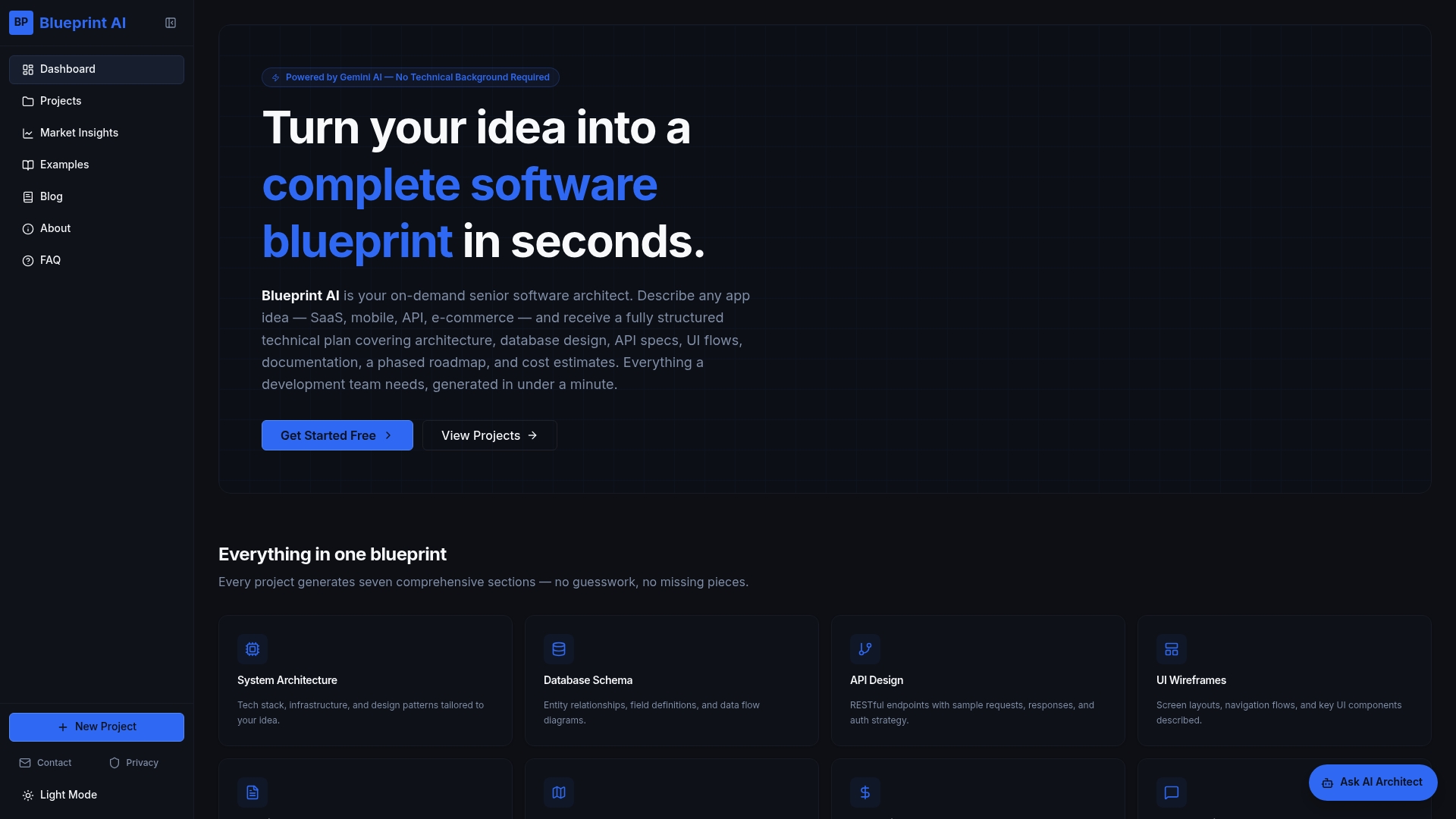
The example software blueprints on Blueprintbot cover a wide range of project types, from basic CRUD applications to AI-assisted tools, giving you a concrete worked example to study before you design your own. Each blueprint shows how requirements translate into architecture decisions, which is exactly the reasoning your professors want to see. If you are planning your project timeline, the development time estimator helps you set realistic milestones from the start.
FAQ
What is system design in the context of a student project?
System design is the process of planning how software components are structured, how they communicate, and how they meet functional and non-functional requirements before coding begins. For student projects, it typically includes a high-level architecture diagram, data model, and API definitions.
Should I use microservices or a monolith for my student project?
A monolith is the better choice for most student projects. Microservices add overhead that is difficult to manage with small teams and tight deadlines, and a clean monolith is far easier to explain during a project defence.
How do I document my system design for academic submission?
Document each architecture decision with a brief rationale, include a high-level diagram, define your APIs with inputs and outputs, and write at least three test cases. State your assumptions clearly and never claim capabilities your system does not have.
What are good system design examples for students to study?
Student project complexity ranges from beginner portfolio sites and basic chat applications to advanced AI summarisation tools and real-time detection systems. Studying worked examples at your target complexity level is the fastest way to understand how requirements translate into architecture.
How long should a student system design document be?
A thorough design document for an academic project typically covers eight to ten sections: project overview, requirements, architecture diagram, data model, API definitions, component descriptions, validation plan, and decision rationale. Length matters less than completeness and clarity.
