How app prototyping works: a 2026 guide for founders
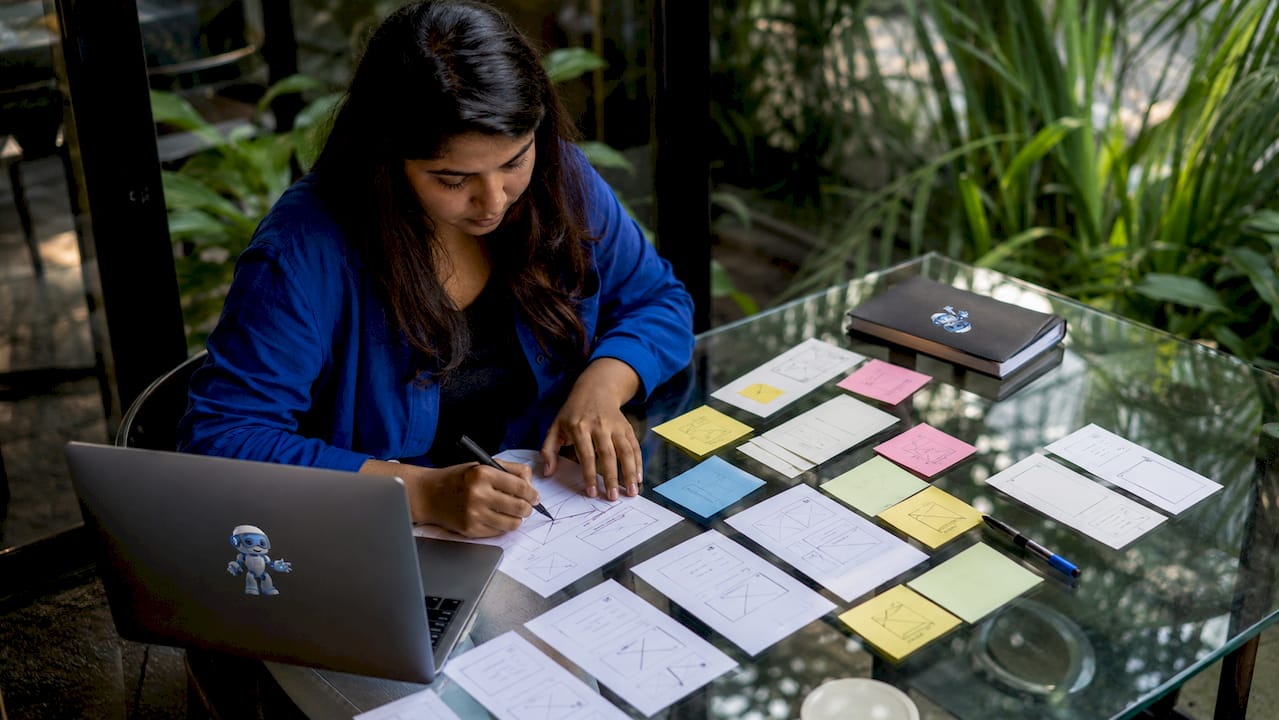
App prototyping is the process of building an interactive, clickable representation of an app's design and user flow before any actual coding begins. Think of it as a flight simulator for your product. You test the controls, identify what breaks, and fix it before anyone boards the plane. The app prototyping process gives founders and developers a shared, visual language to validate ideas, catch usability problems early, and communicate product vision to developers and investors alike. Done well, it is the single most effective way to reduce wasted development effort.
How does app prototyping work, step by step?
App prototype development follows a five-stage sequence: user research, journey mapping, low-fidelity wireframing, high-fidelity interactive prototyping, and user testing. Each stage builds on the last, and skipping one creates gaps that surface later as expensive bugs or confused users.
SponsoredCheck out today's featured offer →User research. Start by defining the core problem your app solves. Interview potential users, review competitor apps, and document the specific tasks your audience needs to complete. This stage grounds every design decision in real behaviour rather than assumptions. Hiring a UX researcher at this stage pays dividends across every phase that follows.
User journey mapping. Map the sequence of screens a user moves through to complete one core task. Focus on the primary value your app delivers. A food delivery app, for example, maps the path from opening the app to confirming an order, not every edge case.
Low-fidelity wireframes. Sketch the layout of each screen using simple boxes and labels. These sketches take one to two days and exist purely to test structure, not aesthetics. Paper sketches or basic digital wireframes both work at this stage.
High-fidelity interactive prototype. Add visual design, real copy, and clickable links between screens. This version simulates the actual app experience closely enough for meaningful user testing. Prototypes at this fidelity take longer depending on complexity, but the investment pays off in clearer developer handoffs.
User testing and iteration. Put the prototype in front of real users and observe. Fix what breaks. Repeat. The design-test-edit cycle is the foundation of successful app development, not a one-time checkpoint.
The entire process, from research to a testable prototype, can be completed in days to a week for a focused core journey.
Pro Tip: Focus your prototype on 5–10 core screens representing the primary user journey. Prototyping the entire app before testing anything is one of the most common and costly mistakes founders make.

What are the fidelity levels in app prototyping?
Fidelity describes how closely a prototype resembles the finished product. The three levels serve different purposes, and choosing the wrong one for your current goal wastes time.
Low-fidelity prototypes are rough sketches or basic wireframes with no colour, real fonts, or images. Their purpose is to test structure and flow quickly. A low-fidelity prototype can be built in one to two days and is ideal for early-stage idea validation with your own team.
Mid-fidelity prototypes add more detail: consistent layouts, placeholder content, and basic navigation. They are useful for internal reviews and early stakeholder presentations where you need to convey the concept without investing in full visual design.
High-fidelity prototypes look and behave like the real app. They include actual colours, typography, images, and interactive transitions. These are the right tool for user testing, investor pitches, and developer handoffs.
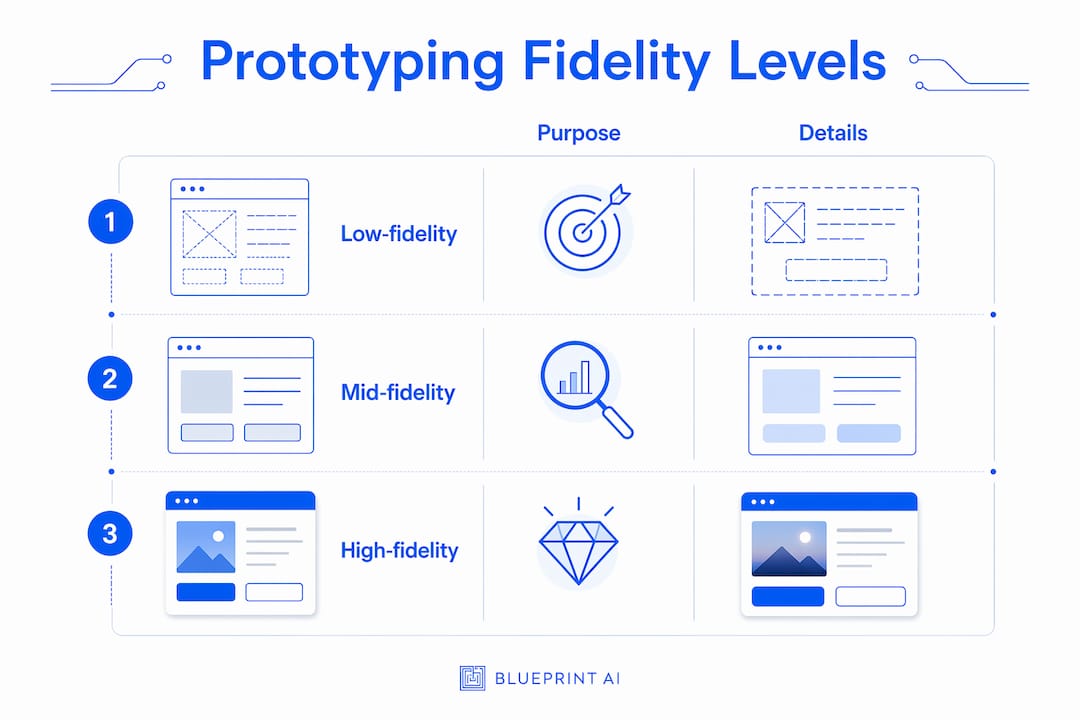
The key trade-off is time versus insight. A low-fidelity prototype surfaces structural problems fast. A high-fidelity prototype surfaces usability problems that only appear when the experience feels real. The biggest value of prototyping lies in iterative testing and refinement based on real user interaction, not aesthetic perfection.
A few principles to keep in mind:
- Never polish visual design before you have validated the core user flow.
- Use low-fidelity for internal alignment and high-fidelity for external validation.
- Treat mid-fidelity as a bridge, not a destination. Move through it quickly.
- Over-investing in visual details at the wrong stage is the most common time sink in early product development.
Why is user testing on prototypes so critical?
Testing with 5 users uncovers 85% of usability problems. That figure comes from decades of usability research and holds up consistently across product types. The implication is clear: you do not need a large sample to find what is broken.
The method matters as much as the number. Effective prototype testing means assigning users a specific task and watching them attempt it without guidance. You do not explain the interface. You do not hint at what to tap. You observe where they hesitate, where they tap the wrong thing, and where they give up. Those moments are your data.
Asking users "what do you think of the design?" produces opinions. Watching them try to complete a task produces evidence. The distinction is the difference between a prototype that validates your assumptions and one that just confirms your biases.
Pro Tip: Record your testing sessions with screen capture and audio. Patterns you miss in the moment become obvious when you review footage across multiple participants.
After each round of testing, apply the design-test-edit cycle:
- Fix the top three issues identified in testing.
- Build the updated version of the affected screens.
- Test again with new participants, not the same ones.
- Document what changed and why, so your development team inherits a clear decision log.
Iterative testing is not a sign that your prototype is failing. It is proof that the process is working.
What pitfalls should you avoid in app prototype development?
The most damaging misconception about prototyping is that it is purely a design exercise. A prototype is a communication and decision-making tool that aligns founders, designers, and developers around a shared product vision before a single line of code is written. Treating it as decoration misses its primary value.
Avoid these specific mistakes:
- Prototyping the entire app. Focus on the core user journey of 5–10 screens. Focusing on core screens prevents scope creep and speeds iteration. Every screen you add beyond the core journey is a screen that delays your first real user insight.
- Relying on internal opinions. Your team is too close to the product to see it clearly. Test with people who have never seen the app before.
- Over-polishing too early. Pixel-perfect design at the wireframe stage wastes hours that should go toward testing. Colour and typography can wait until the flow is validated.
- Ignoring the developer handoff. A prototype that no one can interpret is a prototype that will be built wrong. Annotate your screens with interaction notes and state changes.
- Skipping architecture planning before prototyping. Founders who skip technical planning often build prototypes that are impossible to develop as designed. Know your technical constraints before you commit to a flow.
Prototyping prevents expensive mistakes by clarifying assumptions before development begins. The cost of fixing a flow in a prototype is a few hours. The cost of fixing it after development is weeks.
Key takeaways
App prototyping works because it surfaces real usability problems and validates core user flows before any development cost is committed, making it the most cost-effective phase in the entire product lifecycle.
| Point | Details |
|---|---|
| Five-stage process | The app prototyping process runs from user research through testing and iteration, completable in days. |
| Fidelity matches purpose | Use low-fidelity for structure, high-fidelity for user testing and developer handoffs. |
| Five users reveal most issues | Testing with 5 users uncovers 85% of usability problems, making large samples unnecessary. |
| Core journey first | Prototype 5–10 screens covering the primary user journey to prevent scope creep. |
| Prototyping is a decision tool | Prototypes align founders, designers, and developers before coding starts, not just after design is done. |
Prototyping changed how I think about building products
The conventional advice is to prototype early and often. That is correct, but it misses the more important point: prototyping is where you learn what your product actually is, not what you assumed it would be.
I have watched founders spend three months building an app that users could not navigate past the second screen. Every one of those founders had a clear vision in their head. None of them had tested it with a stranger. The prototype would have shown the problem in an afternoon.
The shift that matters most for non-technical founders is realising that you do not need to understand code to run a valid prototype test. You need a clickable screen, a real person, and the discipline to stay quiet while they use it. That combination is more valuable than any technical skill in the early stages of product development.
Rapid prototyping with AI-generated screens can reduce prototyping time by up to 70%, making high-fidelity prototypes accessible to founders without design backgrounds. That changes the economics of validation entirely. There is no longer a credible reason to skip this phase.
The founders who move fastest are not the ones who start coding first. They are the ones who test a prototype on monday, fix it by wednesday, and hand a clear specification to a developer by friday. Prototyping is not a delay. It is the shortcut.
— Rishi
How Blueprintbot supports your prototyping and planning
Before you build a single screen, you need a clear picture of what you are building and why. Blueprintbot generates detailed software blueprints from your app idea in seconds, covering user interface flows, system architecture, API designs, and development roadmaps. That structured output gives you the technical foundation to prototype with confidence rather than guesswork.
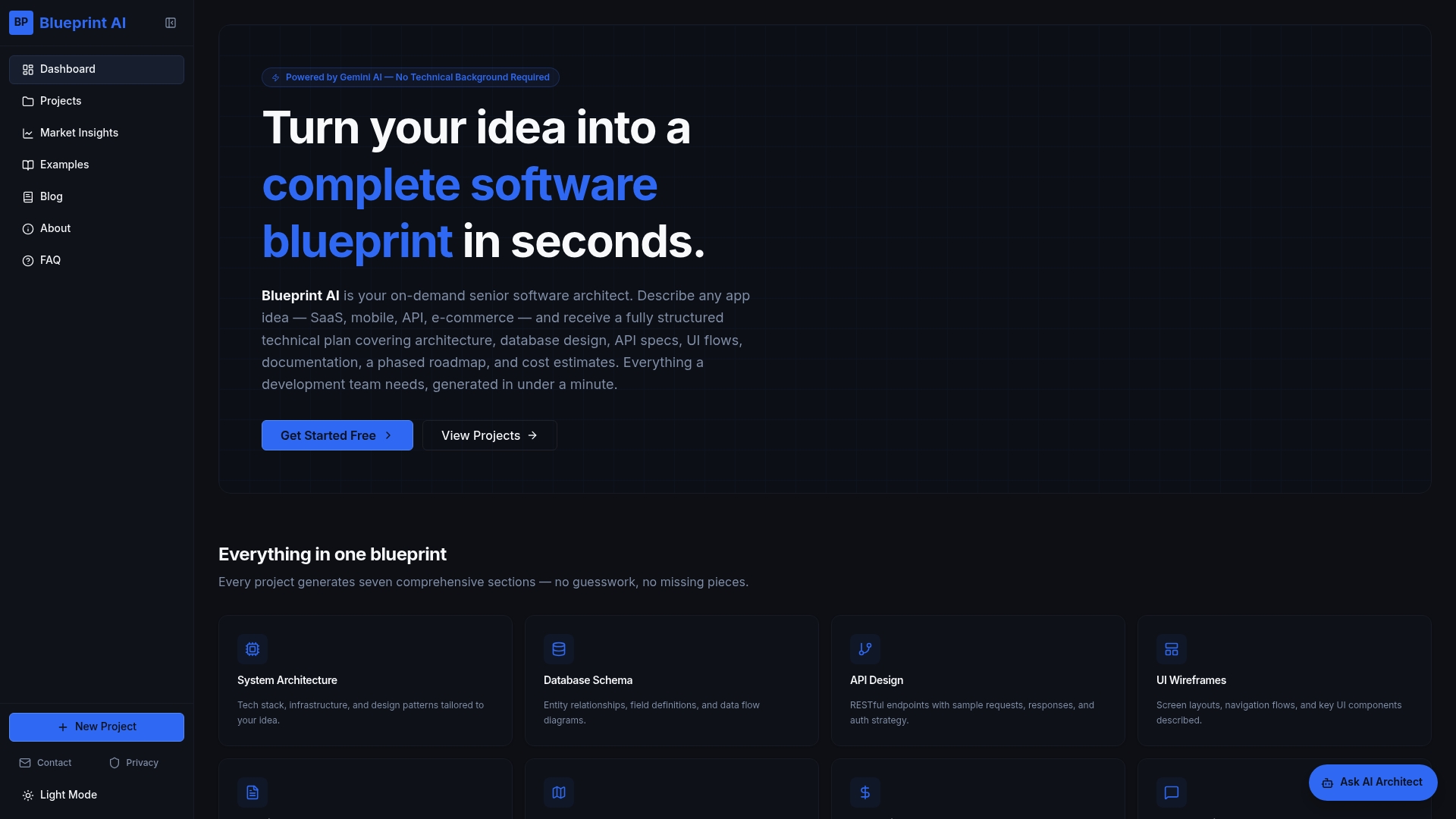
Founders use Blueprintbot to translate rough ideas into precise specifications their developers can act on immediately. The platform's example software blueprints show exactly how a structured plan maps to a working product, from database schema to screen flow. If you want to prioritise which features belong in your first prototype, the MVP feature prioritiser applies the MoSCoW method to your feature list for free. Start with a blueprint, then build a prototype that actually reflects what your app needs to do.
FAQ
What is app prototyping?
App prototyping is the process of creating an interactive, clickable model of an app's design and user flow before writing any code. It allows founders and developers to test ideas, validate user journeys, and communicate product vision early.
How long does the app prototyping process take?
The full process from user research to a testable prototype can be completed in days to a week when focused on the core user journey. Low-fidelity wireframes alone take one to two days.
How many users do you need to test an app prototype?
Testing with 5 users uncovers 85% of usability problems, making large test groups unnecessary. After fixing issues, repeat the test with a new group of 5 participants to validate the changes.
What is the difference between low-fidelity and high-fidelity prototypes?
Low-fidelity prototypes are rough sketches used to test structure and flow quickly. High-fidelity prototypes closely resemble the finished app and are used for user testing, investor presentations, and developer handoffs.
Can non-technical founders create app prototypes?
Non-technical founders can build and test prototypes without coding skills. AI-powered planning tools like Blueprintbot generate structured app blueprints and use cases that make the prototyping process accessible regardless of technical background.
