How apps are built explained: a 2026 guide

App development is the step-by-step process of turning an idea into a working software application through phases like discovery, design, coding, testing, and deployment. Understanding how apps are built explained in full means recognising that the process is not a single act of coding. It is a structured lifecycle with defined stages, each producing specific outputs that feed the next. Skipping any phase, especially discovery, is the leading cause of costly rewrites and failed launches. This guide walks you through every stage, the technology choices that shape your build path, and the planning practices that separate apps that ship from apps that stall.
What are the core stages of the app development process?
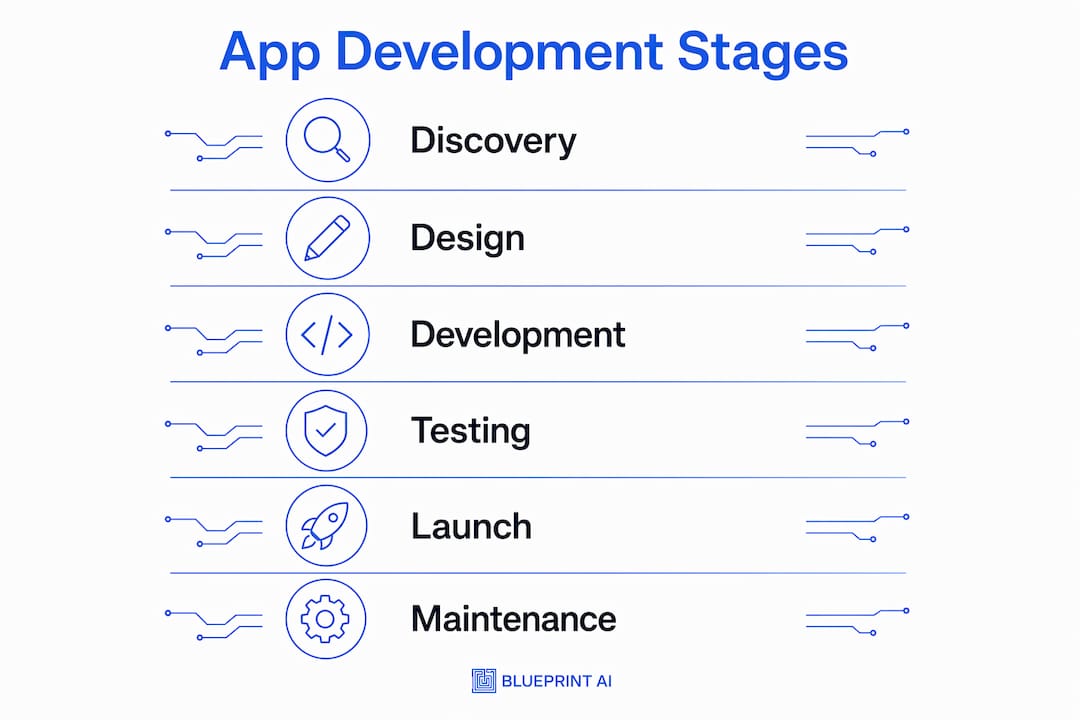
The professional app development lifecycle includes six to seven phases from Discovery to Maintenance. Each phase has a defined purpose and a set of deliverables that the next phase depends on.
SponsoredCheck out today's featured offer →Discovery and strategy
Discovery is where you define the problem your app solves, who it solves it for, and what success looks like. The output is a product brief covering user personas, business rules, and a prioritised feature list. Skipping this phase is the single most reliable way to build the wrong product.
Requirements and UI/UX design
Requirements analysis translates the product brief into specific, buildable logic. User flows, screen states, and data rules get documented here. UI/UX design then converts those requirements into wireframes and interactive prototypes that developers can build from directly.
Frontend and backend development
Frontend development builds the screens and interactions users see. Backend development builds the server logic, database, and APIs that power the app. These two workstreams run in parallel on most projects and are coordinated through API contracts agreed upon before coding starts.

Testing and quality assurance
Comprehensive QA covers functional, performance, security, and device compatibility testing. Each type catches a different class of problem. Functional testing verifies features work as specified. Performance testing confirms the app holds up under load. Compatibility testing checks behaviour across device types and operating system versions.
Launch and ongoing maintenance
Deployment involves app store review navigation and phased rollouts to confirm stability before a full release. Maintenance then takes over, covering crash log monitoring, infrastructure scaling, and iterative updates driven by user feedback.
| Stage | Primary objective | Key output |
|---|---|---|
| Discovery and strategy | Define the problem and scope | Product brief, user personas |
| Requirements and design | Translate scope into buildable logic | Wireframes, UI prototypes |
| Development | Build frontend and backend | Working codebase, APIs |
| Testing and QA | Catch defects before release | QA report, bug fixes |
| Launch and maintenance | Ship and iterate | Live app, update roadmap |
Pro Tip: Plan your analytics events, app store screenshots, and support documentation during the design phase, not the week before launch. Teams that leave these tasks to the end consistently miss critical data collection windows.
How do technology choices affect the app building path?
Technology choices determine your build speed, cost, and how much you can change later. The decision is not just about programming languages. It is about which build path fits your current stage.
No-code and low-code platforms
No-code and low-code platforms are the fastest path to a working prototype. They require no programming knowledge and produce functional apps in days rather than months. The trade-off is limited customisation. They work well for validating a concept before committing to a full build.
Freelancers and agencies
Freelancers suit projects with a defined scope and a specific technical gap to fill. Agencies suit full project builds where you need design, development, and project management under one roof. Choosing between freelancers and agencies comes down to your budget, timeline, and how much of the project management you can handle yourself.
Native versus cross-platform development
Native development means building separate codebases for iOS in Swift and Android in Kotlin. Cross-platform frameworks like Flutter and React Native are the practical default for most apps in 2026 because one codebase covers both platforms. The maintenance saving alone justifies the choice for the vast majority of business and consumer apps. Fully native development makes sense only when you need deep platform-specific features, such as augmented reality or hardware integrations, that cross-platform tools cannot yet handle well.
| Build path | Best for | Speed | Cost |
|---|---|---|---|
| No-code/low-code | Concept validation, MVPs | Fast | Low |
| Freelancers | Specific features, defined scope | Medium | Medium |
| Agency | Full project, complex scope | Slower | High |
| Cross-platform (Flutter/React Native) | Most business apps | Medium | Medium |
| Native (Swift/Kotlin) | Hardware-intensive apps | Slower | High |
Pro Tip: Match your technology choice to your current stage, not your five-year vision. A no-code MVP that validates demand is worth more than a perfectly architected app nobody uses.
What are best practices for planning, MVP definition, and app architecture?
The planning phase is where most first-time builders lose the most time and money. Getting it right before a single line of code is written is the highest-leverage activity in the entire app development process.
Defining your MVP
Industry best practice is to limit your MVP to three to five core features. Each additional feature beyond that multiplies your build time, testing surface, and the risk that you built something users do not want. The goal of an MVP is to answer one question: does this solve a real problem for real people? Everything else is a distraction until that question is answered.
MVP scoping steps:
- List every feature you want in the final product
- Mark each feature as "required to test the core value" or "nice to have"
- Cut every "nice to have" from the first build
- Validate the remaining features against at least one real user conversation
- Confirm each feature maps to a specific user action in your wireframes
Wireframing and user flow design
Visualising user flows through wireframes before coding is one of the most cost-effective practices in app development. A wireframe is a simple, low-fidelity sketch of each screen and the paths between them. It forces you to think through edge cases, error states, and navigation logic before those decisions become expensive to change in code.
App architecture basics
App architecture describes how the frontend, backend, and APIs are organised and how they communicate. A clean architecture separates concerns: the frontend handles display logic, the backend handles business logic and data, and APIs define the contract between them. Planning your app architecture before coding prevents the most common structural problems that require full rewrites later.
A practical technique is to implement one complete data flow early, such as user registration and login, before building any other features. This confirms that your infrastructure, authentication, and database are wired correctly. Discovering an architecture flaw at this stage costs hours to fix. Discovering it after building twenty features costs weeks.
Pro Tip: Build your analytics plan alongside your architecture plan. Decide which user actions you need to track, name the events consistently, and wire them into the codebase from the start. Retrofitting analytics after launch produces incomplete data that cannot support good decisions.
How does testing, launch, and maintenance ensure long-term success?
Testing is not a phase you do once at the end. It runs in parallel with development and intensifies as the launch date approaches. Apps that skip structured QA consistently receive negative reviews in the first week of release, and those reviews are very difficult to recover from.
Testing types and what they catch
Functional testing confirms each feature behaves as specified. Performance testing identifies slowdowns under realistic user loads. Security testing checks for vulnerabilities in authentication, data storage, and API endpoints. Device compatibility testing verifies the app works correctly across the range of devices and operating system versions your users actually have.
Launch steps and phased rollouts
A phased rollout releases the app to a small percentage of users first, monitors crash rates and feedback, and expands the rollout only after confirming stability. Both the Apple App Store and Google Play support staged rollouts natively. This approach catches environment-specific bugs that did not appear in testing and limits the blast radius of any issue that slips through.
Launch to maintenance steps:
- Submit the app for app store review with complete metadata, screenshots, and privacy policy
- Monitor the review process and respond to any rejection feedback within 24 hours
- Execute a phased rollout starting at 10% of users
- Monitor crash logs and user reviews daily for the first two weeks
- Ship a patch update within the first month to address the most common reported issues
- Establish a regular update cadence based on user feedback and usage data
Post-launch iteration
Ongoing maintenance requires monitoring crash logs, scaling infrastructure, and iterating based on what users actually do in the app. The apps that retain users are the ones that improve consistently. A monthly update cycle is a reasonable baseline for most apps in their first year.
Pro Tip: Integrate tracking events for every key user action before launch, not after. Knowing where users drop off in your onboarding flow on day one is far more useful than knowing it three months later.
Key takeaways
Successful app development requires a structured lifecycle, disciplined MVP scoping, and analytics planning from the first day of design, not the last day before launch.
| Point | Details |
|---|---|
| Follow the full lifecycle | All six to seven phases from Discovery to Maintenance exist for a reason. Skipping any one increases the risk of a costly rewrite. |
| Limit your MVP scope | Three to five core features is the proven ceiling for a first build. Cut everything else until you validate demand. |
| Choose cross-platform by default | Flutter and React Native cover most use cases in 2026 at lower cost and maintenance burden than native builds. |
| Wireframe before you code | Mapping user flows visually catches logic flaws and edge cases before they become expensive bugs. |
| Plan analytics from day one | Tracking events built into the codebase from the start produce clean, usable data. Retrofitting them later produces gaps. |
Why I think most first-time builders get the process backwards
The most common mistake I see is treating discovery as optional and testing as a formality. Builders want to get to the coding phase as fast as possible because coding feels like progress. Discovery feels like delay. That instinct is exactly backwards.
Lack of market need is the primary reason apps fail, not technical problems. A well-built app that solves a problem nobody has is still a failed app. Two weeks spent in discovery, talking to real users and mapping real workflows, is worth more than two months of coding in the wrong direction.
The second mistake is over-scoping the first version. Every feature you add to an MVP is a feature you have to build, test, debug, and maintain before you have a single user to tell you whether it matters. Discipline in the planning phase is not a constraint on creativity. It is the thing that gets your app shipped.
My honest advice: treat your first build as a learning exercise, not a final product. Build the smallest version that tests your core assumption, ship it, and let real user behaviour tell you what to build next. The builders who iterate quickly and cheaply outperform the ones who plan perfectly and ship late, every time.
— Rishi
Blueprintbot can turn your app idea into a technical plan
Knowing the app development process is one thing. Translating your specific idea into a system architecture, database schema, API design, and development roadmap is another challenge entirely.
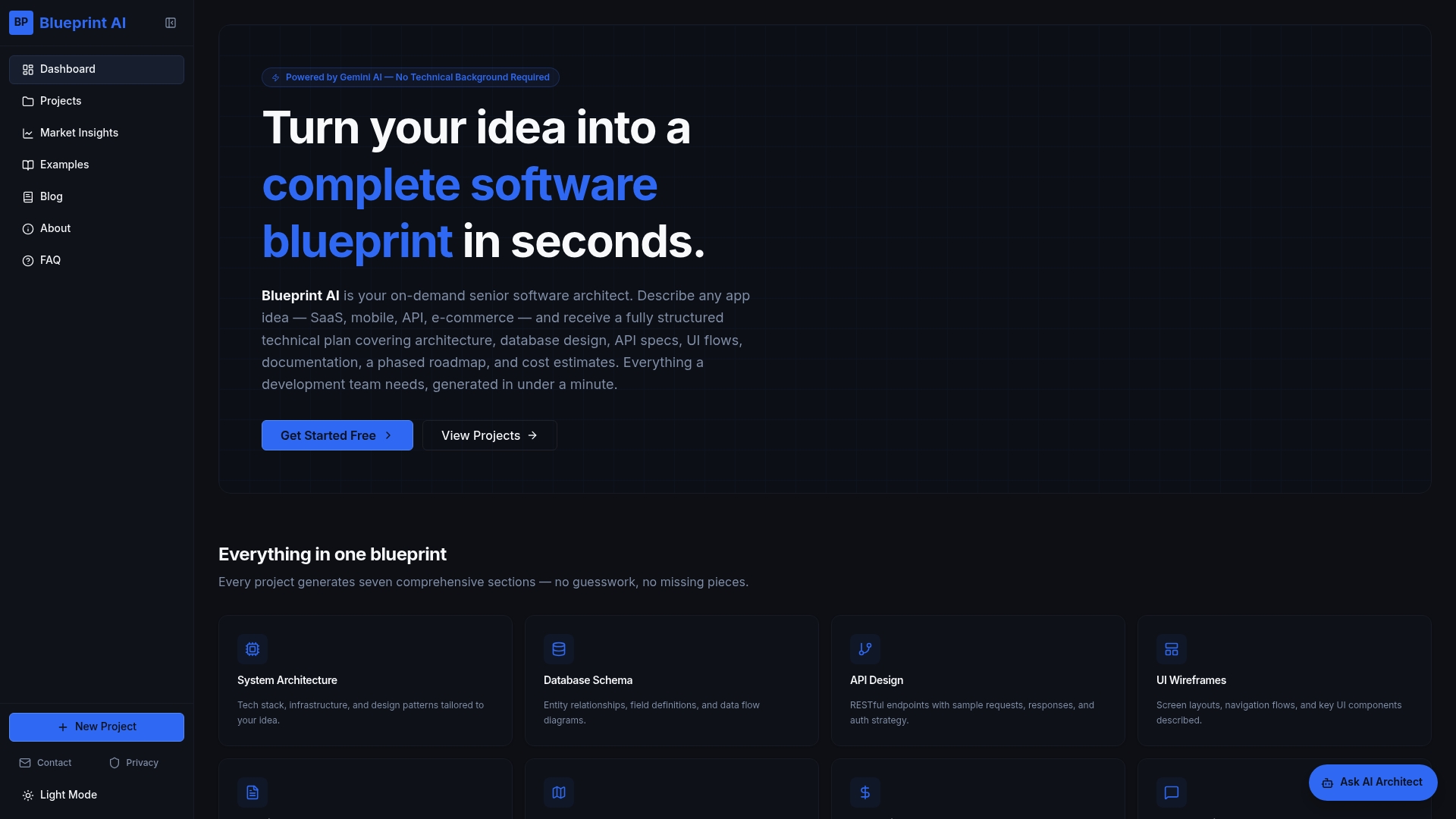
Blueprintbot generates a complete software blueprint from your app idea in seconds, covering architecture, user flows, technical documentation, and cost estimates without requiring any coding knowledge. The free planning tools include an MVP Feature Prioritizer built on the MoSCoW method and an App Development Time Estimator to help you scope your project before you commit to a build path. If you are at the idea stage or preparing to brief a development team, Blueprintbot gives you the structured foundation to move forward with clarity.
FAQ
What is app development?
App development is the process of designing, building, testing, and deploying a software application across mobile or web platforms. It follows a structured lifecycle from discovery and planning through to launch and ongoing maintenance.
How many stages are in the app development lifecycle?
The professional app development lifecycle includes six to seven core phases: Discovery, Requirements, UI/UX Design, Development, Testing, Launch, and Maintenance.
What is an MVP in app development?
An MVP, or Minimum Viable Product, is the smallest version of an app that tests your core value proposition. Best practice limits an MVP to three to five features to reduce wasted effort and accelerate market feedback.
Should I build natively or use a cross-platform framework?
Cross-platform frameworks like Flutter and React Native are the recommended default for most apps in 2026. They cover both iOS and Android from a single codebase, which reduces build time and ongoing maintenance costs significantly.
How long does it take to build an app?
Build time varies widely based on complexity, team size, and build path. A no-code MVP can be ready in days. A full custom build with a small agency typically takes three to six months from discovery to launch.
