Generate API design documentation quickly for product teams

You can generate polished API design documentation from an OpenAPI spec in roughly 60 seconds, without writing a single line of prose yourself. The practical workflow is: export or assemble an OpenAPI spec, import it into an AI doc generator, review the enriched output, and publish. Importing an existing OpenAPI spec into an AI doc tool can produce complete, polished API documentation in roughly 60 seconds. What you get at the end is a full docs site with endpoint pages, code samples in multiple languages, auth flow instructions, and error-case notes for every 4xx and 5xx response.
Quick workflow:
- Export or auto-generate your OpenAPI spec from your codebase or API framework
- Import the spec into an AI doc generator (AI enrichment fills descriptions, examples, and error notes)
- Lint the enriched spec with a tool like Spectral to catch schema errors
- Render into a docs portal and confirm auth flows and code samples work
- Publish and smoke-test against a staging environment
The most common reason this fails is not the tooling. It is an incomplete spec. Missing examples and skipped error responses are primary causes of integration failures, so getting the inputs right before you hit generate is the real leverage point.
Table of Contents
- What inputs do you need before generating docs?
- How to generate API docs in roughly 60 seconds
- How to polish the output before you publish
- How do you keep docs accurate over time?
- Plain-language templates you can paste into your spec
- Common pitfalls and how to fix them fast
- How Blueprintbot fits this workflow
- From idea to published API docs in one session
- Key takeaways
- The part most guides skip
- Useful sources and further reading
What inputs do you need before generating docs?
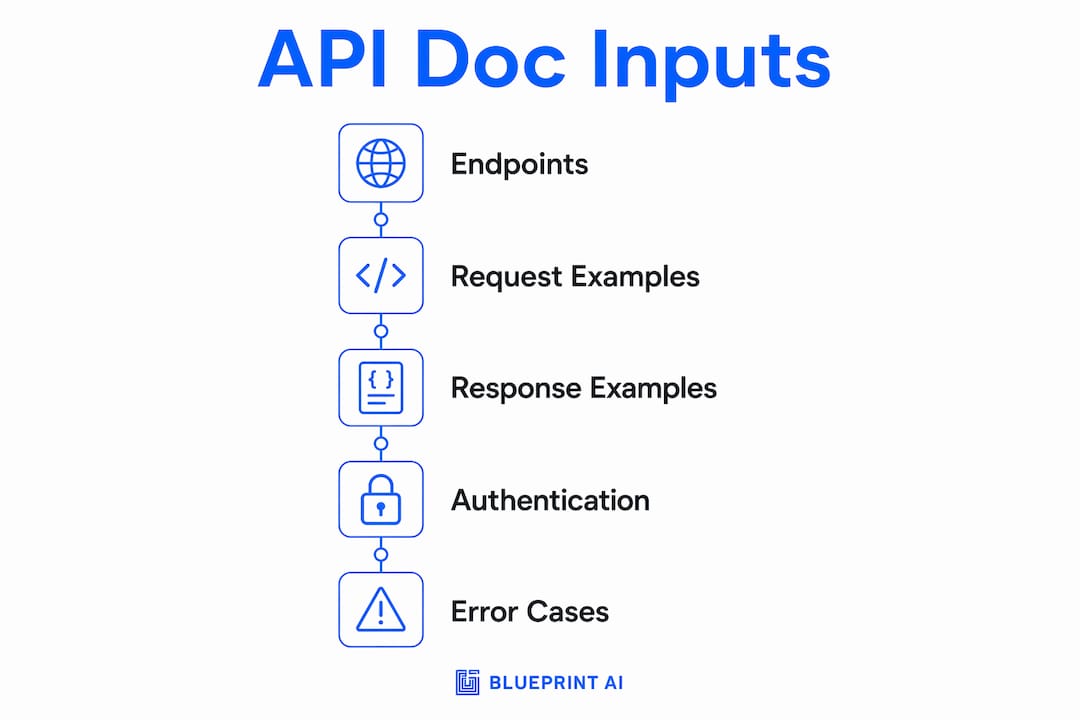
You do not need to be a developer to prepare a usable OpenAPI spec. You need five things: a list of your endpoints, the shape of at least one request and one response for each, the authentication type your API uses, the expected HTTP status codes, and one sample success response plus one error response. That is it.
Where to get these inputs:
- Endpoint list: a simple spreadsheet listing each route, its HTTP method (GET, POST, etc.), and a one-line description of what it does
- Request/response shape: a Postman collection export, an existing API contract, or a wireframe annotated with example payloads
- Auth type: Bearer token, API key, OAuth 2.0, or Basic — your engineering lead can confirm this in one message
- Status codes: 200 for success, 400/401/403/422 for common errors, 500 for server failures — ask your developer which ones your routes actually return
- OpenAPI export: if your backend uses FastAPI, it auto-generates an OpenAPI document at
/openapi.json; for other frameworks, ask an engineer to export it from the repo
FastAPI auto-generates OpenAPI but often needs tweaking before the output works cleanly with external SDK generators and doc renderers. Plan for a short refinement pass even when the framework does the heavy lifting.
Pro Tip: Include one representative complex endpoint and one error-case example in your inputs. The AI enrichment step copies the style and depth of your examples, so richer inputs produce richer output.
How to generate API docs in roughly 60 seconds
This sequence assumes you have a prepared OpenAPI spec. The 60-second window covers the AI enrichment and render steps. Manual review and CI setup add time, but they are one-time costs.
- Produce or collect your OpenAPI spec. Export from your framework (
/openapi.jsonin FastAPI, Swagger export in other frameworks) or assemble a minimal spec manually using a tool like Swagger Editor. The spec needs at least one example request and response per endpoint. - Import the spec into an AI doc generator. The AI enrichment step reads your spec and writes endpoint summaries, parameter descriptions, realistic example payloads, and error-case notes for every status code. This is where the claim of enrichment taking roughly one minute is based.
- Lint and validate. Run the enriched spec through Spectral to catch schema errors, missing required fields, and any parameters the AI may have invented. Always validate enriched specs with a linter and mock server to catch hallucinations before they reach your integrators.
- Render the spec into a docs portal. Tools like Redoc, Mintlify, FumaDocs, or Blueprintbot's renderer convert the validated spec into a browsable docs site. Confirm that auth flows display correctly and that code samples match your actual SDK languages.
- Publish and verify. Run smoke tests against a mock server (Prism works well here) or your staging environment. Check that sample SDK calls return the responses your docs describe.
| Step | Tool options | Approximate time |
|---|---|---|
| Export OpenAPI spec | FastAPI, Swagger Editor, Postman | 5–15 minutes |
| AI enrichment | Blueprintbot, Specway, AI doc generators | ~60 seconds |
| Lint and validate | Spectral, Redoc CLI | 2–5 minutes |
| Render docs portal | Redoc, Mintlify, FumaDocs | 2–5 minutes |
| Smoke test and publish | Prism, staging environment | — |
Pro Tip: Run AI enrichment as a CI step so the human review becomes a quick QA pass rather than a full writing job. A multi-agent CI pipeline that auto-generates, validates, and publishes docs can reduce manual documentation effort by over 60%.

How to polish the output before you publish
AI-generated docs are a strong first draft, not a finished product. Generative AI standardises structure, fonts, headers, and overall format across your API documentation, which is genuinely useful for teams where different engineers wrote different endpoints. But a few checks separate a trustworthy docs site from one that embarrasses you in front of integrators.
Standard checks to run before publishing:
- Consistent
operationIdand tags across all endpoints (no auto-generated names likepost_users__user_id__orders_post) - Readable endpoint summaries: one line stating what the endpoint does, one line stating what it returns
- Clear auth instructions at the top level and repeated in every endpoint that requires a non-default auth method
- Accurate rate-limit notes and deprecation warnings where applicable
- Realistic request/response examples, not placeholder strings like
"string"or0 - Error-case notes for every 4xx and 5xx your API actually returns
For code samples, AI tools generate multi-language samples from a spec and can selectively regenerate only the endpoints that changed when your spec updates. Match the sample languages to your actual SDKs so integrators are not copying JavaScript examples into a Python project.
Pro Tip: Add a top-level overview page that explains what your API does, who it is for, and how authentication works. AI enrichment fills endpoint-level detail well, but the overview page is almost always missing and is the first thing an integrator reads.
How do you keep docs accurate over time?
Documentation drift is the real long-term problem. The fix is treating the OpenAPI spec as the source of truth and generating it from code rather than maintaining it separately. Keeping the OpenAPI spec in code and regenerating docs on every merge prevents stale documentation from accumulating.
A practical CI pattern:
- Generate the OpenAPI spec on every build from your route annotations or framework output
- Run the AI enrichment step to fill any new missing descriptions or examples
- Lint the merged spec with Spectral and break the pipeline on failures
- Run Prism mock tests against the enriched spec
- Deploy the rendered docs on merge to main
| Automation trigger | Action | Gate |
|---|---|---|
| Every build | Generate OpenAPI spec from code | Fail build if spec is invalid |
| Every merge | AI enrich + Spectral lint | Block merge on lint errors |
| Schema-changing PR | Human review gate | Required approval before merge |
| Release tag | Version docs and archive prior spec | Keep historical specs for older SDKs |
Use pre-commit hooks and PR checks to confirm that when a route handler changes, the corresponding API annotations update too. This prevents comment drift, which is the most common source of a spec that looks current but describes yesterday's API. For teams exploring enterprise AI API integration patterns, this CI approach scales well across multiple services.
Plain-language templates you can paste into your spec
You do not need to write technical prose from scratch. These templates cover the most common OpenAPI description fields. Copy, adjust the bracketed parts, and paste.
Endpoint summary template:
Returns [resource or list] for [who/what]. Use this endpoint to [developer action, e.g., retrieve a user's order history by user ID].
Parameter description templates:
- UUID parameter:
user_id (string, UUID) — The unique identifier of the user. Example: "a1b2c3d4-e5f6-7890-abcd-ef1234567890". Required. - Date/time parameter:
start_date (string, ISO 8601) — Filter results from this date. Example: "2025-01-15T00:00:00Z". Optional; defaults to 30 days ago.
Error-case template:
404 Not Found — Returned when the requested [resource] does not exist. Body: {"error": "not_found", "message": "No [resource] found with the provided ID."}. Recommended handling: check the ID format and confirm the resource exists before retrying.
Minimal cURL example:
curl -X GET "https://api.yourapp.com/v1/users/{user_id}" \
  -H "Authorization: Bearer YOUR_TOKEN"
Minimal JavaScript fetch snippet:
fetch('https://api.yourapp.com/v1/users/' + userId, {
  headers: { 'Authorization': 'Bearer ' + token }
}).then(res => res.json());
Pro Tip: Paste these templates into the description field of each parameter and operation in your OpenAPI YAML or JSON. The AI enrichment step will use them as style anchors and produce consistent prose across every endpoint.
Common pitfalls and how to fix them fast
Missing or empty OpenAPI fields. Add at minimum one example request and response per endpoint, then run AI enrichment to fill the prose. Validate with Spectral before rendering.
AI hallucinations (invented parameters). The AI should enrich and fill missing human context, not invent new parameters. Validate the enriched spec against your actual route definitions and run Prism mock tests to catch mismatches before they reach integrators.
Unreadable operationId values from framework defaults. FastAPI, for example, auto-generates operationIds like read_users_users__user_id__get. Add a custom operationId and tag metadata directly in your route decorator or spec file.
Auth mismatches in examples. Provide one accurate, working auth flow example and confirm it against your staging environment in a smoke test. A single correct example is enough for the AI to replicate the pattern across all secured endpoints.
When to stop and call a developer: schema mismatches that break your mock server, or missing servers definitions that prevent SDK generation. These are structural problems that require a code fix, not a doc fix.
How Blueprintbot fits this workflow
Blueprintbot is built for exactly the situation most founders and product managers are in: you have an app idea, a rough sense of what your API needs to do, and no time to write a 40-page technical spec by hand.
From a plain-language description of your app, Blueprintbot produces a structured API design that includes endpoint definitions, request/response schemas, authentication flows, and an exportable OpenAPI file. That file drops directly into the workflow above: import to an AI doc generator, lint, render, publish. The platform's AI chat assistant lets you iterate on the design in plain English, so you can refine endpoints, add error cases, or adjust auth flows without touching YAML.
What Blueprintbot produces for this workflow:
- Structured API endpoint designs with example payloads
- OpenAPI-compatible exports ready for Redoc, Mintlify, or any spec-driven renderer
- Auth flow documentation and status code coverage
- Developer-ready blueprints your engineering team can build from directly
Pro Tip: Start with Blueprintbot's example blueprints to see what a finished API design looks like before you generate your own. It takes about two minutes to understand the output format and confirm it matches what your developer needs.
For teams that want to understand how API design shapes app architecture before committing to a spec structure, that context makes the blueprint generation step significantly faster.
From idea to published API docs in one session
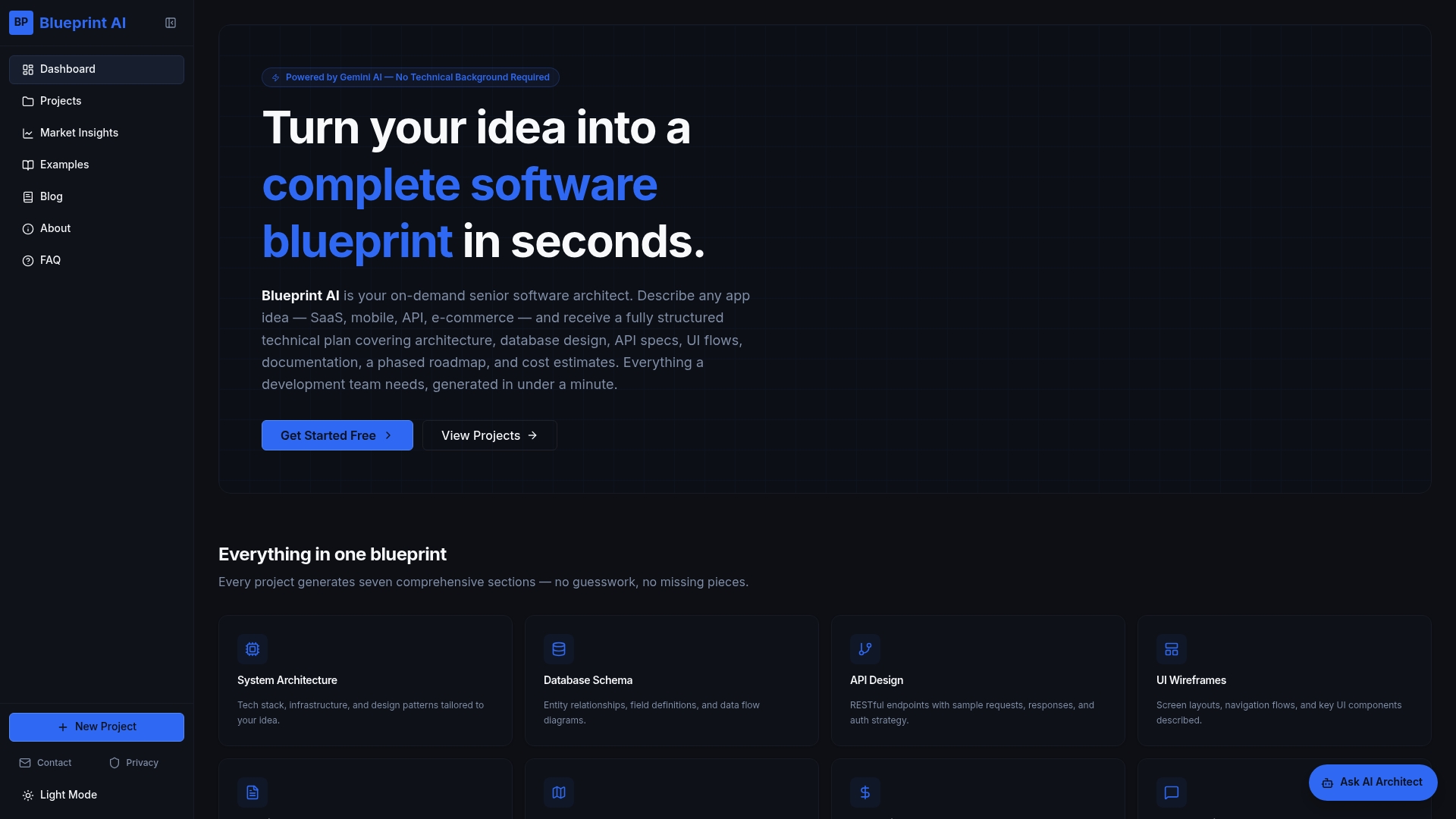
Blueprintbot gives non-technical founders and product managers a faster path to production-ready API documentation than any manual process. Describe your app in plain language, get a structured API blueprint with an exportable OpenAPI spec, and feed that spec into the 60-second AI enrichment pipeline described above. No technical writing required, no back-and-forth with a developer just to get a first draft.
The free software planning tools on Blueprintbot let you experiment with the platform before committing to a full blueprint. Generate a sample, export the OpenAPI file, and run it through Spectral and Redoc to see exactly what the end result looks like. That is a complete proof of concept in under an hour.
Key takeaways
Generating polished API design documentation quickly requires a prepared OpenAPI spec, an AI enrichment step, a linting pass, and a CI pipeline that rebuilds docs on every merge.
| Point | Details |
|---|---|
| Prepare minimal inputs first | Collect endpoints, one request/response example, auth type, and status codes before generating. |
| AI enrichment takes ~60 seconds | Importing a prepared OpenAPI spec into an AI doc tool produces full docs in roughly 60 seconds. |
| Always lint after AI enrichment | Run Spectral and Prism mock tests to catch hallucinations and schema errors before publishing. |
| Automate to prevent drift | A CI pipeline that regenerates docs on every merge can cut manual documentation effort by over 60%. |
| Blueprintbot accelerates the start | Blueprintbot generates a structured API blueprint and exportable OpenAPI spec from a plain-language app description. |
The part most guides skip
There is a gap between what AI doc generation promises and what actually matters in practice. Most articles focus on the tooling. The real bottleneck is almost always the spec quality going in.
A product manager who hands an AI tool a FastAPI export with auto-generated operationIds, no examples, and a single 200 response per endpoint will get docs that look polished but are nearly useless to an integrator. The AI fills prose beautifully. It cannot invent the correct error responses your API actually returns, and it should not try.
The advice worth keeping: focus on the three or four core happy-path endpoints first. Get those right, with real examples and real error cases, and the AI output for those endpoints will be genuinely good. Then expand. Trying to document 40 endpoints at once with a thin spec produces 40 mediocre endpoint pages instead of a few excellent ones. Start with one service, show your team the time savings, and scale the pipeline from there.
Useful sources and further reading
These are the primary sources behind the claims and workflow steps in this article. Keep at least five of them handy when building a CI pipeline or selecting tools.
- Generating API Documentation with Generative AI (MuleSoft) — supports the AI standardisation and formatting claims in the polish section
- AI-Generated API Documentation from OpenAPI Specs (Specway) — source for the ~60-second time-to-docs claim and multi-language code sample generation
- How to Automate API Documentation with AI (Misar AI) — source for the CI pipeline pattern, documentation debt reduction, and stale-doc prevention
- Automate API Documentation with AI Coding Tools (ECOA AI) — source for the 60%-reduction-in-manual-effort claim and Spectral/Prism validation guidance
- How to Generate an OpenAPI Document with FastAPI (Speakeasy) — explains FastAPI's auto-generated spec quirks and required tweaks for SDK generators
- Redoc — OpenAPI/Swagger-generated API Reference Documentation — open-source renderer used in the render step; supports OpenAPI 3.1, 3.0, and Swagger 2.0
- Fern — Input OpenAPI, Output SDKs and Docs — transforms API definitions into type-safe SDKs and documentation; relevant for teams needing SDK generation alongside docs
- Swagger — API Documentation and Design Tools — the primary toolset for OpenAPI design, governance, and testing across the API lifecycle
- Add API Documentation in Postman — useful for teams collecting request/response examples via Postman collections before spec export
- REST API Design Best Practices (Blueprint AI Blog) — practical rules for schema conventions and operationId hygiene that improve AI enrichment output
