Scalability for students: core concepts explained

Scalability is a system's ability to handle increasing workloads — more users, more requests, more data — without sacrificing performance or requiring a complete architectural rebuild. According to GeeksforGeeks, a scalable system accommodates growth by adding resources rather than demanding a redesign from scratch. Two approaches cover most situations:
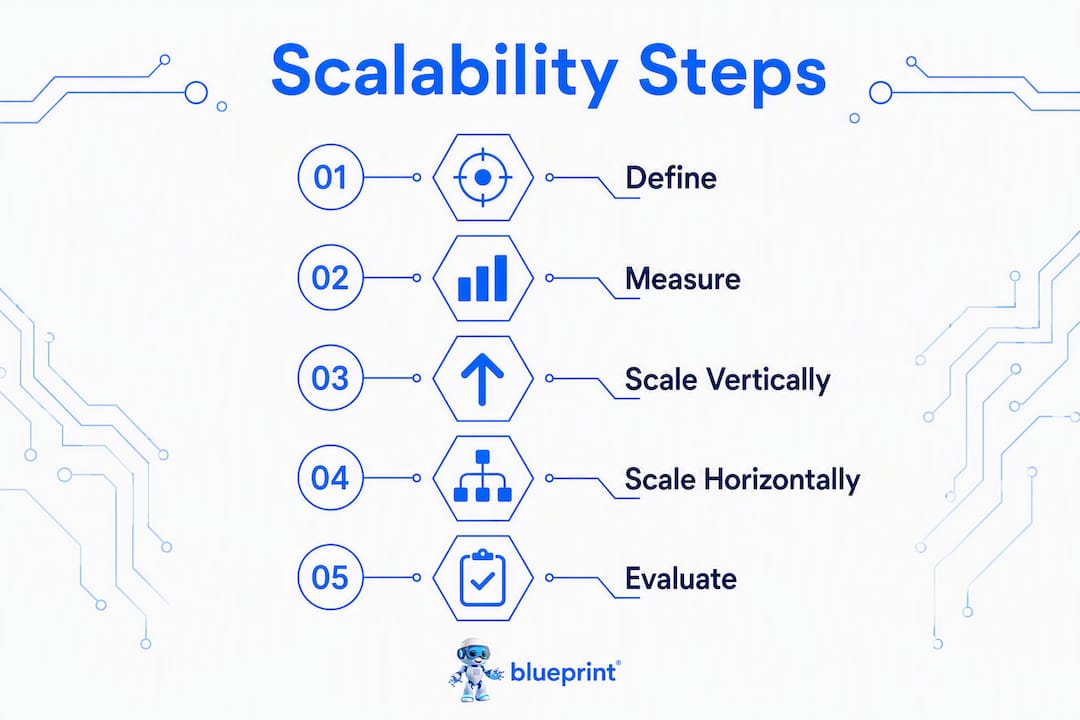
- Scale up (vertical): Give one machine more CPU, RAM, or storage. Example: upgrading a database server from 16 GB to 64 GB RAM to handle a growing query load.
- Scale out (horizontal): Add more machines and distribute the load. Example: running three identical web servers behind a load balancer instead of one powerful server.
To understand scalability concepts as a student, the single best first step is to build a tiny web API, send it 10 requests per second with k6, and watch what breaks. Everything in this guide connects back to that experiment.
Table of Contents
- What core vocabulary do students need to understand scalability?
- How do you measure whether a system is actually scaling?
- When does vertical scaling make sense?
- How does horizontal scaling work, and what complexity does it add?
- What architectural patterns should every student know?
- Where do systems usually break, and what trade-offs do engineers face?
- How do real systems scale? Lessons from Google, AWS, Netflix, and Shopify
- A four-week practice plan to build real scalability skills
- Key takeaways
- Why premature optimisation is the real enemy of scalability education
- Blueprintbot helps you build your scalability lab faster
- Useful sources for further learning
What core vocabulary do students need to understand scalability?
Scalability sits inside a broader cluster of system design ideas, and mixing up the terms leads to bad design decisions. Here are the ones that matter most:
- Scalability: The system grows with demand without a full redesign.
- Availability: The system stays up and responds to requests. High availability (HA) targets uptime like 99.9% or 99.99%.
- Reliability: The system produces correct results consistently, even when parts fail.
- Elasticity: The system scales automatically in response to demand, then shrinks back. Cloud autoscaling is the clearest example.
- Replication: Keeping copies of data or services across multiple nodes to improve both availability and read throughput.
- Partitioning (sharding): Splitting a dataset across multiple nodes so no single node holds everything.
Two concepts that trip up students most often are statelessness and idempotency. A stateless server holds no session data locally; every request carries everything the server needs to respond. That property is what makes horizontal scaling possible — if any server can handle any request, you can add servers freely. Idempotency means that sending the same request twice produces the same result as sending it once, which matters enormously when retries are involved.
Carnegie Mellon's course slides on scalability make a point worth internalising early: there is no universal scalable design. A read-heavy system (think a news site serving millions of readers) calls for aggressive caching and read replicas. A write-heavy system (think a financial ledger) prioritises consistency and careful partitioning. A bursty workload (Black Friday traffic) needs elastic capacity that can spin up fast. Recognising your workload pattern before choosing an architecture is the real skill.
[Diagram suggestion: a simple two-column sketch showing a single tall server (vertical) vs. three smaller servers behind a load balancer (horizontal), with arrows showing request flow.]
For a broader introduction to how these ideas fit together, the system design fundamentals guide on Blueprintbot's blog is a solid starting point.
How do you measure whether a system is actually scaling?
Measuring scalability means tracking specific numbers before and after you change something. Without a baseline, you are guessing.
The five primary metrics
| Metric | What it tells you | How to capture it |
|---|---|---|
| Requests per second (RPS) | Raw throughput capacity | k6, Locust, or JMeter load test |
| Latency (p50 / p99) | Typical and worst-case response time | Load test output; APM tools |
| Throughput | Data volume processed per unit time | System metrics, profiler |
| Error rate | Percentage of failed requests under load | Load test output |
| Resource utilisation | CPU, memory, disk, and network headroom | top, htop, cloud dashboards |
The p99 latency figure deserves special attention. If your p50 latency is 20 ms but your p99 is 800 ms, one in a hundred users is having a terrible experience. Optimising only the average hides that tail.
Analytical models: Amdahl's law and Gustafson's law
Two analytical tools help students reason about scaling before running a test. Amdahl's law says that the speedup from adding more processors is limited by the fraction of work that cannot be parallelised. If 20% of your code is sequential, no amount of added hardware will get you past a 5x speedup. Gustafson's law offers a more optimistic framing: as problem size grows, the parallelisable portion usually grows with it, so larger workloads benefit more from added resources.
A four-step testing checklist
- Baseline: Run the system at normal, expected load and record all five metrics above.
- Ramp: Gradually increase load (say, 10 RPS to 100 RPS over five minutes) and watch where metrics degrade.
- Stress: Push well beyond expected peak to find the breaking point.
- Soak: Run at sustained moderate load for an extended period (30–60 minutes) to catch memory leaks and resource exhaustion.
Hands-on cloud labs that walk through these four steps are among the most effective ways to build intuition for scalability, because the numbers become real rather than theoretical.
When does vertical scaling make sense?
Vertical scaling means upgrading the hardware on a single machine: more CPU cores, more RAM, faster NVMe storage, or a higher-bandwidth network card. It is the simplest path when a system is young and the bottleneck is clearly resource-bound on one node.
A concrete scenario: a PostgreSQL database serving a small SaaS product starts slowing down as the user base grows from 500 to 5,000. Before redesigning the schema or introducing read replicas, doubling the RAM and enabling connection pooling often buys months of headroom with a single afternoon of work.
Pros of vertical scaling:
- No code changes required.
- No distributed state to manage.
- Faster to implement than a full horizontal redesign.
- Works well for stateful workloads (databases, legacy monoliths) that are hard to distribute.
Cons:
- Hard physical and economic limits. At some point, the largest available instance is not enough.
- Cost-per-performance degrades at the high end; a 128-core server costs far more than twice a 64-core server.
- Single point of failure. If that one machine goes down, the whole system goes down.
The clearest signal that vertical scaling has hit its ceiling: you have already upgraded to the largest available instance type, CPU and memory are both near saturation under normal load, and latency is still climbing. That is the moment to start designing for horizontal patterns.
How does horizontal scaling work, and what complexity does it add?
Horizontal scaling adds more machines and distributes work across them. The two primary strategies are replication and partitioning.

Replication copies the same data or service to multiple nodes. A read replica in a database cluster lets multiple servers answer read queries simultaneously, which is effective when reads vastly outnumber writes. Partitioning (sharding) splits data across nodes by a key, so each node owns a subset. Sharding handles write-heavy workloads better than replication alone, but it introduces complexity around cross-shard queries and hotspot keys.
A load balancer sits in front of the application tier and routes incoming requests across multiple stateless application servers. The word stateless is doing heavy lifting here. If a server stores session data locally (in memory), the load balancer must always send the same user to the same server, which creates uneven load and fragility. Move session data to an external store like Redis, and any server can handle any request. That is the core principle behind stateless design.
Benefits of horizontal scaling:
- Elastic growth: add nodes during peak traffic, remove them when demand drops.
- Fault tolerance: losing one node does not take down the system.
- Geo-distribution: place nodes close to users to reduce latency.
Practical complexities:
- Distributed state is hard. Keeping data consistent across nodes requires careful design.
- Network costs increase with inter-node communication.
- Debugging is harder; a request may touch five services before returning a response.
[Diagram suggestion: three stateless app servers behind a load balancer, each reading from a shared Redis session store, all writing to a primary database with two read replicas.]
What architectural patterns should every student know?
These are the patterns you will encounter repeatedly in system design interviews, coursework, and real projects. Each one solves a specific problem.
- Caching: Store frequently read data in fast memory (Redis, Memcached) to avoid hitting the database on every request. Trade-off: stale data if cache invalidation is not handled carefully.
- CDN (Content Delivery Network): Distribute static assets (images, JS, CSS) to edge servers close to users. Netflix and Shopify both rely heavily on CDNs to absorb traffic spikes without touching origin servers.
- Database replication: One primary handles writes; multiple replicas handle reads. Improves read throughput but introduces replication lag.
- Sharding: Partition data by a key (user ID, geography) across multiple database nodes. Handles write scale but complicates queries that span shards.
- Message queues: Decouple producers from consumers (RabbitMQ, Amazon SQS). A queue absorbs traffic bursts and lets downstream services process at their own pace.
- Microservices: Break a monolith into independently deployable services. Each service scales independently, but the operational overhead is significant.
- Serverless: Functions that run on demand (AWS Lambda, Google Cloud Functions). Near-zero idle cost and automatic scaling, but cold starts add latency and long-running tasks are expensive.
- Circuit breakers: Stop sending requests to a failing service to prevent cascading failures. The pattern gives the failing service time to recover.
- Bulkheads: Isolate failures by partitioning resources (thread pools, connection pools) so one failing component cannot exhaust shared resources.
Developer-level techniques that underpin all of these patterns:
- Statelessness: Already covered above; it is the prerequisite for horizontal scaling.
- Idempotency: Design operations so retries are safe.
- Asynchronous processing: Return a response immediately and process work in the background.
- Backpressure: Signal upstream components to slow down when a downstream service is overwhelmed.
- Graceful degradation: Return a partial or cached response rather than an error when a dependency fails.
University of Waterloo course notes highlight geo-distributed caching and serverless as two of the most practically important enablers for cloud-scale systems. Both are worth adding to your lab exercises early.
For a structured look at how these patterns combine into full architectures, the software architecture patterns guide on Blueprintbot's blog covers layered, microservices, and event-driven designs with concrete examples.
Pro Tip: Before picking a pattern, write down your workload: read-heavy or write-heavy? Bursty or steady? That single characterisation will eliminate half the options immediately.
Where do systems usually break, and what trade-offs do engineers face?
Most scalability failures trace back to one of five bottlenecks: CPU saturation, memory exhaustion, disk I/O limits, network bandwidth, or database contention. The mistake students make is scaling the wrong layer. Adding more web servers does nothing if the database is the bottleneck.
Common bottleneck signals:
- High CPU with low I/O wait: compute-bound; consider more cores or algorithmic improvements.
- High I/O wait with moderate CPU: disk-bound; consider faster storage, caching, or read replicas.
- Long tail latency (high p99 vs low p50): lock contention or garbage collection pauses.
- Write hotspots in the database: a single shard or table receiving disproportionate writes; consider better sharding keys.
- Network saturation: large payloads or chatty microservices; consider compression or batching.
The key trade-offs engineers navigate:
- Latency vs. throughput: A system tuned for very low single-request latency may perform poorly under high-throughput batch workloads. Optimise for the workload that matters most to your users.
- Consistency vs. availability: In a distributed system, network partitions happen. The CAP theorem says you must choose between consistency (every read sees the latest write) and availability (the system always responds). Most real systems make this choice per-feature rather than globally.
- Cost vs. performance: More nodes, faster hardware, and premium cloud tiers all cost money. Scaling decisions are always partly economic.
- Simplicity vs. extensibility: A monolith is easier to build and debug. Microservices are easier to scale independently. The right choice depends on team size and traffic patterns.
Questions to ask before optimising:
- What does the profiler or load test say is the actual bottleneck?
- Is this bottleneck consistent or bursty?
- What is the cost of fixing it at the current layer vs. the next layer up?
- Will this fix still hold at 10x current load?
How do real systems scale? Lessons from Google, AWS, Netflix, and Shopify
Abstract concepts click faster when you can point to a real system. Here are four brief case notes.
Google (distributed storage and search): Google's infrastructure processes billions of search queries daily by distributing both data and computation across thousands of commodity servers. The key lesson: no single machine is irreplaceable. Design for failure at every layer, and the system becomes more reliable as it grows, not less. Students should study the concept of consistent hashing, which Google-style systems use to distribute data evenly while minimising reshuffling when nodes are added or removed.
AWS (autoscaling): AWS Auto Scaling watches CloudWatch metrics and adds or removes EC2 instances automatically based on CPU, RPS, or custom metrics. The practical lesson for students: elasticity requires stateless application tiers. If your app servers hold local state, autoscaling breaks. AWS also demonstrates the full-stack constraint that UC Berkeley's Scalable AI course emphasises: optimising software alone is not enough when hardware and economics jointly shape what is achievable.
Netflix (replication and edge caching): Netflix serves video to hundreds of millions of users by storing content on edge servers close to viewers through its Open Connect CDN. The application tier uses microservices, each scaled independently. The lesson: separate your read path from your write path, and push static or semi-static content as close to the user as possible.
Shopify (traffic spike management): Shopify handles enormous traffic spikes during flash sales and Black Friday events by combining horizontal scaling, aggressive caching, and database sharding. A single merchant's flash sale can generate millions of requests in minutes. Shopify's architecture ensures that one merchant's spike does not degrade performance for others, which is a partitioning problem at the infrastructure level.
Canadian example — Wattpad: Toronto-based Wattpad, one of Canada's largest content platforms, scaled from a small reading app to a platform serving tens of millions of users by progressively adopting microservices, moving to cloud infrastructure, and implementing read replicas for its content database. The practical lesson: you do not need to start with a distributed architecture. Wattpad began as a monolith and decomposed it incrementally as specific bottlenecks emerged. Students should take note: premature decomposition adds complexity without adding capacity.
For more real-world architecture patterns to study alongside these cases, the real-world app architecture examples guide on Blueprintbot's blog is worth bookmarking.
A four-week practice plan to build real scalability skills
Research on students learning parallel computing found measurable improvements in understanding when courses included practical projects on real hardware. The plan below is built around that finding.
Week 1: measure a baseline
- Build a minimal REST API (Python/Flask or Node.js/Express) with one endpoint that reads from a SQLite or PostgreSQL database.
- Install k6 or Locust locally.
- Run a baseline test at 10 RPS for two minutes. Record p50, p99 latency, error rate, and CPU usage.
- Increase to 50 RPS. Note where things degrade.
Goal: understand what your system can handle before you change anything.
Week 2: add caching
- Add Redis in front of your database reads (use Docker to run Redis locally).
- Re-run the same load tests from Week 1.
- Compare p50 and p99 latency before and after. Calculate the percentage improvement.
- Introduce a cache invalidation scenario (update a record and verify the cache reflects it).
Goal: see caching's effect on latency and throughput with real numbers.
Week 3: shard a dataset
- Split your database table across two logical shards (two separate SQLite files or two PostgreSQL schemas) using a simple modulo key on user ID.
- Update your API to route reads and writes to the correct shard.
- Run a write-heavy load test and compare throughput to Week 1.
- Deliberately create a hotspot (route 80% of traffic to one shard) and observe the effect.
Goal: understand sharding mechanics and the hotspot problem firsthand.
Week 4: stress test and evaluate
- Run a full four-step test sequence: baseline, ramp, stress, soak (30-minute soak test).
- Use JMeter or Locust for the soak test to catch memory leaks.
- Document every bottleneck you found across all four weeks and which pattern addressed it.
- Write a one-page architecture decision record (ADR) explaining what you would change at 10x current load.
Goal: synthesise everything into a coherent picture of how the system behaves under pressure.
Pro Tip: Cloud labs on platforms like AWS Free Tier or Google Cloud's free credits let you run these exercises on real infrastructure without a large cost. Set billing alerts before you start.
Blueprintbot can accelerate the planning phase of these exercises. Describe your lab project in plain language (e.g., "a REST API that needs to scale from 10 to 1,000 RPS with caching and a sharded database"), and Blueprintbot generates a full architecture blueprint, database schema, and phased roadmap you can use as a reference while building. That means less time staring at a blank diagram and more time running actual tests.
Key takeaways
Scalability is an engineering discipline grounded in measurement: identify the real bottleneck, apply the right pattern, and verify the result with metrics.
| Point | Details |
|---|---|
| Start with a definition | Scalability means handling more load without a full redesign; vertical scales one machine, horizontal adds more. |
| Measure before you change anything | Track RPS, p50/p99 latency, error rate, and resource utilisation as your baseline before any optimisation. |
| Match patterns to workload | Read-heavy systems benefit from caching and replicas; write-heavy systems need sharding; bursty workloads need elasticity. |
| Bottlenecks drive decisions | Scaling the wrong layer wastes effort; profile first, then act on what the data shows. |
| Blueprintbot speeds up lab planning | Describe your project in plain language and Blueprintbot generates an architecture blueprint and roadmap for your exercises. |
Why premature optimisation is the real enemy of scalability education
Most students approach scalability backwards. They read about microservices, get excited, and immediately decompose a 200-line app into eight services. Then they spend three weeks debugging distributed tracing instead of understanding why the original monolith was slow.
The CMU course material puts it plainly: scalability failures are expensive and harmful, and bad assumptions about workload patterns are the root cause. The discipline is not about adding complexity. It is about understanding what your system actually does under load, then making the smallest change that addresses the real constraint.
The students who build genuine intuition for scaling are the ones who run the experiments first. They measure a baseline, introduce one change, measure again, and form a hypothesis. That loop, repeated four or five times, teaches more than any number of architecture diagrams read passively.
The other thing worth saying: the CAP theorem, Amdahl's law, and consistent hashing are worth knowing, but they are tools for reasoning, not recipes. A student who can explain why their p99 latency spiked during a soak test and what they changed to fix it has learned something that will transfer to any system they ever work on.
Blueprintbot helps you build your scalability lab faster
Designing a lab architecture from scratch takes time that most students would rather spend on the actual experiments. Blueprintbot removes that friction. Describe your project in plain language — "a REST API that scales from 10 to 1,000 RPS using Redis caching and a sharded PostgreSQL database" — and Blueprintbot generates a complete architecture blueprint, database schema, API specifications, and a phased development roadmap in seconds.

For the Week 1 exercise alone, Blueprintbot can produce a reference architecture you can compare against your own design, highlighting components you may have missed. The interactive AI chat assistant lets you ask follow-up questions like "what happens to this design at 10,000 RPS?" and get a structured answer grounded in the blueprint it just generated.
Students working through the four-week plan above can use Blueprintbot's example software blueprints as a benchmark, or start with the free planning tools to sketch and export a lab architecture before writing a single line of code. It is the fastest way to go from "I have an idea for a lab project" to a structured plan you can actually build against.
Useful sources for further learning
- Scalability in system design — GeeksforGeeks: Clear definitions of scalability, availability, and related terms with diagrams. A good first read before tackling more advanced material.
- Design for scalability — Carnegie Mellon University (course slides): Instructor-level guidance on workload patterns, trade-offs, and common failure modes. Particularly useful for the bottlenecks and trade-offs section of your studies.
- Scalable computer system design — University of Waterloo course notes: Covers Amdahl's law, Gustafson's law, geo-distributed caching, and serverless patterns. Solid analytical foundation.
- Teaching cloud infrastructure and scalable application deployment — arXiv: Research on how hands-on cloud labs (IaC, containers, serverless) improve student understanding of scaling. Useful for designing your own lab exercises.
- What influences students' understanding of scalability issues in parallel computing? — JOCSE: Empirical study on student learning outcomes in scalability courses. Confirms the value of project-based practice.
- Scalable AI — UC Berkeley course: Full-stack perspective on scaling AI systems, covering hardware, software, and economic constraints together.
