Why sprint planning improves delivery for team leads

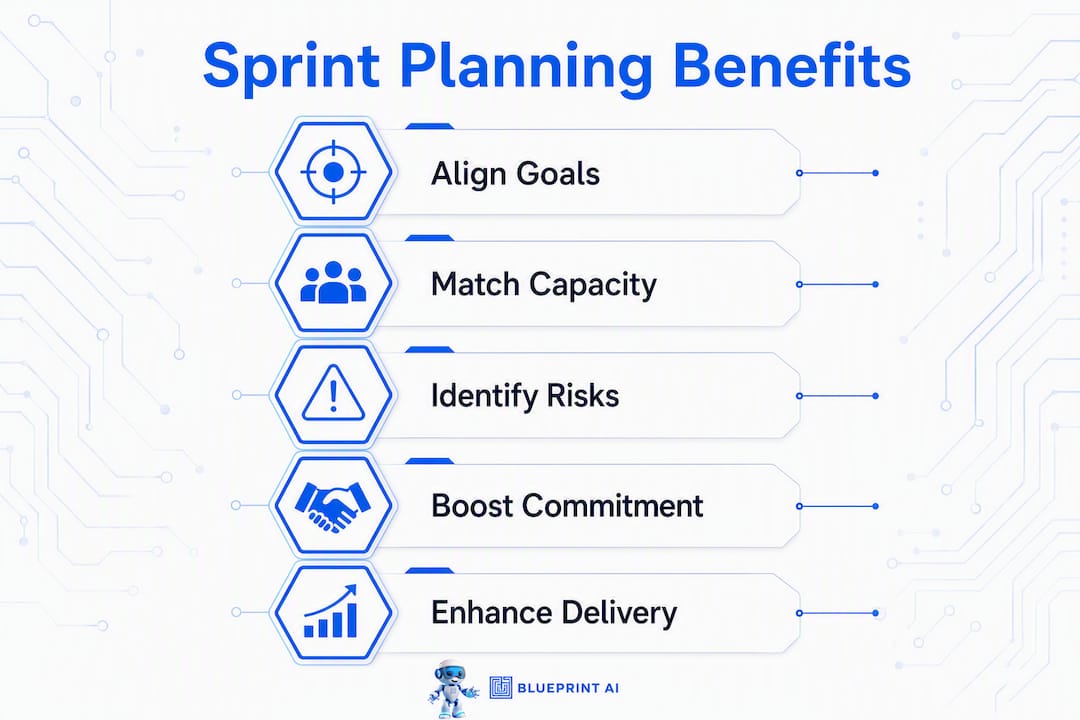
Sprint planning improves delivery by aligning your team on a shared sprint goal, matching scope to realistic capacity, and surfacing risks before a single line of code gets written. Scrum.org frames the sprint goal as the most impactful outcome of the entire event, and Scrum Alliance treats the meeting as an empirical checkpoint, not an administrative formality. Atlassian adds the counterweight: over-planning kills agility just as surely as no planning at all.
The core effects, in brief:
- Predictability improves because commitments are grounded in velocity and capacity, not optimism.
- Scope negotiation becomes easier when a clear sprint goal gives the team a decision filter mid-sprint.
- Team ownership sharpens when every member understands the "why" behind the work.
- Risk mitigation happens before execution, not during it.
- Cross-team coordination gets explicit when dependencies are mapped at the start of the sprint.
Table of Contents
- How does sprint planning actually improve delivery?
- What does an effective sprint planning meeting look like?
- What sprint planning mistakes slow your team down?
- How do you measure whether sprint planning improved delivery?
- How to use empirical evidence in sprint planning
- How tools and AI-assisted blueprints speed up sprint planning
- A 30-minute pre-planning checklist for busy Canadian teams
- Key takeaways
- The case for goal-led planning: a team lead's perspective
- Blueprintbot cuts your pre-planning technical work
- Useful sources and further reading
How does sprint planning actually improve delivery?
The meeting works because it forces five things to happen at once: alignment, capacity matching, goal-driven prioritisation, risk identification, and a shared mental model of the work ahead.
Alignment through a sprint goal. A well-crafted sprint goal tells the team why the sprint matters, not just what to build. When a mid-sprint curveball arrives — a stakeholder request, a production bug — the goal becomes the decision filter. Without it, every interruption triggers a negotiation from scratch. Scrum.org is explicit: the sprint goal simplifies scope decisions and communicates the sprint's value to everyone outside the team.
Capacity and commitment. Teams that plan against actual velocity and a real capacity calendar stop overpromising. Predictability follows. Asana notes that clear priorities across sprints build reliable, repeatable output and reduce interruptions. That reliability compounds: a team that consistently delivers what it commits to earns the trust that lets it push back on unrealistic demands.
Risk and dependency surfacing. Planning forces the conversation about what could go wrong before the sprint clock starts. A dependency on another team's API, an unclear acceptance criterion, a team member on vacation in week two — these surface during planning, not at the Wednesday standup when it's too late to adjust.

For distributed Canadian teams, Scrum Alliance makes a point worth taking seriously: sprint planning doubles as a team ritual that preserves shared mental models. Skip it or treat it as a calendar placeholder and cohesion erodes, especially across time zones.
Pro Tip: If your team struggles with mid-sprint scope creep, add one sentence to the sprint goal that explicitly names what the sprint does NOT include. That boundary is as valuable as the goal itself.
What does an effective sprint planning meeting look like?
The Agile Alliance defines three concrete outputs every planning session should produce: a sprint goal, a sprint backlog, and an initial delivery plan. Getting there requires the right inputs and a structured agenda.
Inputs to have ready before the meeting
- A refined backlog with items that meet your definition of ready (acceptance criteria written, sized, no open blockers).
- Capacity calendar: confirmed holidays, meetings, and part-time commitments for the sprint.
- Recent sprint review notes and increment feedback.
- Velocity data from the last three sprints.
A three-part agenda
- Part 1 — Why: The Product Owner presents the sprint goal candidate and the top backlog items. The team asks clarifying questions. Goal is agreed before any item selection begins.
- Part 2 — What: The team selects backlog items it can forecast completing, grounded in velocity. Dependencies are named and assigned an owner.
- Part 3 — How: Developers break selected items into tasks, identify technical risks, and confirm the initial delivery approach.
Timebox guidance by sprint length
The Scrum Guide suggests planning duration should be proportional to sprint length. Most Canadian teams running two-week sprints complete planning within the proportional recommended time.
For remote teams, send a pre-read 24 hours before: the proposed sprint goal, the top five backlog items, and the capacity summary. That alone cuts the "what are we even discussing?" phase by half.
What sprint planning mistakes slow your team down?
Atlassian warns that over-planning is as damaging as under-planning. Here are the patterns that consistently waste planning time.
- Finishing refinement during planning. If backlog items arrive unrefined, the meeting grinds to a halt. The fix: a separate, weekly refinement session so only ready stories enter planning. Agile Alliance recommends this as a non-negotiable practice.
- Task-list focus instead of goal focus. Teams that jump straight to selecting Product Backlog Items often skip the sprint goal entirely. Scrum.org flags this as the most common misuse of the event. Facilitate goal-first: no item selection until the goal is agreed.
- Ignoring past data. Planning based on gut feel rather than velocity leads to overcommitment and erodes trust. Pull the last three sprints' committed-vs-done numbers before the meeting.
- Minute-by-minute scheduling. The goal of planning is to start confidently, not to map every hour. Successful teams plan just enough to begin and let the execution plan emerge as they learn.
Pro Tip: Open every planning session with the question: "What is the one outcome that would make this sprint a success?" Write the answer on the shared screen before touching the backlog. It takes three minutes and reorients the entire discussion.
How do you measure whether sprint planning improved delivery?
Gut feel is not a metric. Track these signals to know whether planning changes are actually working.
| Metric | What to measure | How often | Success signal |
|---|---|---|---|
| Velocity trend | Story points completed per sprint | Every sprint | Stable or gradually rising over several sprints |
| % committed done | Completed items ÷ committed items | Every sprint | Consistently above 80% |
| Sprint predictability | Variance between committed and done | Monthly review | Variance narrowing sprint over sprint |
| Burndown shape | Daily remaining work vs. ideal line | Daily | Smooth decline; no late-sprint cliff |
| Lead time (critical stories) | Days from "ready" to "done" | Monthly | Shortening trend |
Pair these numbers with qualitative notes from your sprint retrospective. Metrics without context get gamed; retrospective notes without metrics stay anecdotal. The combination is what tells you whether a planning change caused the improvement or whether something else did.
How to use empirical evidence in sprint planning
Grounding your plan in real data takes about ten minutes if you build it into the pre-meeting routine.
- Inspect the last sprint increment. What shipped? What didn't? Note carryover items and the reason each one carried over (blocked, underestimated, descoped).
- Review committed-vs-done for the last three sprints. Calculate your average. That number, not your team's optimism, is your planning baseline.
- Update capacity. Adjust for known absences, holidays, and cross-team commitments this sprint.
- Identify recurrent blockers. If the same dependency or technical risk appeared in two of the last three sprints, it needs an explicit mitigation plan before the sprint starts.
- Set the sprint goal informed by evidence. Use sprint review feedback and stakeholder input to confirm the goal reflects current product priorities, not last quarter's roadmap.
Scrum Alliance frames this empirical loop as the core of what makes sprint planning valuable: inspect the increment, adapt the plan, repeat.
How tools and AI-assisted blueprints speed up sprint planning
The right tooling reduces the pre-meeting work that eats planning time. Look for these features:
- Backlog templates with built-in definition-of-ready checklists.
- Capacity calculators that pull from the team calendar automatically.
- Dependency maps that flag cross-team blockers before the meeting starts.
- AI-generated story breakdowns that turn a feature description into sized, acceptance-criteria-ready items.
AI-assisted blueprints add a specific benefit: they produce consistent technical artefacts (architecture summaries, API lists, data schema notes) that answer the clarifying questions developers would otherwise raise during planning. When those answers are already in the backlog item, Part 3 of the agenda shrinks considerably.
| Tool feature | Planning benefit | Example output |
|---|---|---|
| AI story breakdown | Reduces refinement time | Sized user stories with acceptance criteria |
| Architecture summary | Fewer technical unknowns in planning | Component diagram, API endpoint list |
| Dependency map | Dependencies named before sprint starts | Blocked items flagged with owning team |
| Capacity calculator | Realistic commitment baseline | Available hours per developer per sprint |
Blueprintbot generates these artefacts from a plain-language app description, giving your team pre-development architecture clarity before refinement even begins. That means backlog items arrive at planning already grounded in technical reality, not assumptions.
A 30-minute pre-planning checklist for busy Canadian teams
Run through this before every planning session.
- Confirm all top-priority backlog items meet your definition of ready (acceptance criteria, sizing, no open blockers).
- Pull the capacity calendar: flag statutory holidays (including provincial ones), booked time off, and recurring meetings that reduce sprint hours.
- Surface the top two or three cross-team dependencies and confirm each has an owner.
- Bring the last sprint's review notes and the committed-vs-done figure.
- Draft a proposed sprint goal in one sentence and share it with the Product Owner before the meeting.
- Set a hard timebox for the session and assign a facilitator to enforce it.
Pro Tip: For distributed or hybrid Canadian teams spanning multiple time zones, send a five-minute async pre-read the evening before: the proposed sprint goal, the capacity summary, and the top five backlog items. Teams that do this consistently report shorter, sharper planning sessions because the first twenty minutes of alignment happen before anyone joins the call.
Key takeaways
Sprint planning improves delivery when it centres on a clear sprint goal, matches scope to real capacity, and uses past sprint data to ground every commitment.
| Point | Details |
|---|---|
| Goal-first planning | Agree the sprint goal before selecting any backlog items to keep scope decisions grounded. |
| Capacity-based commitment | Use velocity from the last three sprints and a real capacity calendar to set realistic commitments. |
| Empirical grounding | Inspect committed-vs-done data and carryover reasons before every planning session. |
| Separate refinement | Run a weekly refinement session so only ready items enter planning and the meeting stays on track. |
| Blueprintbot for pre-planning | Use Blueprintbot to generate architecture summaries and story breakdowns that reduce technical unknowns before the sprint starts. |
The case for goal-led planning: a team lead's perspective
When I shifted our planning sessions to goal-first facilitation, the first thing I noticed was not a metric. It was that developers stopped asking "why are we building this?" mid-sprint. The sprint goal gave them the answer before they needed it.
The metric that followed: our committed-vs-done rate climbed from roughly 65% to above 80% within four sprints. Not because the team worked harder, but because scope negotiations during the sprint became faster. When a new request arrived, the question was simply "does this serve the sprint goal?" If yes, we had a conversation. If no, it went to the backlog without debate.
The behavioural shift was just as telling. Mid-sprint surprises dropped. Developers flagged blockers earlier because they understood what was at stake. The planning meeting stopped feeling like overhead and started feeling like the thing that made the rest of the sprint quieter.
Blueprintbot cuts your pre-planning technical work
Technical ambiguity is the hidden tax on sprint planning. When developers spend the first half of planning asking "how does this actually work?", you've already lost the session.
Blueprintbot generates a complete software blueprint from a plain-language app description in seconds: system architecture, API specifications, database schema, UI flow notes, and a phased development roadmap. Your team enters planning with worked blueprint examples already in hand, backlog items grounded in real technical constraints, and far fewer clarifying questions to answer on the spot.
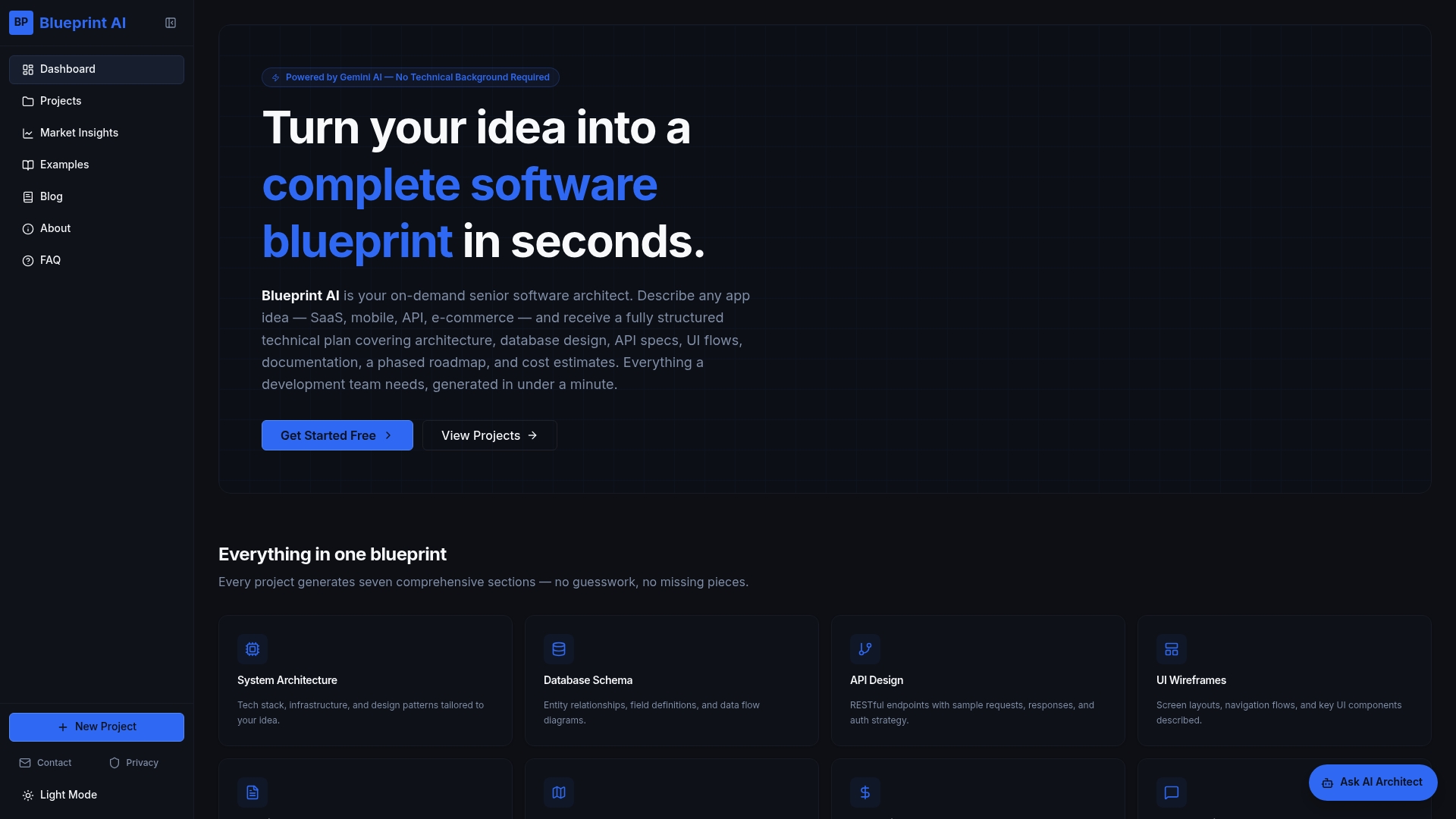
The practical result: refinement sessions get shorter, planning sessions stay on track, and the sprint goal gets agreed faster because everyone already understands the technical shape of the work. For founders and product managers who need to align engineering and product teams before the sprint even starts, Blueprintbot removes the back-and-forth that typically delays that alignment by days. Generate your first blueprint at blueprintbot.net and bring it to your next planning session.
Useful sources and further reading
- Make the Most of Sprint Planning | Scrum.org — Practical guidance on sprint goal crafting and common planning misuses.
- Sprint Planning Meeting: Why It's Critical for Agile Success | Scrum Alliance — Empirical planning principles and distributed-team facilitation advice.
- Sprint Planning | Agile Alliance — Definition, outputs, timebox guidance, and refinement best practices.
- What Is a Software Development Plan? | Blueprintbot — How sprint planning connects to broader software development planning.
- Benefits of Pre-Development Architecture Planning | Blueprintbot — Why clarifying architecture before refinement shortens planning time.
