Learn database design step by step: a founder's guide

The shortest path to a production-ready relational database is this: follow a five-stage lifecycle, starting from the questions your system must answer, and ship a minimally viable schema you can refine with real queries. You do not need to write perfect SQL on day one. You need a clear ER diagram, a normalised relational schema, working CREATE TABLE statements, a migration plan, and a backup checklist. Tools like Blueprintbot, PostgreSQL, and MySQL give you everything required to go from a plain-language app idea to an implementation-ready blueprint in hours rather than weeks.
Quick deliverables to produce at each stage:
- ER diagram (entities, relationships, cardinalities)
- Relational schema (tables, columns, keys)
CREATE TABLESQL for PostgreSQL or MySQL- Migration plan (versioned files, CI testing, staged deploy)
- Backups and recovery checklist
Table of Contents
- What does the five-stage database design lifecycle look like?
- How do you run a solid requirements analysis?
- How do you sketch entities, relationships, and an ER diagram?
- How does normalisation turn an ER diagram into clean tables?
- What physical design decisions matter most?
- How do you implement the schema with SQL, migrations, and backups?
- Worked example: designing a two-sided marketplace
- What does this cost and how long does it take in Canada?
- What mistakes kill a database before launch?
- When should you revisit physical design for scale?
- How does Blueprintbot accelerate the design process?
- Key takeaways
- What founders actually need to hear about database design
- From idea to database blueprint in minutes with Blueprintbot
- Further reading and authoritative sources
What does the five-stage database design lifecycle look like?
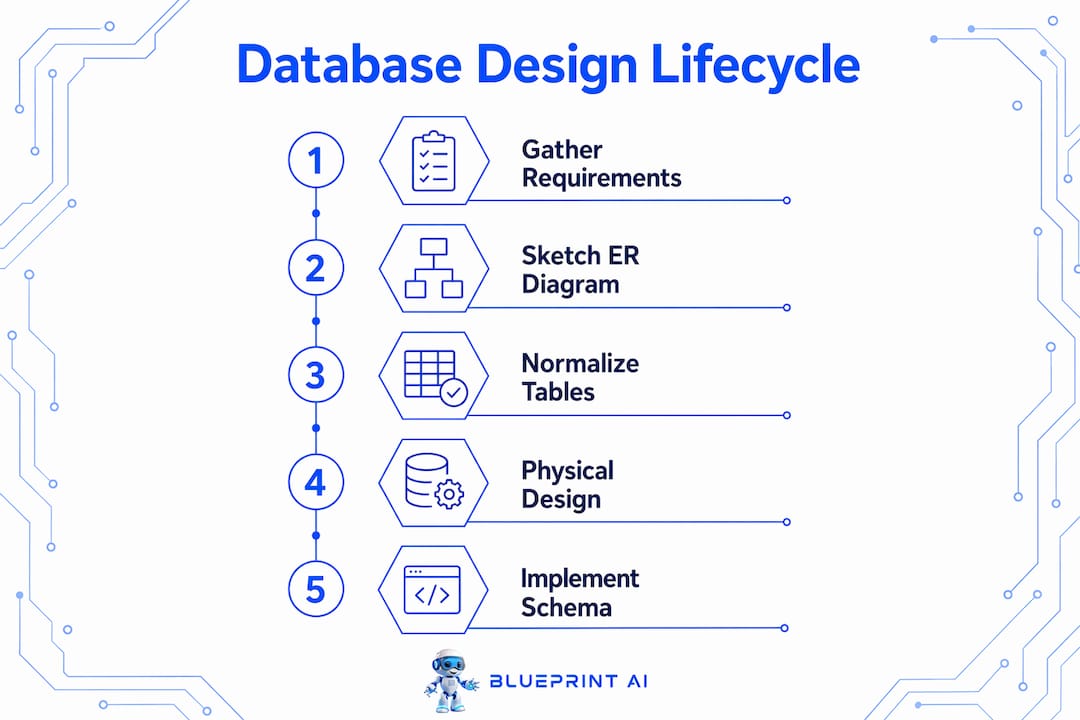
Database design follows a five-stage lifecycle that every university course and professional team uses. Each stage has one job and one concrete output.
- Requirements analysis — Collect the questions your system must answer and the constraints it must respect. Output: a written list of entities, access patterns, and data volumes.
- Conceptual design — Convert requirements into a visual domain model. Output: an Entity-Relationship (ER) diagram.
- Logical design — Translate the ER diagram into normalised tables with keys and constraints. Output: a relational schema.
- Physical design — Choose data types, indexes, partitioning strategy, and storage engine. Output: an index plan and annotated schema.
- Implementation — Write and run
CREATE DATABASE/CREATE TABLESQL, set up migrations, run tests, configure backups. Output: a live, tested database.
Starting from questions and use-cases, rather than jumping straight to CREATE TABLE, keeps the model focused on facts the system actually needs to store and prevents brittle designs that break the moment requirements shift.
How do you run a solid requirements analysis?
Skipping requirements analysis is the leading cause of downstream database failure; schemas built without clear access patterns routinely fail to scale or require expensive rework. Before sketching a single table, get answers to these questions:
- What are the core objects in the system? (users, products, orders, bookings)
- How do those objects relate? (one user places many orders)
- What are the expected data volumes at launch and at 12 months?
- Which queries will run most often, and which must be fast?
- What are the retention, privacy, and compliance requirements?
- Are there any Canadian regulatory constraints (PIPEDA, provincial privacy laws)?
The noun-hunting trick: read your user stories and feature descriptions, then underline every noun. Each distinct noun is a candidate entity. Verbs that connect two nouns are candidate relationships. "A buyer places a booking for a listing" gives you three entities and two relationships in one sentence.
Pro Tip: Blueprintbot's AI chat assistant can take your raw feature list and surface missing entities and access patterns you have not considered, cutting the requirements phase from days to under an hour.
How do you sketch entities, relationships, and an ER diagram?
Entities map to nouns in requirements; relationships come from the verbs describing how those nouns interact. Once you have your noun list, assign attributes to each entity and decide the cardinality of each relationship.
- 1:1 — one user has one profile
- 1:N — one seller has many listings
- N:M — many buyers can book many listings (resolved with a junction table)
Attributes are the columns on each entity. Watch for multi-valued attributes: if a user can have multiple phone numbers, that is a separate phone_numbers table, not a comma-separated column. A minimal ER diagram for a small app needs entity boxes, relationship lines with cardinality notation (crow's foot or UML), and a primary key marked on each entity. Annotate it with a one-line description of each relationship so engineers can implement it without a meeting.
Pro Tip: Blueprintbot generates an ER diagram from a plain-language description of your app. Paste it into your spec document and hand it directly to your engineering team as a starting point for web application architecture.

How does normalisation turn an ER diagram into clean tables?
Normalisation organises data to minimise redundancy and improve integrity, moving through three normal forms in sequence.
| Normal form | One-line rule | Example fix |
|---|---|---|
| 1NF | Every column holds one atomic value; no repeating groups | Split phone1, phone2 into a phones table |
| 2NF | Every non-key column depends on the whole primary key | Move category_name out of order_items into categories |
| 3NF | No non-key column depends on another non-key column | Move city, province out of users into addresses |
Before normalisation — a single orders table holds order_id, customer_name, customer_email, product_name, product_price, quantity. Customer data repeats on every row; a name change requires updating hundreds of records.
After normalisation — three tables: customers (customer_id, name, email), products (product_id, name, price), order_items (order_id, customer_id, product_id, quantity). Each fact lives in exactly one place.
Primary keys uniquely identify rows; foreign keys act as integrity guardrails that reject invalid references at the database level. Add NOT NULL, UNIQUE, and CHECK constraints wherever the business rules demand them. One caution: over-normalisation can harm read performance. When a query must join six tables to display one screen, consider controlled denormalisation for that specific read path.
What physical design decisions matter most?
Physical design is where you make the schema fast. A few rules of thumb cover most cases for an early-stage product.
Indexes:
- Always index primary keys (automatic in PostgreSQL and MySQL).
- Index every foreign key column — unindexed foreign keys cause full table scans on joins.
- Add indexes on high-selectivity filter columns (status, created_at, user_id in query WHERE clauses).
- Plan indexes from the start; retrofitting them later is possible but disruptive on large tables.
Data types:
- Use
INTEGERorBIGINTfor IDs, neverVARCHAR. - Use
DECIMAL(10,2)for money, neverFLOAT(floating-point rounding errors are real). - Use
TIMESTAMPTZin PostgreSQL (stores timezone offset) rather than bareTIMESTAMP. - Size
VARCHARcolumns to realistic maximums;VARCHAR(255)for a postal code wastes nothing but signals carelessness.
Storage engine and platform: PostgreSQL handles complex queries, JSON columns, and full-text search well. MySQL (InnoDB engine) is a solid choice for straightforward transactional workloads. Both are available on every major Canadian cloud provider. Use the SQL vs NoSQL selector if you are unsure whether a relational model fits your use-case at all.
How do you implement the schema with SQL, migrations, and backups?
CREATE DATABASE initialises the logical container; CREATE TABLE defines structure, data types, and keys. Both commands execute in seconds with proper permissions.
PostgreSQL example:
CREATE DATABASE marketplace;

CREATE TABLE users (
  user_id   SERIAL PRIMARY KEY,
  email     VARCHAR(254) NOT NULL UNIQUE,
  full_name VARCHAR(120) NOT NULL,
  created_at TIMESTAMPTZ NOT NULL DEFAULT NOW()
);
MySQL equivalent:
CREATE DATABASE marketplace;
USE marketplace;

CREATE TABLE users (
  user_id    INT UNSIGNED AUTO_INCREMENT PRIMARY KEY,
  email      VARCHAR(254) NOT NULL UNIQUE,
  full_name  VARCHAR(120) NOT NULL,
  created_at DATETIME     NOT NULL DEFAULT CURRENT_TIMESTAMP
);
Migration workflow: dev branch → write migration file (e.g., Flyway, Liquibase, or plain numbered .sql files) → CI runs migration on a test database → review passes → deploy to staging → deploy to production.
Backup checklist:
- Automated daily snapshots (pg_dump or mysqldump, or managed cloud backups)
- Offsite or cross-region storage
- Weekly restore test on a staging instance to confirm recovery works
- Document recovery time objective (RTO) before launch
Pro Tip: Always version migration files and include basic role-based permissions at the schema level from day one. Retrofitting access control after launch is far more painful than setting it up in the first migration.
Worked example: designing a two-sided marketplace
Start from the questions the system must answer:
- Which listings are available in a given city and date range?
- Which bookings does a user have, and what is their status?
- What payments are associated with a booking?
- Which listings belong to a seller?
- What is the total revenue for a seller in a given month?
Entities and relationships (ER diagram in prose):
| Entity | Key attributes | Relationships |
|---|---|---|
| users | user_id, email, full_name, role | 1 user → N listings (as seller); 1 user → N bookings (as buyer) |
| listings | listing_id, seller_id, title, price, city | N:M with bookings via bookings table |
| bookings | booking_id, listing_id, buyer_id, status, start_date, end_date | 1 booking → 1 payment |
| payments | payment_id, booking_id, amount, currency, paid_at | belongs to 1 booking |
CREATE TABLE SQL (PostgreSQL):
CREATE TABLE listings (
  listing_id  SERIAL PRIMARY KEY,
  seller_id   INT NOT NULL REFERENCES users(user_id),
  title       VARCHAR(200) NOT NULL,
  price       DECIMAL(10,2) NOT NULL,
  city        VARCHAR(100) NOT NULL,
  created_at  TIMESTAMPTZ NOT NULL DEFAULT NOW()
);

CREATE TABLE bookings (
  booking_id  SERIAL PRIMARY KEY,
  listing_id  INT NOT NULL REFERENCES listings(listing_id),
  buyer_id    INT NOT NULL REFERENCES users(user_id),
  status      VARCHAR(20) NOT NULL DEFAULT 'pending',
  start_date  DATE NOT NULL,
  end_date    DATE NOT NULL
);

CREATE TABLE payments (
  payment_id  SERIAL PRIMARY KEY,
  booking_id  INT NOT NULL REFERENCES bookings(booking_id),
  amount      DECIMAL(10,2) NOT NULL,
  currency    CHAR(3) NOT NULL DEFAULT 'CAD',
  paid_at     TIMESTAMPTZ
);
What does this cost and how long does it take in Canada?
| Milestone | Duration | Notes |
|---|---|---|
| Requirements analysis | a few days | Stakeholder interviews, user story review |
| ER diagram | a couple of days | Conceptual and logical design |
| Relational schema + SQL | a few days | Normalisation, constraints, index plan |
| Implementation + migrations | several days | Dev environment, CI setup |
| Testing + security review | a few days | Integrity tests, load tests, role setup |
| Total | over one to several weeks | Solo developer or small team |
Canadian cost ranges (2026 estimates):
- Freelance developer (Upwork Canada, Toptal): a moderate to high hourly rate; a full schema design engagement typically runs a mid-range project cost.
- Small agency (Toronto, Vancouver, Montreal): a considerable project cost for requirements through implementation.
- Blueprintbot + engineer review: Generate the blueprint in minutes, then pay an engineer for a half-day review (a short, moderately priced engineering review). Total cost drops sharply.
Variables that move the number: data volume and partitioning complexity, PIPEDA or PHIPA compliance requirements, third-party integrations (payment processors, shipping APIs), and whether you need a DBA for the physical design review.
For a broader view of how database design fits into your software development lifecycle, the phases above map directly to the planning and architecture sprints.
What mistakes kill a database before launch?
Top design mistakes:
- No primary key on a table (makes row identification and joins unreliable)
- Missing foreign key constraints (orphaned records accumulate silently)
- Storing comma-separated lists in a single column (violates 1NF, breaks queries)
- No indexes on foreign keys or common filter columns
- Using
FLOATfor monetary values - Skipping role-based permissions until post-launch
Pre-launch checklist:
- All tables have a primary key
- All foreign keys are indexed and constrained
NOT NULLapplied to every column that must always have a value- Sample queries for each core use-case run without errors
- A backup restore test has been completed on staging
- Least-privilege roles assigned (app user cannot
DROP TABLE) - Schema changes are version-controlled in migration files
Red flags that mean stop and rework: a query joining more than five tables to render one screen; a table with no primary key; any column named data, info, or misc; and migration files that have never been tested on a clean database.
When should you revisit physical design for scale?
Ship a clean, normalised schema first. Revisit physical design when you see concrete signals, not before.
Scaling signals to watch:
- Query latency above 200ms on simple lookups
- Slow joins on tables exceeding roughly one million rows
- Hotspot writes on a single table (e.g., an
eventslog) - Table growth doubling faster than expected
Short-term remedies (low complexity): add missing indexes, introduce a read-replica for reporting queries, add an application-level cache (Redis) for frequently read, rarely changed data.
Longer-term options: horizontal partitioning (range or list partitioning by date or region), sharding by tenant or geography, or separating high-write services into their own database. Each step adds operational complexity and cost. App performance at the database layer is almost always an indexing or query problem first, and an architecture problem second. Bring in a DBA when you are considering sharding; the trade-offs are non-trivial.
How does Blueprintbot accelerate the design process?
The manual path through this guide takes a non-technical founder one to three weeks. Blueprintbot compresses the first three stages to minutes.
Demo flow:
- Submit your app idea in plain language ("a two-sided marketplace for short-term equipment rentals in Canada")
- Blueprintbot surfaces the core system questions your database must answer
- It generates an ER diagram, a normalised relational schema, and exportable
CREATE TABLESQL - The AI chat assistant handles follow-up questions ("should bookings and payments be in the same table?")
- Export the migration files and hand them to an engineer for a half-day review
Features that matter for non-technical founders:
- Full database schema with constraints and foreign keys, generated from a description
- Exportable SQL compatible with PostgreSQL and MySQL
- Integrated cost estimates for Canadian development teams
- Phased development roadmap tied to the schema milestones
- AI chat for clarifying design decisions without a consultant
Pro Tip: Use Blueprintbot's free planning tools to generate a first-pass schema, then run it past an engineer for a focused review. You get the speed of AI generation and the confidence of human validation.
Key takeaways
A production-ready relational database requires five sequential stages, starting from the questions your system must answer, not from a blank CREATE TABLE statement.
| Point | Details |
|---|---|
| Start with questions | List what your system must answer before sketching any table or column. |
| Normalise to 3NF | Remove repeating groups, partial dependencies, and transitive dependencies for a clean schema. |
| Index from day one | Index every foreign key and high-selectivity filter column before the first production query runs. |
| Version your migrations | Store every schema change in numbered migration files and test them in CI before deploying. |
| Blueprintbot accelerates delivery | Generate an ER diagram, relational schema, and exportable SQL from a plain-language idea in minutes. |
What founders actually need to hear about database design
The first schema is never the final schema. Every experienced engineer knows this, but most founders are not told it upfront, which leads to two failure modes: either they over-engineer the initial design trying to anticipate every future requirement, or they ship something so brittle that the first real user breaks it.
The right mental model is iterative and query-driven. Ship a schema that answers your five most important system questions. Observe the real queries your application generates. Then refactor. A schema that evolves through disciplined migrations is far healthier than one that was "perfect" on paper but never tested against real data.
On denormalisation: the instinct to keep everything in 3NF is correct for most tables, but there are read paths where a single denormalised summary column saves three joins and cuts latency by an order of magnitude. That is not a design failure. It is a deliberate trade-off, and it should be documented in the migration file so the next engineer understands why the column exists.
Migration discipline is the unglamorous part that separates teams that ship reliably from teams that break production on a Friday afternoon. Every schema change gets a migration file. Every migration file gets tested on a clean database in CI. No exceptions. The cost of that discipline is about ten minutes per change. The cost of skipping it is a corrupted production database with no clean rollback path.
From idea to database blueprint in minutes with Blueprintbot
Most founders spend weeks going back and forth with developers before a single table gets created. Blueprintbot cuts that to a single session. Describe your app in plain language, and the platform generates a complete database schema with primary keys, foreign keys, constraints, and exportable CREATE TABLE SQL for PostgreSQL or MySQL, alongside a phased development roadmap and Canadian cost estimates.
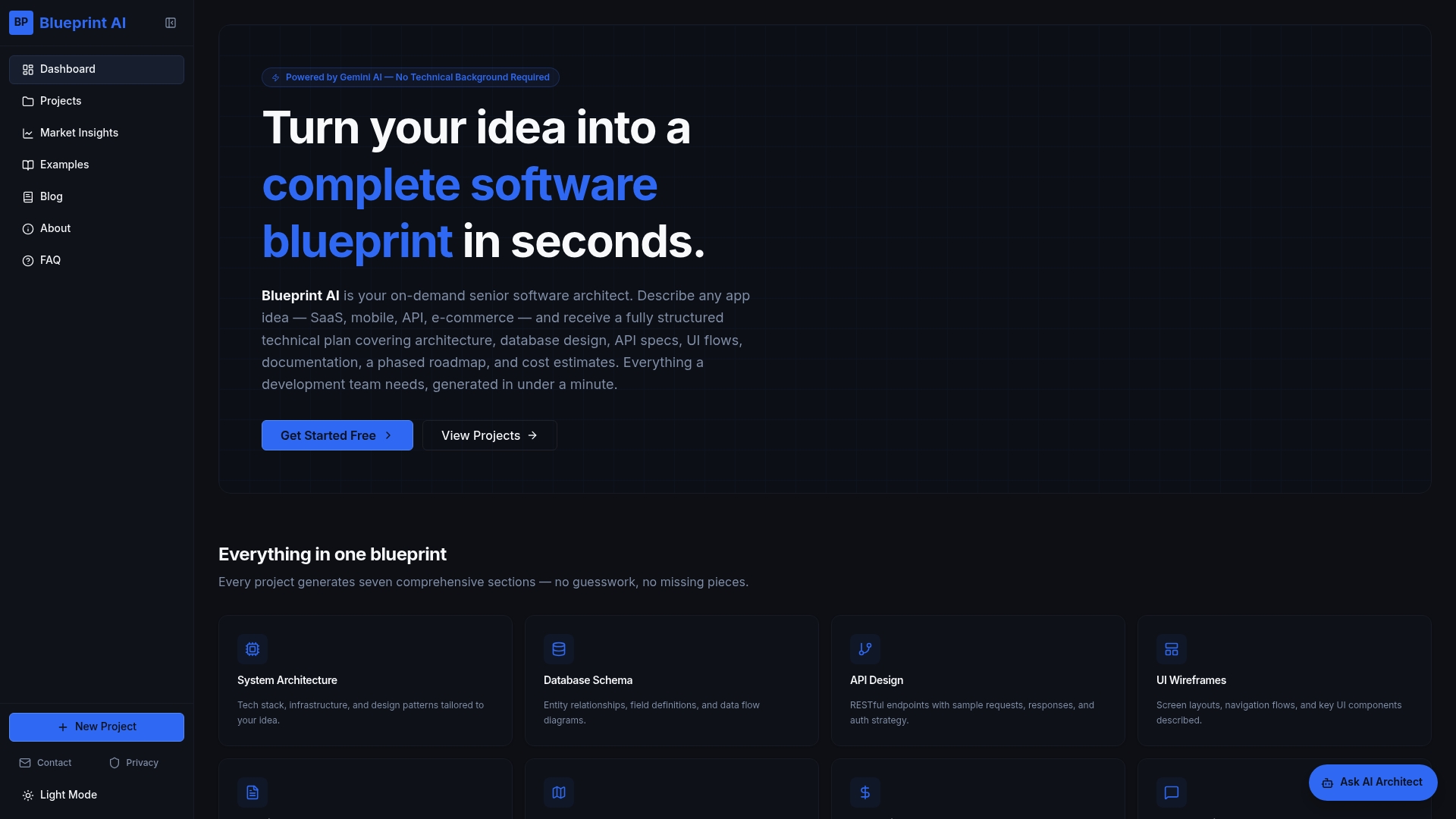
The output is not a rough sketch. It is an implementation-ready blueprint your engineer can review, refine, and deploy. You also get an ER diagram, migration files, and access to an AI chat assistant for follow-up design questions. For Canadian founders who want to move from idea to first database in hours rather than weeks, generate your first blueprint and see what your schema looks like before your next engineering call.
Further reading and authoritative sources
- An Introduction to Database System Design (freeCodeCamp) — covers the full design lifecycle with a practical library system worked example and PostgreSQL SQL.
- Mastering Database Design: An Ultimate Guide (GeeksforGeeks) — comprehensive reference on normalisation, integrity constraints, indexing, and physical design best practices.
- How to Create a Database: Step-by-Step Guide (Exasol) — explains
CREATE DATABASEacross PostgreSQL, MySQL, and SQL Server with notes on permissions and platform differences. - The Database Design Process (Aalto OpenCS) — university course material framing design as an iterative loop; recommended for understanding query-driven schema refinement.
- Database Design: 5-Step Guide for Developers — practitioner walkthrough of the five-stage lifecycle with ER-to-relational conversion rules.
- Blueprintbot: database schema design for web applications — practical advice on schema pitfalls and best practices for web app contexts.
