System architecture documentation examples: a practical guide

System architecture documentation is a structured set of artefacts that illustrates how a software system is designed, why key decisions were made, and how the system operates over time. The best system architecture documentation examples share three traits: they target the right audience, they capture the "why" behind decisions, and they stay current as the system evolves. Frameworks like the C4 model and Architecture Decision Records (ADRs) have become the industry standard for achieving all three. This guide walks software architects, developers, and project managers through the most effective documentation types, how to structure them, and how to choose the right format for your project's scale.
What are the best system architecture documentation examples?
The most useful system architecture documentation examples are not exhaustive technical manuals. They are focused artefacts that answer specific questions for specific audiences. The C4 model is the most widely adopted lightweight framework, organising documentation into four levels, with Levels 1 and 2 covering the needs of most teams.
System Context diagram (C4 Level 1)

A System Context diagram shows the system as a single box surrounded by the users and external systems it interacts with. This is the highest-level view and the first document a new stakeholder or developer should read. It answers "what does this system do and who uses it?" without any internal detail.
Container diagram (C4 Level 2)
A Container diagram zooms into the system boundary and shows the deployable units: web apps, mobile apps, databases, and APIs. Each container has a clear responsibility. This view is where engineers and product managers find common ground, because it is technical enough to be accurate and simple enough to be understood without deep coding knowledge.
Sequence diagrams for critical flows
Sequence diagrams document how components interact during a specific user scenario, such as a login flow or a payment transaction. They are not needed for every feature. Reserve them for flows where the order of operations is non-obvious or where failures carry high risk.
Deployment diagrams
A deployment diagram maps containers to infrastructure: which services run on which servers, cloud regions, or containers. This artefact is the primary reference for DevOps and operations teams. It answers "where does this actually run?"
Architecture Decision Records (ADRs)
ADRs capture the rationale behind key architectural choices and prevent technical debt from accumulating silently. A typical ADR is short, stored directly in the repository, and reviewed during pull requests. The format is simple: context, decision, consequences. Teams that skip ADRs often rediscover the same debates months later, wasting time and introducing inconsistency.
Pro Tip: Start every new project with a System Context diagram and at least one ADR for the most consequential early decision, such as your choice of database or cloud provider. These two artefacts alone will save hours of onboarding time.
How to structure system architecture documentation effectively
Good structure is what separates a document that gets read from one that gets ignored. A well-organised architecture document follows a predictable pattern that any team member can navigate quickly.
Purpose and scope. Open with one paragraph explaining what system this document covers, what it does not cover, and who the intended readers are. This prevents misuse and sets expectations immediately.
Business context. Describe the business problem the system solves and the constraints it operates under. Product managers should focus on constraints and design rationale rather than granular technical details. Latency requirements and user capacity limits belong here.
System Context diagram. Place the C4 Level 1 diagram early. Readers orient themselves visually before reading prose.
Container diagram. Follow with the C4 Level 2 view. Label each container with its technology and primary responsibility.
Component and sequence diagrams (as needed). Add these only for complex subsystems or high-risk flows. Over-detailing at the code level is a common mistake; C4 Level 4 diagrams become obsolete quickly and rarely justify the maintenance cost.
Deployment and infrastructure. Include a deployment diagram with environment-specific notes (development, staging, production).
Security and compliance notes. List authentication mechanisms, data encryption standards, and any regulatory requirements. Keep this section factual and brief.
Architecture Decision Records. Either embed ADRs inline or link to them from a dedicated section. Creating ADRs linked from the main document lets teams track rationale without overwhelming readers with excessive detail.
Glossary. Define any domain-specific or system-specific terms. This is especially valuable for teams that include non-technical stakeholders.
A finished architecture document for most projects runs 5–15 pages. Anything shorter risks missing critical context; anything longer risks being ignored entirely.
Pro Tip: Use a diagrams-as-code tool like Mermaid or PlantUML to keep diagrams version-controlled alongside your source code. This prevents the common problem of diagrams drifting out of sync with the actual system.
Choosing the right documentation format for your project
Not every project needs the same depth of documentation. The right scope depends on team size, project complexity, and regulatory context.
| Artefact | Primary audience | Update frequency | Best for |
|---|---|---|---|
| System Context diagram | Business, all engineers | Per major release | All project sizes |
| Container diagram | Engineers, architects | Per major release | All project sizes |
| Sequence diagrams | Engineers | Per feature change | Medium to large projects |
| Deployment diagram | DevOps, operations | Per infrastructure change | Medium to large projects |
| Architecture Decision Records | All team members | Per key decision | All project sizes |
| Runbooks | Operations | Per operational change | Enterprise, regulated systems |
| Technical specifications | Engineers, product | Per planned change | Medium to large projects |
Distinguishing between an Architecture Document and a Technical Specification is critical for avoiding redundant documentation. The architecture document captures the current state of the system. The technical specification captures planned changes. Mixing the two creates confusion about what is live and what is aspirational.
For teams working with external development partners, a clear container diagram and a set of ADRs are the minimum viable handoff package. For architecture decision records in technology projects, a structured approach to capturing context and consequences makes the difference between a useful record and a forgotten file.
Situational recommendations: matching documentation to project scale
The right documentation scope changes significantly depending on where your project sits on the complexity spectrum.
Small teams and MVPs
A minimal viable documentation set for an early-stage product includes three artefacts: a System Context diagram, a Container diagram, and at least two or three ADRs covering the most consequential early decisions. This set takes a few hours to produce and pays back immediately during team onboarding and investor conversations.
Medium-scale projects
As a product grows, add sequence diagrams for the three to five most critical user flows, a deployment diagram for each environment, and a technical specification for any significant upcoming change. Real-world app architecture examples show that medium-scale teams benefit most from keeping their container diagram current, since it becomes the shared mental model for the entire engineering organisation.
Enterprise and regulated systems
Large or regulated projects require operational runbooks, security and compliance sections, and a formal review cadence. Architecture documentation should be reviewed at least quarterly or after any significant system change. For regulated industries, this review cadence is often a compliance requirement, not just a best practice.
Common pitfalls to avoid
- Documenting at the code level (C4 Level 4) before the architecture is stable. This work becomes obsolete within weeks.
- Writing documentation for one audience when multiple audiences need it. The C4 model elegantly separates views for business and technical readers precisely because a single document cannot serve both well.
- Treating documentation as a one-time deliverable. Architecture design is an ongoing workflow that gets more valuable with continuous updates, not a phase that ends at project launch.
Pro Tip: Assign documentation ownership to a named team member, not the team as a whole. Shared ownership almost always means no ownership. One person responsible for keeping the architecture document current is more effective than a standing committee.
For teams building their first architecture document, software design documentation guides offer practical templates and worked examples that reduce the time from blank page to usable artefact.
Key takeaways
The most effective system architecture documentation combines the C4 model's layered views with ADRs, targets distinct audiences at each level, and is treated as a living document updated at least quarterly.
| Point | Details |
|---|---|
| Start with C4 Levels 1 and 2 | System Context and Container diagrams serve most teams without over-engineering the documentation. |
| Use ADRs for every key decision | Short, repo-stored ADRs prevent technical debt and save onboarding time across the project lifecycle. |
| Match scope to project scale | MVPs need three artefacts; enterprise systems need runbooks, compliance notes, and formal review cycles. |
| Keep diagrams version-controlled | Tools like Mermaid and PlantUML keep diagrams in sync with code and prevent documentation drift. |
| Review documentation quarterly | Quarterly reviews are the minimum cadence; update after any significant architectural change. |
Why documentation is a team sport, not a solo deliverable
I have worked on projects where the architecture document was a masterpiece on day one and a liability by month six. The architect who wrote it had moved on, the diagrams no longer matched the deployed system, and new engineers were making decisions based on outdated context. That experience changed how I think about documentation entirely.
The most valuable architecture documents I have seen are not the most detailed ones. They are the ones that get opened every sprint, argued over in pull request reviews, and updated when a decision changes. Embedding ADRs directly in the repository is the single highest-leverage habit a team can build. When a developer asks "why did we choose PostgreSQL over a document store?" the answer is one search away, not buried in someone's email history.
Product managers often feel excluded from architecture documentation because it reads like an engineering artefact. Structuring the business context and constraints section specifically for them, as a readable narrative rather than a diagram, changes that dynamic. When product managers understand the architectural constraints, they make better prioritisation decisions and fewer requests that create technical debt.
The teams I have seen succeed with living documentation all share one habit: they treat the architecture document the same way they treat their codebase. It lives in version control, it has owners, and it gets reviewed. Open source architecture case studies consistently show that projects with well-maintained documentation attract better contributors and move faster over time. That is not a coincidence.
— Rishi
Blueprintbot makes architecture documentation faster to start
Getting from a blank page to a working architecture document is the hardest part for most teams. Blueprintbot generates complete software architecture blueprints from your app idea in seconds, covering system context, container structure, API design, database schemas, and ADR starters. The output gives architects and developers a structured foundation to refine, rather than a blank template to fill.
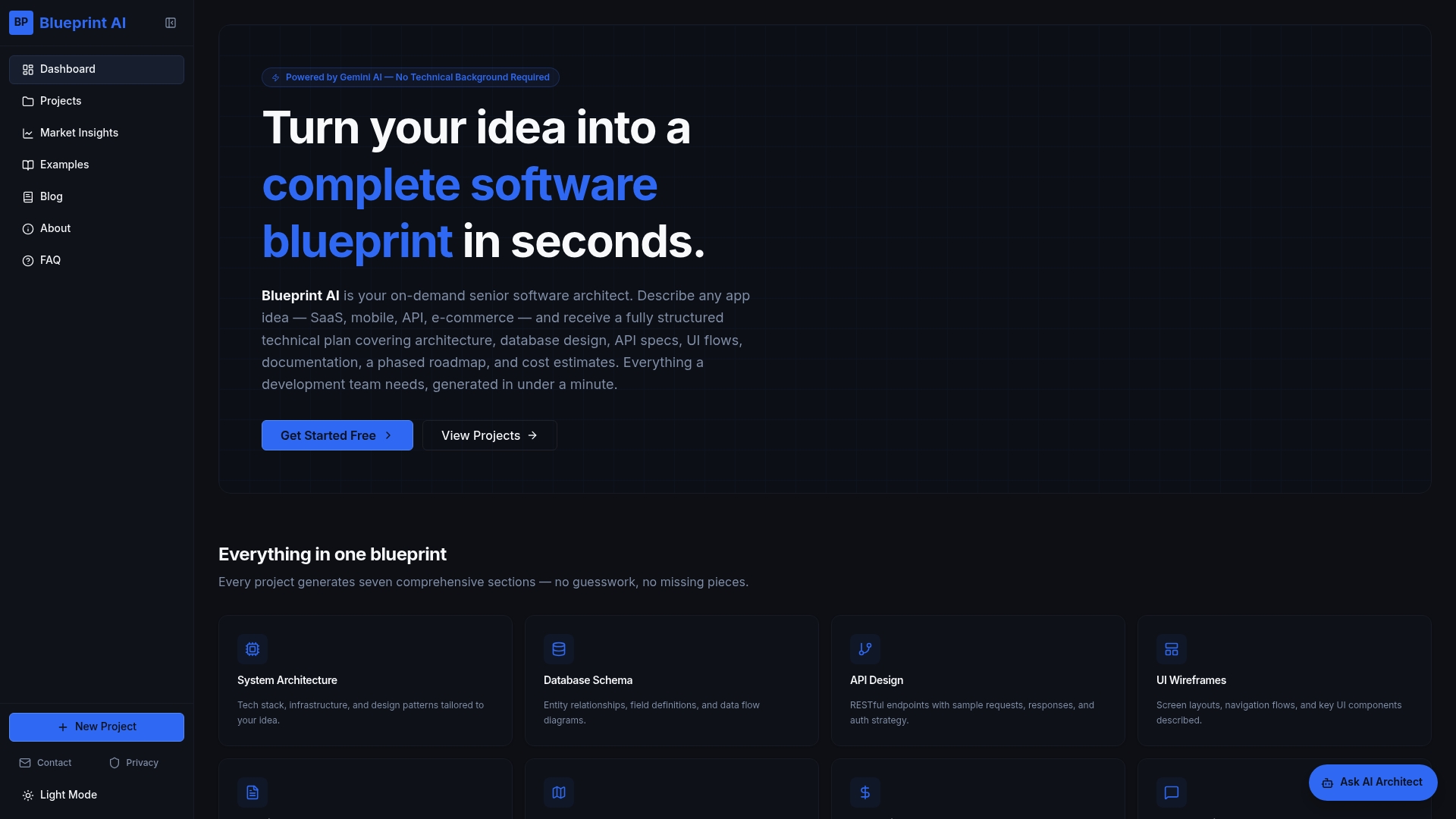
Blueprintbot's free planning tools also support diagram creation and technical specification drafting, so your team can move from concept to documented architecture without switching between a dozen different applications. For teams that need to show stakeholders a clear technical plan quickly, Blueprintbot cuts the documentation setup time from days to minutes.
FAQ
What is the C4 model in system architecture documentation?
The C4 model is a lightweight framework that organises architecture documentation into four levels: System Context, Container, Component, and Code. Most teams find Levels 1 and 2 sufficient for clear, maintainable documentation.
How often should architecture documentation be updated?
Architecture documentation should be reviewed at least quarterly and updated after any significant system change. ADRs should be added or revised whenever a key architectural decision is made.
What is an Architecture Decision Record?
An ADR is a short document stored in the project repository that captures the context, decision, and consequences of a key architectural choice. ADRs prevent technical debt by making the reasoning behind decisions visible to the whole team.
What is the difference between an architecture document and a technical specification?
An architecture document describes the current state of the system. A technical specification describes planned changes. Keeping them separate prevents confusion about what is live versus what is still in progress.
How long should a system architecture document be?
Most architecture documents run 5–15 pages. Shorter documents risk missing critical context; longer documents risk being ignored. Focus on diagrams and ADRs rather than lengthy prose explanations.
